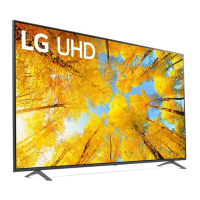
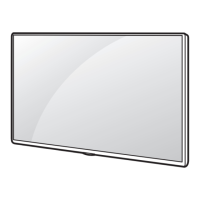
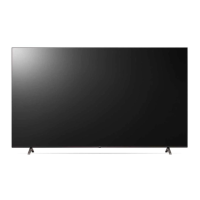
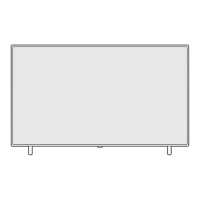
This document describes a large-screen LED TV, likely part of the LG UQ70, UQ75, UQ80, or UQ90 series, given the model numbers listed (86UQ7070ZUD, 86UQ8000AUB, 86UQ9000PUD, 86UQ7590PUD) and the 86-inch screen size. It functions as a display device for various video sources, offering smart TV capabilities and a range of connectivity options.
Function Description
The TV serves as a central entertainment hub, capable of displaying high-definition video content from broadcast signals, external devices (like Blu-ray players, gaming consoles, and PCs), and streaming services. It integrates smart TV features, likely powered by LG's webOS platform, allowing users to access apps, browse the internet, and control the TV with a Magic Remote. The remote control, which may vary in button layout and naming depending on the specific model, provides intuitive navigation and voice control capabilities.
Important Technical Specifications
- Display Type: LED TV.
- Screen Size: 86 inches.
- Power Requirement: AC 120 V~, 50/60 Hz.
- Power Consumption: 335 W.
- Dimensions (86-inch models):
- Width (A): 1,927 mm (75.8 inches)
- Height with stand (B): 1,167 mm (45.9 inches)
- Depth with stand (C): 361 mm (14.2 inches)
- Height without stand (D): 1,104 mm (43.4 inches)
- Depth without stand (E): 59.9 mm (2.3 inches)
- Weight with stand (F): 45.6 kg (100.5 lbs)
- Weight without stand (F-G): 45.2 kg (99.6 lbs)
- VESA Mounting Standard: 600 x 400 mm (23.6 x 15.7 inches) with M8 screws. This is compatible with the LSW640B wall mount bracket mentioned.
- Connectivity:
- Optical Digital Audio Out: For connecting to external audio systems.
- LAN Port: For wired network connection.
- Antenna/Cable In: For connecting to broadcast signals.
- USB In: Multiple USB ports (likely USB 2.0 and possibly USB 3.0) for connecting USB storage devices (e.g., flash drives, external hard drives) for media playback and software updates.
- HDMI In: Multiple HDMI ports, including at least one with eARC/ARC support for enhanced audio return channel functionality. These ports are for connecting various external devices.
- Wireless Connectivity:
- Wi-Fi: Supports 802.11a/b/g/n/ac for wireless network connection.
- Bluetooth: Supports Bluetooth 5.0 for connecting wireless peripherals like headphones or soundbars.
- Operating Conditions:
- Operating Temperature: 0 °C to 40 °C (32 °F to 104 °F).
- Operating Humidity: Less than 80%.
- Storage Temperature: -20 °C to 60 °C (-4 °F to 140 °F).
- Storage Humidity: Less than 85%.
- RF Module Specifications:
- Wi-Fi (802.11a/b/g/n/ac):
- Frequency Range: 2,400 to 2,483.5 MHz (Output Power: 17 dBm)
- Frequency Range: 5,150 to 5,725 MHz (Output Power: 17 dBm)
- Frequency Range: 5,725 to 5,850 MHz (Output Power: 13 dBm)
- Bluetooth (5.0):
- Frequency Range: 2,400 to 2,483.5 MHz (Output Power: 10 dBm)
Usage Features
- Setup and Installation: The TV can be set up on its included stand or wall-mounted using a VESA-compatible bracket. The manual provides clear instructions for both, including screw specifications (M5 x L30 for the stand) and wall mount dimensions. It emphasizes safety precautions during installation, especially for large and heavy screens.
- Magic Remote Control: This advanced remote offers intuitive control with features like:
- Power: Turns the TV on or off.
- Number Buttons: Enters numbers, accesses lists, and provides teletext functions.
- Volume Up/Down: Adjusts volume.
- Mute: Mutes all sounds.
- Channel Up/Down: Changes channels.
- Voice Recognition: Activates voice control (requires network connection).
- Home Button: Accesses the Home menu.
- Input Button: Changes input source.
- Quick Access: Long-press a number button to assign an app or TV program for quick launch.
- Settings Button: Accesses the Quick Settings menu or the All Settings menu.
- Navigation Wheel (Up/Down/Left/Right/OK): For menu navigation and selection.
- Back Button: Returns to the previous level.
- Guide Button: Displays the program guide.
- Playback Controls: Play, pause, stop, fast forward, rewind.
- Color Buttons: Context-sensitive buttons for special functions.
- Netflix/Prime Video Buttons: Direct access to streaming services.
- Pointer Function: The remote can be used as a pointer on the screen, similar to a mouse.
- Smart TV Functionality: Access to various apps, streaming services, and web browsing via the webOS platform. The TV supports connecting to a network via Wi-Fi or Ethernet.
- External Device Connectivity: Supports a wide array of external devices through HDMI, USB, and optical audio ports. The HDMI ports support features like eARC/ARC for simplified audio connections.
- USB Playback: Users can play media files (photos, videos, music) directly from a USB storage device connected to the TV.
- Remote Control Pairing: The Magic Remote needs to be paired with the TV for full functionality, typically by pressing the Wheel (OK) button.
- NFC (Near Field Communication): Some models may support NFC for easy connection with smart devices.
- Open Source Software Notice: The TV utilizes open-source software, and users can access the license information from the TV's settings menu or by visiting LG's website.
- IR Blaster: An optional IR Blaster may be included to control external devices (e.g., set-top boxes, Blu-ray players) through the TV's Magic Remote.
Maintenance Features
- Cleaning:
- Always unplug the TV before cleaning.
- Use a soft, dry cloth to clean the frame.
- For the screen, use a soft cloth, lightly dampened with clean water or a mild detergent. Avoid spraying water directly onto the screen.
- Never use industrial cleaners, abrasives, or wax products.
- Troubleshooting: The manual provides a "Checking the TV with a self-diagnosis function" section to help identify and resolve common issues. It also suggests checking the power cord, input source, and remote control batteries.
- Software Updates: The TV can receive software updates, which can be performed via the internet or a USB device, to improve performance and add new features.
- Warranty Information: The document includes detailed warranty information, outlining the terms and conditions for repair or replacement. Customers are advised to contact LG Customer Service for warranty claims, providing proof of purchase and the model/serial number.
- Safety Precautions: The manual extensively covers safety warnings, including:
- Electrical Safety: Do not open the TV, avoid liquid exposure, use only specified power cords, and unplug during lightning storms.
- Installation Safety: Ensure proper ventilation, avoid blocking vents, use appropriate wall mounts, and secure the TV to prevent tipping.
- Child Safety: Prevent children from climbing on the TV or stand, and use anti-tip devices.
- Environmental Safety: Dispose of batteries and electronic waste responsibly.
- Hearing Protection: Avoid listening at high volumes for extended periods.
- RF Radiation Exposure: The TV's wireless modules comply with FCC RF radiation exposure limits.
- FCC Compliance: The device complies with Part 15 of the FCC Rules, ensuring it does not cause harmful interference and accepts any interference received.
- Battery Disposal: Instructions for proper disposal of used batteries are provided, emphasizing not to dispose of them with general household waste.
This comprehensive manual provides essential information for operating, maintaining, and troubleshooting the LG 86-inch LED TV, ensuring users can maximize their entertainment experience safely and effectively.

 Need help?

 To Next Page
 General