EasyManua.ls Logo

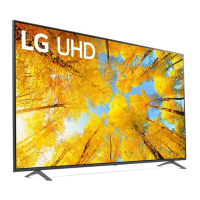
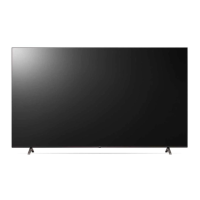
LG 86UQ9 Series - User Manual

LG 86UQ9 Series
32 pages
Print Icon
To Next Page IconTo Next Page
Loading...
ENGLISH_index
Safety and Reference
OWNER’S MANUAL
LED TV*
Please read this manual carefully
before operating your set and retain it
for future reference.
* LG LED TV applies LCD screen with LED backlights.
The model and serial number of the product are
located on the back and on one side of the product.
Record them below in case you ever need service.
Model
Serial No.
www.lg.com
Copyright © 2022 LG Electronics Inc.
All Rights Reserved.
*MFL718464142211REV04*
For any Suggestion, Opinion,
Complaints, Please Call
800 54 in UAE
0800 545454 in South Africa
080 100 54 54 in Morocco
19960 in Egypt
021 36 54 54 in Algeria
Other countries, Please contact our
local dealer or log into
http://www.lg.com
Question and Answer IconNeed help?

Do you have a question about the LG 86UQ9 Series and is the answer not in the manual?

Overview

This document is an owner's manual for an LG LED TV, providing essential information for its safe and effective use.

Function Description

The LG LED TV is a display device that utilizes an LCD screen with LED backlights. It is designed for home entertainment, allowing users to watch various content from broadcast television, external devices, and potentially internet-connected services (though specific smart features are not detailed in this excerpt). The TV can be operated via a remote control or a button on the unit itself.

Important Technical Specifications

Broadcasting Specifications:

  • Digital TV: DVB-T/T2, DVB-C, DVB-S/S2 (DVB-T2/C/S2 support models only).
    • DVB-S/S2 Program Coverage: 950 ~ 2,150 MHz
    • DVB-C Program Coverage: 46 ~ 890 MHz
    • DVB-T/T2 Program Coverage:
      • VHF III: 174 ~ 230 MHz
      • UHF IV: 470 ~ 606 MHz
      • UHF V: 606 ~ 862 MHz
      • S Band II: 230 ~ 300 MHz
      • S Band III: 300 ~ 470 MHz
    • Maximum Storable Programmes (Digital TV): 6,000 (DVB-S/S2, DVB-C), 3,000 (DVB-T/T2)
  • Analogue TV: PAL B/B, PAL B/G, PAL D/K, PAL-I, SECAM B/G, SECAM D/K, NTSC-M.
    • Program Coverage: 46 ~ 862 MHz
  • External Antenna Impedance: 75 Ω

Connectivity:

  • HDMI: Supports True HD (48 kHz), Dolby Digital / Dolby Digital Plus (32 kHz / 44.1 kHz / 48 kHz), PCM (32 kHz/44.1 kHz / 48 kHz / 96 kHz / 192 kHz). Recommended: Ultra High Speed HDMI®/™™ cable (3 m or less). Supports HDMI Deep Colour (depending on model).
  • USB: Supports USB 2.0 (if extension cable is used). USB devices should have bezels less than 10 mm thick and 18 mm width.
  • IR Blaster: For controlling set-top boxes, Blu-ray/DVD players, soundbars, game consoles, etc.
  • Wired LAN: CAT 7 cable recommended for high-speed internet transmission (if LAN port is provided).

Wireless Module Specifications (Output Power Max.):

  • LGSBWAX12 (Only QNED95, QNED96, QNED99*):**
    • Wireless LAN (IEEE 802.11a/b/g/n/ac/ax):
      • 2,400 to 2,483.5 MHz: 17 dBm
      • 5,150 to 5,725 MHz: 15 dBm
      • 5,725 to 5,850 MHz: 13 dBm
      • 5,945 to 6,425 MHz (Only UAE): 11 dBm
    • Bluetooth: 2,400 to 2,483.5 MHz: 9 dBm
  • LGSBWAC03 (Except for QNED95, QNED96, QNED99*, QNED80*, QNED81*, QNED85*, QNED86*, QNED91*, 86NANO75*, 86NANO76*, 86NANO79*, 86UQ90*, 86UQ91*):**
    • Wireless LAN (IEEE 802.11a/b/g/n/ac):
      • 2,400 to 2,483.5 MHz: 18.5 dBm
      • 5,150 to 5,725 MHz: 19.5 dBm
      • 5,725 to 5,850 MHz: 11.5 dBm
    • Bluetooth: 2,400 to 2,483.5 MHz: 9 dBm
  • LGSBWAC95 (Only QNED80, QNED81, QNED85*, QNED86*, QNED91*, 86NANO75*, 86NANO76*, 86NANO79*, 86UQ90*, 86UQ91*):**
    • Wireless LAN (IEEE 802.11a/b/g/n/ac):
      • 2,400 to 2,483.5 MHz: 19 dBm
      • 5,150 to 5,725 MHz: 18 dBm
      • 5,725 to 5,850 MHz: 13.5 dBm
    • Bluetooth: 2,400 to 2,483.5 MHz: 9 dBm

Environmental Conditions:

  • Operating Temperature: 0 °C to 40 °C
  • Operating Humidity: Less than 80%
  • Storage Temperature: -20 °C to 60 °C
  • Storage Humidity: Less than 85%

Usage Features

Initial Setup:

  • Mounting: The TV can be mounted on a table using its stand or wall-mounted. For table mounting, ensure a 10 cm minimum space from the wall for ventilation. For wall mounting, remove the stand first and use VESA standard mounting interface (optional parts). LG recommends using their wall mount bracket and professional installers.
  • Antenna/Cable Connection: Connect to a wall antenna socket with a 75 Ω RF cable for terrestrial broadcasts. A signal splitter can be used for multiple TVs. A signal amplifier may be needed for poor image quality. For satellite broadcasts, connect to a satellite dish with a 75 Ω satellite RF cable.
  • Power On/Off: The TV can be turned on by pressing the power button. To turn off, press and hold the power button. All running apps and recordings will stop upon power off.
  • Menu Control: Pressing the button when the TV is on accesses and adjusts the menu. Holding the button allows menu selection.

External Device Connectivity:

  • HDMI: Connect Blu-ray players, HD receivers, DVD players, VCRs, audio systems, PCs, gaming devices, etc. Ensure the TV and external devices are turned off and unplugged before connecting HDMI cables. If the connected device supports HDMI Deep Colour, enable this setting on the TV for clearer pictures. Use certified HDMI cables.
  • USB: Connect USB storage devices. If a USB device is not detected via a USB Hub, connect it directly to the TV's USB port. Use an extension cable for USB 2.0 if the device does not fit the TV's USB port.
  • IR Blaster: Connect the IR Blaster cable to the TV's IR Blaster port to control external devices using universal control settings.

Troubleshooting:

  • Remote Control Issues: Check the remote control sensor, ensure no obstacles, and verify battery functionality and installation.
  • No Image/Sound: Check if the TV is on, power cord connection to the wall outlet, and if the wall outlet is working.
  • Sudden Power Off: Check power control settings, power supply interruptions, and if the auto-off function or inactivity timer is activated.
  • No Signal (HDMI-PC): Turn the TV off/on, reconnect the HDMI cable, and restart the PC.
  • Abnormal Display: Small flicker upon turn-on is normal. Tiny black/colored dots (1 ppm) on the panel are normal and not a malfunction. Brightness and color may vary by viewing position due to panel characteristics. Avoid displaying still images for prolonged periods to prevent image sticking.

Safety Precautions:

  • Power Cord: Protect from physical abuse, twisting, kinking, pinching. Do not move TV with power cord plugged in. Do not use damaged cords. Grasp the plug, not the cord, when unplugging. Avoid connecting too many devices to one outlet.
  • Outdoor Antenna: Ensure proper grounding. Avoid proximity to power lines. Do not touch during lightning storms.
  • General: Do not insert metallic or inflammable objects. Unplug immediately if damaged, water/substance entry, smoke/odor, or during lightning storms/long periods of disuse. Do not use high voltage electrical equipment near the TV. Do not modify the product. Use only LG-approved attachments/accessories. Do not disassemble AC adapter or power cord. Handle adapter carefully. Do not touch TV with wet hands.
  • Batteries: Store out of reach of children. Do not short circuit, disassemble, overheat, or dispose of in fire. Replace with correct type to avoid fire/explosion.
  • Moving: Turn off, unplug, and remove all cables. Use 2+ people for larger TVs. Avoid pressing/stressing the front panel. Keep packing materials away from children. Avoid impact shock or dropping objects on the screen. Do not press strongly on the panel with sharp objects.
  • Stability Hazard: Always use manufacturer-recommended cabinets/stands/mounting methods. Ensure furniture can safely support the TV and that the TV does not overhang the edge. Educate children about climbing furniture. Route cords to prevent tripping. Never place TV in unstable locations or on tall furniture without anchoring. Avoid placing TV on cloth or materials between TV and support. Avoid placing tempting items (toys, remotes) on top of the TV or furniture.

Maintenance Features

Cleaning:

  • Unplug the power cord.
  • Wipe gently with a soft/dry cloth.
  • Do not spray water or liquids directly on the TV.
  • Do not use chemicals like glass cleaner, air freshener, insecticide, lubricants, wax, abrasive, thinner, benzene, alcohol, etc., as these can damage the product or panel.

Generated Sound:

  • "Cracking" noise: Normal plastic thermal contraction due to temperature and humidity.
  • Electrical circuit humming/panel buzzing: Low-level noise from high-speed switching circuit, normal and does not affect performance or reliability.

LG 86UQ9 Series Specifications

General IconGeneral
BrandLG
Model86UQ9 Series
CategoryLED TV
LanguageEnglish

Related product manuals