EasyManua.ls Logo

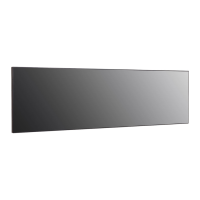
LG 88BH7D - User Manual

LG 88BH7D
110 pages
Print Icon
To Next Page IconTo Next Page
Loading...
Please read this manual carefully before operating your set and retain it
for future reference.
88BH7D
OWNER’S MANUAL
LG Digital
Signage
(MONITOR SIGNAGE)
www.lg.com
Copyright © 2017 LG Electronics Inc. All Rights Reserved.
*SAC37513802*
(2007-REV02)

Table of Contents

Other manuals for LG 88BH7D

Questions and Answers

  • G
    graymelissaSep 23, 2025
    Why does 'Unknown Product' message appear on LG Digital Signage?
    • Y
      yschwartzSep 23, 2025
      If the 'Unknown Product' message appears when your LG Digital Signage is connected, ensure that the Plug and Play function is supported by referring to the graphics card user manual.
  • M
    mcmahonjamieAug 25, 2025
    What to do if screen image looks abnormal on LG 88BH7D?
    • J
      Jessica HernandezAug 25, 2025
      If the screen image on your LG Digital Signage looks abnormal, check if the graphics card resolution and frequency are supported by the product. If the frequency is out of range, set to the recommended resolution in the Control Panel Display Setting menu. Also, ensure the proper input signal is connected to the signal port by connecting the signal cable that matches the source input signal. If you need to access the PC BIOS configuration screen and are experiencing issues with a 58:9 aspect ratio, connect a standard aspect ratio (4:3 or 16:9) monitor to perform the BIOS configuration.
  • J
    jzhangAug 25, 2025
    How to fix no image on LG 88BH7D Digital Signage?
    • J
      Juan OwensAug 26, 2025
      If no image is displayed on your LG Digital Signage, first ensure the power cord is correctly plugged into the power outlet. Check that the signal cable between the PC and the product is securely connected. Also, press the INPUT menu on the remote control to verify the input signal. Finally, the signal from the PC (graphics card) may be out of the product's vertical or horizontal frequency range; adjust the frequency range by referring to the Specifications in this manual.
  • V
    Vanessa HawkinsAug 27, 2025
    Why does the audio not work on my LG Digital Signage?
    • N
      Nicholas BennettAug 27, 2025
      If the audio function on your LG Digital Signage isn't working, first check if the audio cable is properly connected. Then, adjust the volume and ensure the sound settings are correct. You may also want to select an appropriate equalizer sound and re-adjust the volume to see if that resolves the issue.
  • M
    Michelle MartinAug 27, 2025
    Why does after-image appear on LG 88BH7D Digital Signage?
    • K
      Kayla ColeAug 27, 2025
      If an after-image appears on your LG Digital Signage, it may be due to the long-term display of a fixed image, potentially damaging the pixels. Using the screen-saver function can help prevent this. Also, when a dark image is displayed after an image with high contrast, image sticking may occur, which is normal for LCD screens.
  • B
    Barbara WilliamsSep 14, 2025
    What to do if after-image appears on LG 88BH7D?
    • I
      Ian EstradaSep 14, 2025
      If an after-image appears on your LG Digital Signage, and you've been using a fixed image for a long time, it may be damaging the pixels; use the screen-saver function to prevent this. Also, if a dark image is displayed on the screen after an image with high contrast (black and white or gray), this is normal for LCD screen products.
  • J
    Jennifer FosterSep 12, 2025
    What to do if screen color is abnormal in LG 88BH7D?
    • K
      Kevin WoodSep 12, 2025
      If the screen color appears abnormal on your LG Digital Signage, try the following: First, set the number of colors to more than 24 bits (true color) by navigating to Control Panel - Display - Settings - Color Table menu in Windows. Next, check the connection status of the signal cable. If that doesn't work, re-insert the PC graphics card. Note that if the color abnormality is due to the unique characteristics of the LCD panel, this is not a malfunction.
  • K
    Karen BrownSep 13, 2025
    Why the screen image looks abnormal on my LG Digital Signage?
    • A
      Amy HigginsSep 13, 2025
      If the screen image looks abnormal on your LG Digital Signage, verify that the graphics card resolution and frequency are supported by the product. If the frequency is out of range, set to the recommended resolution in the Control Panel Display Setting menu. Also, ensure you connect the signal cable that matches the source input signal. If you have problems with 58:9 aspect ratio, to access the PC BIOS configuration screen, connect a standard aspect ratio (4:3 or 16:9) monitor, then perform the BIOS configuration.
  • J
    Jennifer SullivanSep 5, 2025
    What to do if the screen image looks abnormal on LG 88BH7D?
    • N
      Nancy HughesSep 5, 2025
      If the screen image on your LG Digital Signage looks abnormal, check if the graphics card resolution and frequency are supported by the product. If the frequency is out of range, set to the recommended resolution in the Control Panel Display Setting menu. Also, ensure the proper input signal is connected to the signal port using the correct signal cable. If you are trying to access the PC BIOS configuration screen and the 58:9 aspect ratio is not supported, connect a standard aspect ratio (4:3 or 16:9) monitor first, then perform the BIOS configuration.
  • D
    David SmithSep 2, 2025
    What to do if the screen image looks abnormal on my LG 88BH7D Digital Signage?
    • D
      dmontgomerySep 2, 2025
      If the screen image on your LG Digital Signage looks abnormal, verify that the graphics card resolution and frequency are supported by the product. If the frequency is out of range, set the resolution to the recommended setting in the Control Panel Display Setting menu. Ensure that the signal cable matches the source input signal. If the 58:9 aspect ratio is not supported before the graphics card driver is configured, connect a standard aspect ratio (4:3 or 16:9) monitor to access the PC BIOS configuration screen and perform the BIOS configuration.

LG 88BH7D Specifications

General IconGeneral
Viewing Angle178° (H) / 178° (V)
Response Time8 ms
Operating Temperature0°C to 40°C
External ControlRS-232C, LAN
SpeakerYes
Operating Humidity10% to 80%
Operating SystemwebOS
Panel TypeIPS
Screen Size88 inch
Resolution3840 x 2160
OrientationLandscape
InputHDMI, USB
OutputDisplayPort
Power Supply100-240V AC, 50/60Hz

Related product manuals