EasyManua.ls Logo

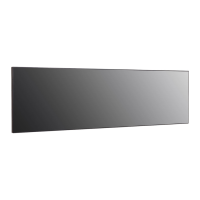
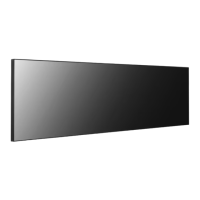
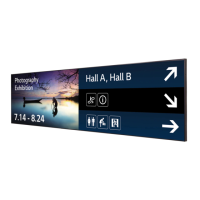
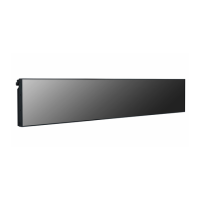
LG 88BH7F - User Manual

LG 88BH7F
35 pages
Print Icon
To Next Page IconTo Next Page
Loading...
OWNER’S MANUAL
LG Digital Signage
(MONITOR SIGNAGE)
www.lg.com
Copyright © 2019 LG Electronics Inc. All Rights Reserved.
88BH7F 88BH7G
Please read this manual carefully before operating your set
and retain it for future reference.

Other manuals for LG 88BH7F

Questions and Answers

  • G
    Gina SchneiderAug 7, 2025
    How to fix no image on LG 88BH7F?
    • S
      Scott BrennanAug 7, 2025
      If your LG Digital Signage displays no image, first ensure the power cord is securely plugged into the power outlet. Also, check the signal cable and access the input menu to verify the input signal. If the signal from the PC is out of the vertical or horizontal frequency range, adjust the frequency range by referring to the Specifications in this manual.
  • S
    Stephen LeeAug 10, 2025
    What to do if the audio function does not work on LG Digital Signage?
    • L
      Leslie HillAug 10, 2025
      If the audio function on your LG Digital Signage isn't working, check if the audio cable is properly connected. Ensure the volume is adjusted to an audible level and that the sound settings are correctly configured. Also, try selecting the appropriate equalizer sound.
  • B
    Brian HarrisAug 15, 2025
    Why is the screen color abnormal on my LG 88BH7F?
    • A
      Andrew HurstAug 15, 2025
      If the screen color on your LG Digital Signage is abnormal, set the number of colors to more than 24 bits (true color) by selecting (Control Panel) ? (Display) ? (Settings) ? (Color Table) in Windows. Also, check the connection status of the signal cable and re-insert the PC graphics card. Note that several pixels (red, green, blue, white, or black color) may appear on the screen due to the unique characteristics of the LCD panel, which is not a malfunction.
  • B
    Bradley AlvaradoAug 19, 2025
    How to troubleshoot abnormal screen image on LG 88BH7F?
    • S
      sonyarothAug 19, 2025
      If the screen image on your LG Digital Signage looks abnormal, check if the graphics card resolution and frequency are supported by the product. If the frequency is out of range, set to the recommended resolution in the (Control Panel) ? (Display) ? (Setting) menu. Ensure that you connect the signal cable that matches the source input signal. If you have issues with the 58:9 aspect ratio, connect a standard aspect ratio (4:3 or 16:9) monitor to access the PC BIOS configuration screen and perform the BIOS configuration.
  • C
    Carolyn WestAug 25, 2025
    Why does after-image appear on my LG Digital Signage?
    • D
      David CarpenterAug 25, 2025
      If an after-image appears on your LG Digital Signage, and you've been using a fixed image for a long time, the pixels may be damaged. In this case, use the screen-saver function. Note that this can be normal for LCD screen products.
  • K
    Kimberly VelazquezAug 27, 2025
    What to do if LG 88BH7F Digital Signage operation does not work normally?
    • Q
      qbeckAug 28, 2025
      If the operation of your LG Digital Signage does not work normally, check if the Timer is set and review the power control settings. Also, consider whether there has been a power interruption.
  • S
    Sandra ParkerSep 1, 2025
    How to resolve 'Unknown Product' message on LG 88BH7F?
    • S
      Stephanie JenkinsSep 1, 2025
      If the 'Unknown Product' message appears when your LG Digital Signage is connected, check if the function is supported by referring to the graphics card user manual.

LG 88BH7F Specifications

General IconGeneral
Screen Size88 inches
Resolution3840 x 2160 (UHD)
Viewing Angle178° (H) / 178° (V)
Response Time8 ms
Operating Hours24/7
OrientationLandscape / Portrait
External ControlRS-232C, LAN
Speaker10W x 2
InputHDMI, DisplayPort, USB
OutputDisplayPort
Power SupplyAC 100-240V
Operating SystemwebOS

Related product manuals