
 To Next Page
K
Kari RamirezAug 18, 2025
What to do if my LG Cell Phone won't switch on?
- DDonald WhiteAug 18, 2025
If your LG Cell Phone cannot be switched on, remove the battery and reinsert it. Then, press the power button to turn on the phone.

What to do if my LG Cell Phone won't switch on?
If your LG Cell Phone cannot be switched on, remove the battery and reinsert it. Then, press the power button to turn on the phone.
What to do if my LG Cell Phone has a charging error due to a wrong charger?
If your LG Cell Phone displays a charging error indicating the wrong charger, use only original LG accessories.
What to do if my LG A290 Cell Phone has a charging error due to a defective battery?
If your LG Cell Phone shows a charging error indicating a defective battery, replace the battery.
What to do if my LG Cell Phone has a loss of network?
If your LG Cell Phone is experiencing a loss of network, you might be in an area with a weak signal. Move to a different location and try again. Alternatively, you may be trying to access a service that you are not subscribed to. Contact your service provider for details.
What to do if the battery of my LG A290 doesn’t charge properly?
If the battery on your LG Cell Phone doesn’t charge properly, wipe the charging contacts on both the phone and the battery with a clean, soft cloth.
What is the default phone code or password for LG A290 Cell Phone?
The default phone code for your LG Cell Phone is “0000”.
Why is the voice quality poor on my LG Cell Phone?
If the voice quality of the call on your LG Cell Phone is poor, check the signal strength indicator on the display. The number of bars indicates the signal strength. Try moving the phone slightly or, if you're inside a building, move closer to a window.
Why can't my correspondent hear me speaking on my LG A290?
If your correspondent cannot hear you speaking on your LG Cell Phone, ensure that you have not switched off the loudspeaker. Also, make sure you are holding the phone close enough to your mouth, as the microphone is located at the bottom of the phone.
Why can't my correspondent reach me on my LG Cell Phone?
If your correspondent cannot reach you on your LG Cell Phone, be sure that your phone is switched on and that you are accessing the network service. Also, be sure that you have not set an incoming call barring option.
Why is no number dialed when I recall a contact on my LG A290?
If no number is dialed when you recall a contact on your LG Cell Phone, use the Phonebook Search feature to ensure the number has been stored correctly. Resave the number, if necessary.
Steps and important notes for inserting a SIM card into the phone.
Instructions on how to dial a phone number and initiate a call.
Steps to call a contact from the phonebook.
How to answer or reject an incoming call.
Guide on composing and sending SMS or MMS messages.
Methods for entering text using the keypad: T9, Abc, and 123 modes.
How to use the phone's video camera to record videos.
How to set up to 5 alarms on the phone.
How to navigate and use the phone's calendar feature.
How to add, view, and edit tasks in the to-do list.
How to create and save personal notes.
Steps to launch and use the WAP browser.
How to switch between multiple SIM cards.
How to activate specific SIM cards on the phone.
Steps to connect the phone to other Bluetooth devices.
How to enhance phone security with SIM and phone lock settings.
How to restore the phone to its factory default settings.
How to use the SOS mode for emergency situations.
Instructions for updating the phone's software via the internet.
Information on radio wave exposure and Specific Absorption Rate (SAR) compliance.
Solutions for the phone failing to power on.
Solutions for battery charging issues or unexpected power-offs.
What to do if the phone code or password is forgotten.
Troubleshooting steps for losing network signal.
Solutions for when others cannot reach you on your phone.
Solutions if the other party cannot hear you during a call.
Tips for improving poor call voice quality.
 General
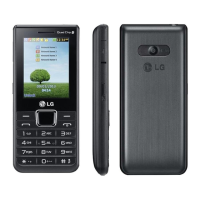
| Network Technology | GSM |
|---|---|
| GPRS | Class 10 |
| EDGE | Class 10 |
| Display type | TFT, 256K colors |
| Phonebook | 1000 entries |
| Call records | Yes |
| Loudspeaker | Yes |
| 3.5mm jack | Yes |
| WLAN | No |
| Bluetooth | 2.1, A2DP |
| Radio | FM radio |
| USB | microUSB 2.0 |
| Messaging | SMS, MMS, Email |
| Games | Yes |
| Java | Yes, MIDP 2.0 |
| 2G bands | GSM 900 / 1800 |
| SIM | Dual SIM (Mini-SIM) |
| Status | Available |
| Weight | 95 g |
| Display size | 2.0 inches |
| Resolution | 240 x 320 pixels |
| Memory Card slot | microSD, up to 8 GB |
| Alert types | Vibration |
| Battery | Li-Ion 1500 mAh |
| Colors | Black |