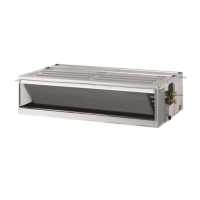
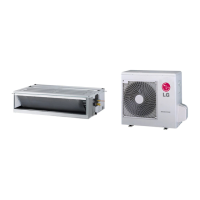
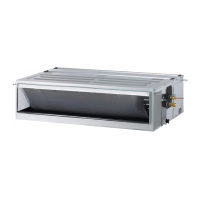
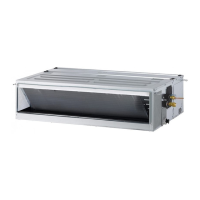
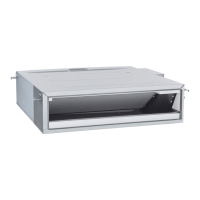
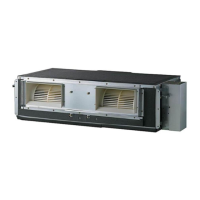
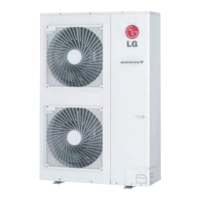
This document is an owner's manual for an LG CEILING CONCEALED DUCT AIR CONDITIONER. It provides essential information for safe and efficient operation, maintenance, and troubleshooting.
Function Description
The LG air conditioner is designed to provide comfortable indoor air conditions through various operating modes:
- Cooling Mode: Standard operation to cool the room with comfortable and clean air.
- Heating Mode (Heat pump model only): Supplies warm air to the room. This mode includes a three-minute delay function to protect the compressor, ensuring hot air is blown into the room after this period.
- Dehumidification Mode: Removes humidity from the air while providing weak air-cooling. In this mode, temperature settings cannot be adjusted.
- Auto Operation Mode: Automatically switches between heating and cooling operations based on the set temperature and indoor temperature. For heat pump models, if the set temperature is higher than the indoor temperature, it performs DHW heating operation. If lower, it performs cooling operation. For single-cooled models, it displays "AI" on the wireless controller.
- Fan Mode: Blows air without cooling or heating, primarily to circulate indoor air and provide ventilation. Temperature cannot be adjusted in this mode, and AHU compressors do not work.
The air conditioner is controlled via a wired remote controller (Accessory: PQRCUC2W) which features a display panel for control, buttons for mode selection, power, wind speed setting, and temperature setting.
Important Technical Specifications
- Temperature Setting Range (Common):
- Cooling Mode: 18°C ~ 30°C (64°F ~ 86°F)
- Heating Mode: 16°C ~ 30°C (60°F ~ 86°F)
- Auto Operation Mode: 18°C ~ 30°C (64°F ~ 86°F)
- Temperature Setting Range (UAE Only):
- Cooling Mode: 20°C ~ 30°C (68°F ~ 86°F)
- Auto Operation Mode: 20°C ~ 30°C (68°F ~ 86°F)
- Air Flow Speed Options: Very weak, weak, middle, strong, Po (Powerful). The initial air flow speed is "strong." Air flow speed options may vary depending on the product.
- Power Supply: Requires a dedicated circuit.
- Refrigerant: Users are advised to check for gas (refrigerant) pressure after installation or repair. Low refrigerant levels can cause product failure.
- Installation: Requires two or more people for lifting and transport. Should be installed by a specialist. Must be grounded. The installation area should not deteriorate with age to prevent the unit from falling.
Usage Features
- Remote Control: The wired remote controller allows users to select operating modes, adjust temperature, set fan speed, and power the unit on/off.
- Child Lock Function: Prevents children or others from carelessly using the air conditioner. It can be activated and deactivated by pressing specific buttons on the remote controller for more than 3 seconds. When activated, "CL" is displayed for 3 seconds.
- Room Temperature Detection: Allows checking the current room temperature by pressing a specific button on the remote controller for more than 3 seconds. The temperature is displayed for 5 seconds. Note that the displayed temperature may differ slightly from the actual room temperature due to the controller's installation position.
- Energy Saving Tips:
- Avoid excessive cooling indoors.
- Block sunlight with blinds or curtains during operation.
- Keep doors and windows closed tightly.
- Adjust airflow direction for better circulation.
- Speed up the fan for quick cooling/warming.
- Ventilate the room regularly to maintain indoor air quality.
- Clean the air filter every 2 weeks.
Maintenance Features
- Air Filter Cleaning: The air filters, located behind the indoor unit (suction side), should be checked and cleaned every 2 weeks or more often. They can be cleaned with a vacuum or warm, soapy water. If very dirty, a detergent solution in lukewarm water can be used. After washing, filters should be dried well in the shade before re-installation. Hot water (50°C or more) should be avoided as it may deform the filter.
- Grille, Case, and Remote Control Cleaning: These parts should be wiped with a soft, dry cloth after turning off the system. Bleach or abrasives should not be used.
- Long-Term Storage: If the air conditioner will not be used for a long time, operate it in air circulation mode for 2 to 3 hours to dry out internal parts, then turn off the circuit breaker.
- Restarting After Long Period: Before using the air conditioner again, check that the air inlet and outlet of both indoor and outdoor units are not blocked.
- Professional Service: For repairs and maintenance, contact an authorized service dealer. Users are advised not to attempt to install, remove, re-install, disassemble, or repair the unit themselves due to risks of fire, electric shock, explosion, or injury.
- Safety Precautions for Cleaning: Always turn off the main power and breaker before cleaning or maintaining the product to prevent electric shock or injury from the high-speed rotating fan. Do not use water to clean inside the air conditioner. Do not touch sharp metal parts of the unit when removing the filter.
The manual also includes a section for recording model and serial numbers, dealer's name, and date of purchase for warranty and record-keeping purposes.



 To Next Page
 General