TABLE OF CONTENTS
INTRODUCTION
- 5 -
2 Important Safety Instructions
5 Table of Contents
5 Introduction
6 Front-Panel Controls
8 Front-Panel Information Display
10 Rear-Panel Connections
11 Remote Control Functions
13 Installation and Connections
15 CD Recording Basics
16 Playback Basics
16 Loading Discs
16 Normal Play
17 Search
17 Track Skip
17 Dual-Play Mode
17 Dual-Deck Operation
18 Time Display
18 Headphone Listening
19 Program Play
19 Programming Play Lists
19 Checking, Editing and Clearing
15 Programmed Play Lists
20 Repeat Programmed Play
21 CD Recording
21 Before Recording
21 Disc Dubbing
22 CD Sync Recording
22 Recording from an External Source
24 Finalizing CD-R and CD-RW Discs
24
Unfinalizing and Erasing CD-RW Discs
24 Unfinalizing a CD-RW Disc
24 Erasing an Entire CD-RW Disc
24 Erasing a Single Track
26
Troubleshooting Guide and Error Messages
27 Technical Specifications
Special Features
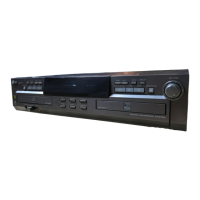
Dual-Deck CD Player and CD-R/CD-RW
Recorder
4X Dub Speed for Both CD-R and
Erasable CD-RW Discs
Audiophile-Grade AKM Digital-to-Analog
Converters for Highest Audio Quality
Dual-Play Capability
Extensive Playback Programming
Capabilities
Optical and Coaxial Digital Inputs and
Outputs
Front-Panel Coaxial Digital Input for
Use with Portable Devices
Sample-Rate Convertor Allows Use of
DAT Players as Digital Source
Copyright Warning Notice.
This product is equipped with the Serial
Copy Management System(SCMS) to
protect the rights of copyright owners.
As a part of this system, it is possible to
make a copy of most CDs for your own
personal use. However, it is not
possible to make a digital copy from
another digital copy. It is possible to
make an analog copy of a digital copy.
RECORDINGS MAY BE MADE FOR
PERSONAL USE ONLY, AND ANY
UNAUTHORIZED COPYING IS SUBJECT
TO THE APPLICABLE LAW.
Important Information About CD Recording
In order to get the most enjoyment from your
new CD-R recorder, please pay special
attention to the following sections of the
manual that provide information about the
special features and capabilities of CD
Recorders.
The unit plays all standard CD audio discs
but for recording, the unit uses special CD-R
and CD-RW discs designed only for audio
use. CD-R discs designed for computer use
will not work in the unit.
The last step in making a CD-R recording is
the finalization process. Unless this step is
properly done, the disc will not work in other
players.
Once finalized, CD-R discs will play in any
CD player, but CD-RW discs will only play in
the unit and certain other machines.
§ Check the specifications of your CD player if
you have questions about compatibility with
CD-RW discs.
As with all CD players, except those
designed specifically for portable use, you
should never move a CD player while there
is a disc inside one of the decks. NEVER
move the unit until discs have been
removed from both decks.
ENGLISH


 To Next Page