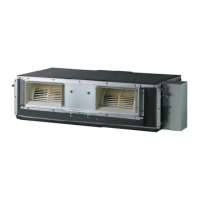
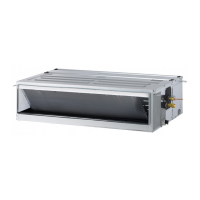
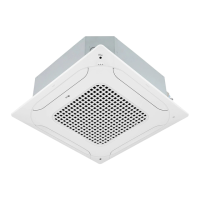
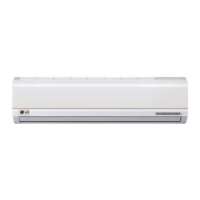
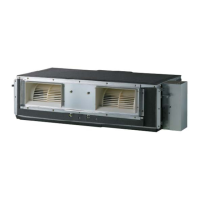
This document is an Owner's Manual for an LG Floor Standing Air Conditioner, providing comprehensive information on its operation, maintenance, and safety.
Function Description
The LG Floor Standing Air Conditioner is designed to provide cooling, heating, and dehumidifying functions for indoor spaces. It operates by circulating indoor air, adjusting its temperature and humidity according to user settings. The unit features an indoor fan with adjustable speeds (Low, Mid, High, Power) and airflow direction control (vertical and horizontal louvers) to optimize air circulation. It also includes a defrost mode for heating operations in low outdoor temperatures and high humidity, ensuring efficient performance by removing frost from the outdoor unit.
Important Technical Specifications
The manual lists two models with their electrical specifications:
- ARNU48GPTA4:
- Voltage / Hz: 220 V ~ 60 Hz (for general market), 220-240 V ~ 50 Hz (for India)
- Current(A): 1.3 A
- ARNU96GPFA4:
- Voltage / Hz: 220 V ~ 60 Hz (for general market), 220-240 V ~ 50 Hz (for India)
- Current(A): 2.3 A
The unit is designed for a dedicated circuit and requires proper grounding.
Usage Features
The air conditioner offers several user-friendly features:
- Fan Speed Setting: Users can select from three fan speeds (Low, Mid, High, Power) during cooling, heating, and fan modes to quickly cool or warm indoor air.
- Simple Reservation:
- Turning ON reservation mode: Allows the unit to turn on after a set time, up to 24 hours. For Multi V indoor units connected to a wired remote controller, this can be set up to 7 hours.
- Turning OFF reservation mode: Allows the unit to turn off after a set time, up to 7 hours.
- The remaining reservation time is displayed, and the function can be canceled by pressing the corresponding button again.
- Child Lock Operation Function: This feature prevents accidental changes to settings. It can be activated by simultaneously pressing the "up" and "down" temperature setting buttons (or the child lock button on the remote control) for 3 seconds. When active, the display panel shows "CL," and all buttons on the indoor unit display panel are locked, though the remote control remains functional. The child lock can be deactivated by repeating the activation sequence.
- Auto Re-operation Function: In the event of a power interruption, the unit remembers its previous settings (operation mode, fan speed, desired temperature, airflow direction) and automatically resumes operation with these settings once power is restored. This function is set as standard in its initial state and can be enabled or disabled via the indoor unit buttons.
- Airflow Setting: The desired airflow direction can be adjusted by hand using the vertical and horizontal louvers.
Maintenance Features
Regular maintenance is crucial for optimal performance and longevity of the air conditioner:
- Grille, Case, and Remote Control Cleaning: These parts should be wiped with a soft, dry cloth after turning off the system. Bleach or abrasives should not be used. The power supply must be disconnected before cleaning the indoor unit.
- Air Filter Cleaning: The air filters, located behind the front grille, should be checked and cleaned once every two weeks or more often if necessary.
- Removal: Hold the tab and pull slightly forward to remove the filter. Caution is advised to avoid touching sharp metal parts of the indoor unit.
- Cleaning: Dirt can be removed using a vacuum cleaner or by washing with lukewarm water and a neutral detergent if heavily soiled. Water hotter than 40 °C, volatile substances, or direct sunlight/heat from fire should be avoided during cleaning and drying to prevent deformation or damage.
- Installation: After washing and drying thoroughly in the shade, reinstall the air filter.
- Long-Term Storage: If the air conditioner will not be used for a long time, it should be operated in fan mode for 2 to 3 hours to dry out internal mechanisms. The breaker should then be turned off to prevent dirt accumulation and potential fire hazards.
- Restarting After Long-Term Storage: Before using the unit again, clean the air filter, ensure the indoor/outdoor unit's air inlet and outlet are not blocked, and verify that the ground wire is correctly connected.
The manual emphasizes that installation and repairs should only be performed by qualified personnel to avoid hazards and maintain warranty validity. It also provides troubleshooting tips for common issues like the unit not operating, peculiar odors, condensation, noise, and remote control display problems. For serious malfunctions, users are advised to contact an authorized service center immediately.



 To Next Page

 General