8
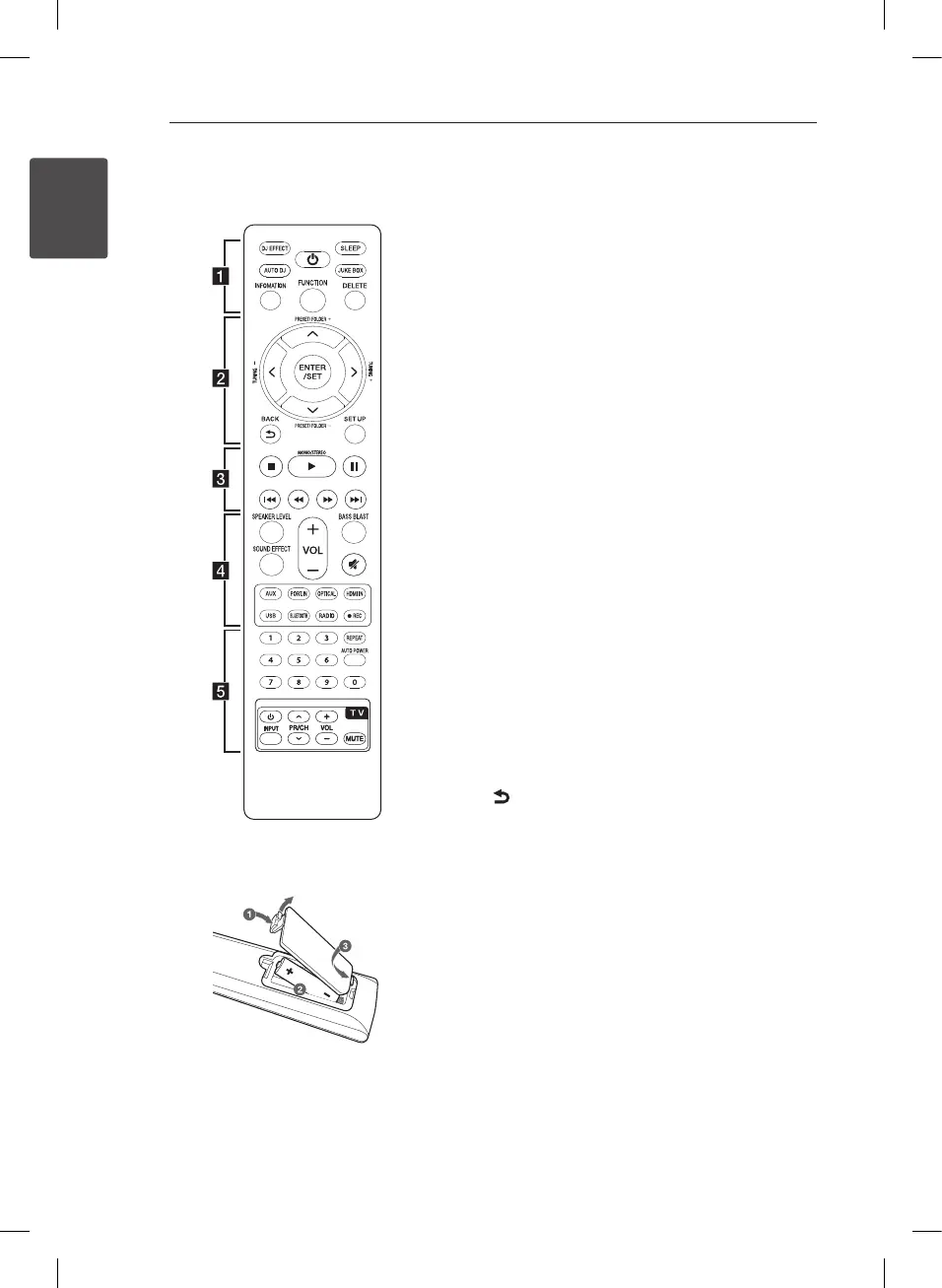
Remote control
Replacement of battery
AAA(R03)
Remove the battery cover on the rear of the Remote
Control, and insert the battery with
4
and
5
matched correctly.
• • • • • • • • • • • • • •
a
• • • • • • • • • • • • •
DJ EFFECT : Selects a desired DJ EFFECT. (Refer to
page 28.)
1
: Switches the unit ON or OFF.
SLEEP : Sets dimmer or the system to turn off
automatically at a specied time.
AUTO DJ : Selects the AUTO DJ mode. (For more
information refer to the page 28.)
JUKE BOX :
- Selects JUKE BOX mode.
- Makes your favorites list.
INFORMATION :
- Displays the information of a le or an input
source.
- Sees the name of connected all Bluetooth device
in Bluetooth mode.
FUNCTION : Selects the function and the input
source.
DELETE :
- Deletes MP3/WMA les or folders.
- Deletes a song on JUKE BOX list.
• • • • • • • • • • • • • •
b
• • • • • • • • • • • • •
ENTER/SET : Acknowledges menu selection.
PRESET/FOLDER (-/+) :
- Selects a preset stations.
- Searches a folder on USB device.
TUNING (-/+) : Tunes in the desired radio station.
W
/
S
/
A
/
D
(up/ down/ left/ right): Selects an
option in the menu.
BACK : Moves backwards in the menu or exits the
setup menu.
SETUP : Displays or exits the [SETUP] menu.
LHR627-FE.DGHALLK_ENG_MFL68962877.indd 8 2018-05-09 10:56:54


 To Next Page