EasyManua.ls Logo

LG ATNQ18GPLE3 - User Manual

LG ATNQ18GPLE3
31 pages
Print Icon
To Next Page IconTo Next Page
Loading...
OWNER’S MANUAL
AIR CONDITIONER
Please read this manual carefully before operating
your set and retain it for future reference.
www.lg.com
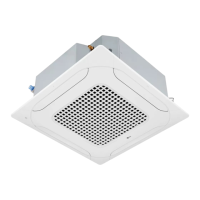
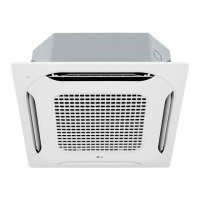
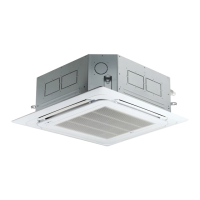
TYPE : CEILING CASSETTE
Model :
ATNQ18GPLE3, ATNQ21GPLE3, ATNQ24GNLE3, ATNQ36GMLE3,
ATNQ42GMLE3, ATNQ48GML3, ATNQ54GMLE3
AUUQ18GH1(ATUQ18GPLE3), AUUQ21GH1(ATUQ21GPLE3)
AUUQ24GH1(ATUQ24GNLE3), AUUQ36GH1(ATUQ36GMLE3)
AUUQ42GH1(ATUQ42GMLE3), AUUQ48GH1(ATUQ48GMLE3)
AUUQ54GH1(ATUQ54GMLE3)
P/NO : MFL68021501
ENGLISH
ESPAÑOL
PORTUGUESE

Other manuals for LG ATNQ18GPLE3

Questions and Answers

Summary

Owners Manual Introduction

Model Information

Lists the specific air conditioner models covered by the manual.

Tips for Saving Energy

Energy Saving Tips

Provides practical advice to minimize power consumption and use the air conditioner efficiently.

For Your Records

Section to record purchase details like model and serial numbers for warranty purposes.

Important Safety Instructions

Warning and Caution Statements

Explains the risks associated with ignoring safety instructions, distinguishing between serious injury/death and minor injury/damage.

Installation Safety Precautions

Details critical safety steps for product installation, including electrical work and secure mounting.

Operation Safety Precautions

Lists safety guidelines for operating the air conditioner, covering electrical hazards, flammable gases, and handling the unit.

Installation Safety

Further safety advice for installation, including refrigerant checks, drainage, and avoiding specific locations.

Operation Safety

Additional operational safety advice, covering direct airflow, cleaning, battery handling, and water exposure.

Before Use

Preparing for Operation

Key steps before initial use, emphasizing professional installation and dedicated circuits.

Usage Guidelines

Advice on proper usage, avoiding direct airflow, and specific purpose limitations.

Cleaning and Maintenance

Instructions for cleaning the unit safely, including handling sharp parts and avoiding water inside.

Service Contact

Information on contacting authorized service dealers for repairs and maintenance.

Product Introduction

Name and Function of Parts

Identifies and explains the function of key components of the indoor and outdoor units, piping, and wiring.

Operation Indication Lamps

Explains the meaning of various indicator lamps on the unit, such as Forced Operation, Defrost Mode, and Filter Sign.

Wireless Remote Controller Overview

Details the functions of buttons on the wireless remote controller for operating the air conditioner.

Operation Modes Explained

Illustrates the different operation modes like Cooling, Auto, Dehumidification, and Fan modes.

Remote Controller Handling Caution

Provides cautions for operating the remote controller, including aiming, distance, obstructions, and placement.

Remote Controller Notes

Mentions limitations like the swirl mode and potential product variations based on model type.

Operating Instruction

Inserting Remote Control Batteries

Step-by-step guide on how to insert batteries into the wireless remote controller correctly.

Wireless Remote Controller Maintenance

Advice on maintaining the remote controller, including storage and cleaning the signal components.

Installation Instructions

Installer Setting Mode

Explains how to enter the installer setting mode on the remote controller for detailed function configuration.

Installer Setting Caution

Warns about the importance of correct installer settings to prevent product issues, injury, or damage, and the need for certified installers.

Installer Setting Code Table

Lists functions, their codes, setting values, and corresponding LCD displays for installer configuration.

Installer Setting Explanations

Provides detailed explanations for Mode Override, Ceiling Height Selection, Group Control, and Auxiliary Heater settings.

Setting Central Control Address

Describes the process for setting the indoor unit's address for central control using the remote.

Checking Central Control Address

Outlines the steps to verify the set address of the indoor unit for central control systems.

Owners Instructions

Cooling Mode - Standard Operation

Instructions for operating the air conditioner in standard cooling mode using the remote control.

Cooling Mode - Power Cooling

Guide to activating power cooling for rapid cooling, including its duration and cancellation.

Auto Operation Mode

How to use the auto mode which adjusts temperature and fan speed based on room conditions.

Auto Operation Mode Notes

Important notes regarding manual switching and fan speed control during auto operation.

Dehumidification Mode

Instructions for operating the unit in dehumidification mode for moisture removal.

Dehumidification Mode Operation

Details how the unit automatically sets temperature and airflow for optimal dehumidification and healthy air.

Fan Mode

How to operate the unit in fan mode for air circulation without significant cooling or heating.

Natural Wind by Chaos Logic

Explains the 'chaos logic' for a natural breeze effect by varying fan speed.

Temperature Setting and Room Temperature Checking

Guide on adjusting desired temperature and checking the current room temperature via the remote.

Temperature Mode Notes

Notes on cooling/heating mode effectiveness based on room temperature and display behavior.

Up;Down Airflow Direction Control

How to adjust the vertical airflow direction using the remote control.

Left;Right Airflow Direction Control

How to adjust the horizontal airflow direction using the remote control.

Airflow Direction Control Notes

Important notes on auto swing, manual adjustment risks, and louver behavior when unit is off.

Plasma Purification

Instructions for activating the optional plasma purification feature for cleaner air.

Celsius;Fahrenheit Switching

How to switch the temperature display between Celsius and Fahrenheit.

Individual Vane Angle Control

How to control the angle of individual vanes for specific airflow direction in ceiling cassette units.

Vane Angle Control Details

Explains the control process, angle settings, and potential differences or limitations of the feature.

Setting the Current Time

Steps to set the current time on the remote control, including AM/PM indication.

Timer Setting

How to set the timer for operations like Sleep, Timer ON, or Timer OFF.

Cancelling Timer Settings

Instructions on how to cancel all timer settings or individual timer settings.

Maintenance and Service

Indoor Unit Cleaning

How to clean the grille, case, and remote control, emphasizing power disconnection and safe cleaning materials.

Air Filter Maintenance

Instructions for checking, cleaning, and reinstalling air filters, including cautions about metal parts and cleaning agents.

Purifying Filter Cleaning

Steps for cleaning the optional plasma filter, including washing and drying procedures.

Purifying Filter Replacement

Mentions that the plasma filter should be checked and cleaned periodically.

Operation Tips

Practical tips for efficient operation, such as temperature control, door/window management, and cleaning filters.

Long-term Storage Preparation

How to prepare the unit for long-term storage, including running it in fan mode to dry internal parts.

Using Air Conditioner Again

Steps to take when resuming use, such as cleaning filters and checking vents and wiring.

Troubleshooting Common Issues

A guide to diagnosing and resolving common air conditioner problems like non-operation, poor cooling, and noises.

When to Call for Service

Lists critical situations requiring immediate professional service, like burning smells or electrical issues.

Specifications

Model Specifications

Details the voltage, frequency, and maximum current for each listed model of the air conditioner.

LG ATNQ18GPLE3 Specifications

General IconGeneral
Capacity1.5 Ton
Star Rating3 Star
InverterYes
RefrigerantR32
TypeSplit
Power Supply230V, 50Hz

Related product manuals