12
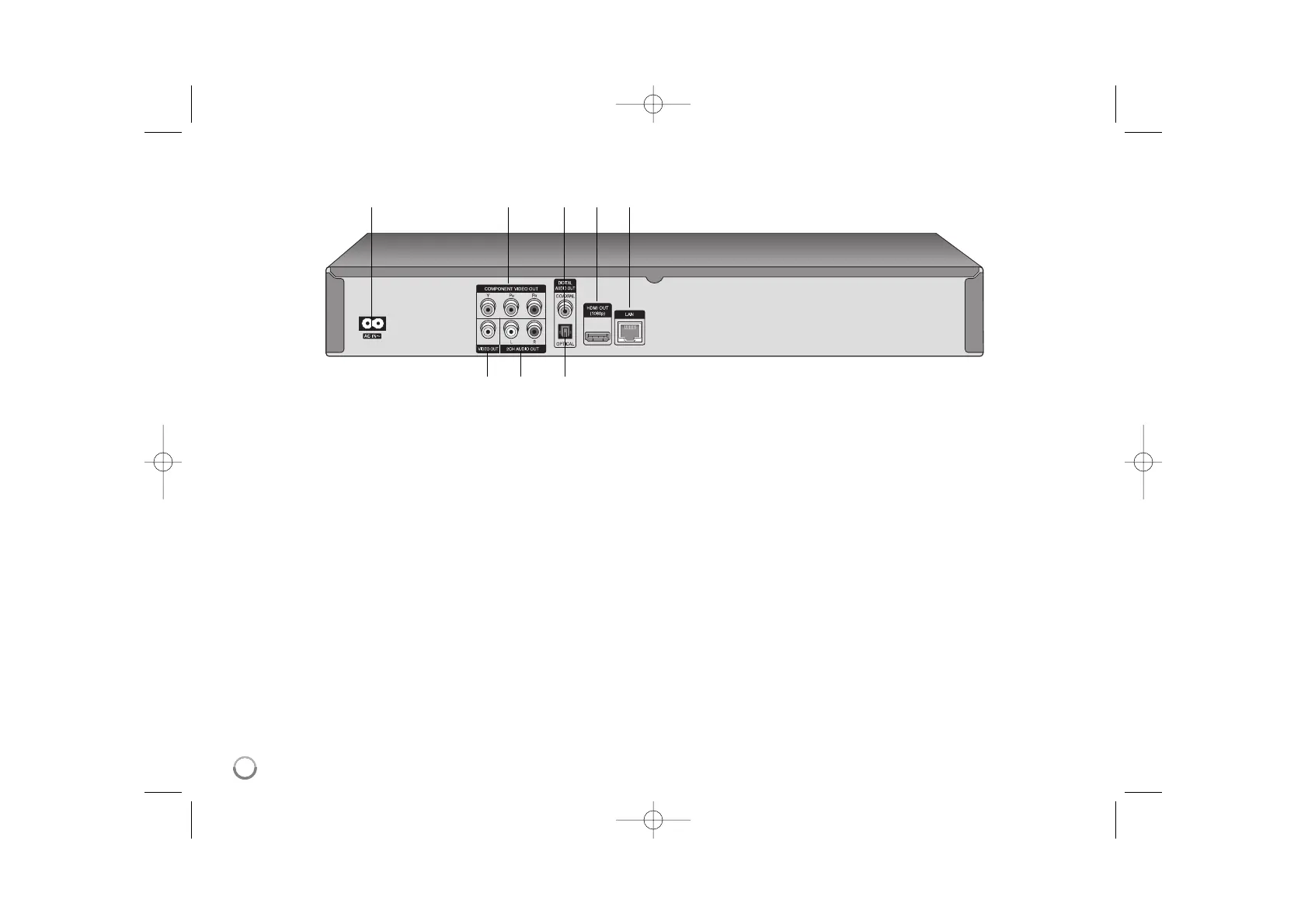
a AC IN connector
Connect the supplied power cord.
b COMPONENT VIDEO OUT (Y P
B PR)
Connect to a TV with Y Pb Pr inputs.
c DIGITAL AUDIO OUT (COAXIAL)
Connect to digital (coaxial) audio equipment.
d HDMI OUT (Type A)
Connect to TV with HDMI inputs. (Interface for digital audio and video)
e LAN port
Connect a network with an always-on
broadband connection.
f VIDEO OUT
Connect to a TV with video inputs.
g 2CH AUDIO OUT (Left/Right)
Connect to a TV with 2 channel audio inputs.
h DIGITAL AUDIO OUT (OPTICAL)
Connect to digital (optical) audio equipment.
abcde
fg h
Rear panel



 To Next Page