44 Operation
Operation
4
Listening to music
The player can play Audio CDs and audio les.
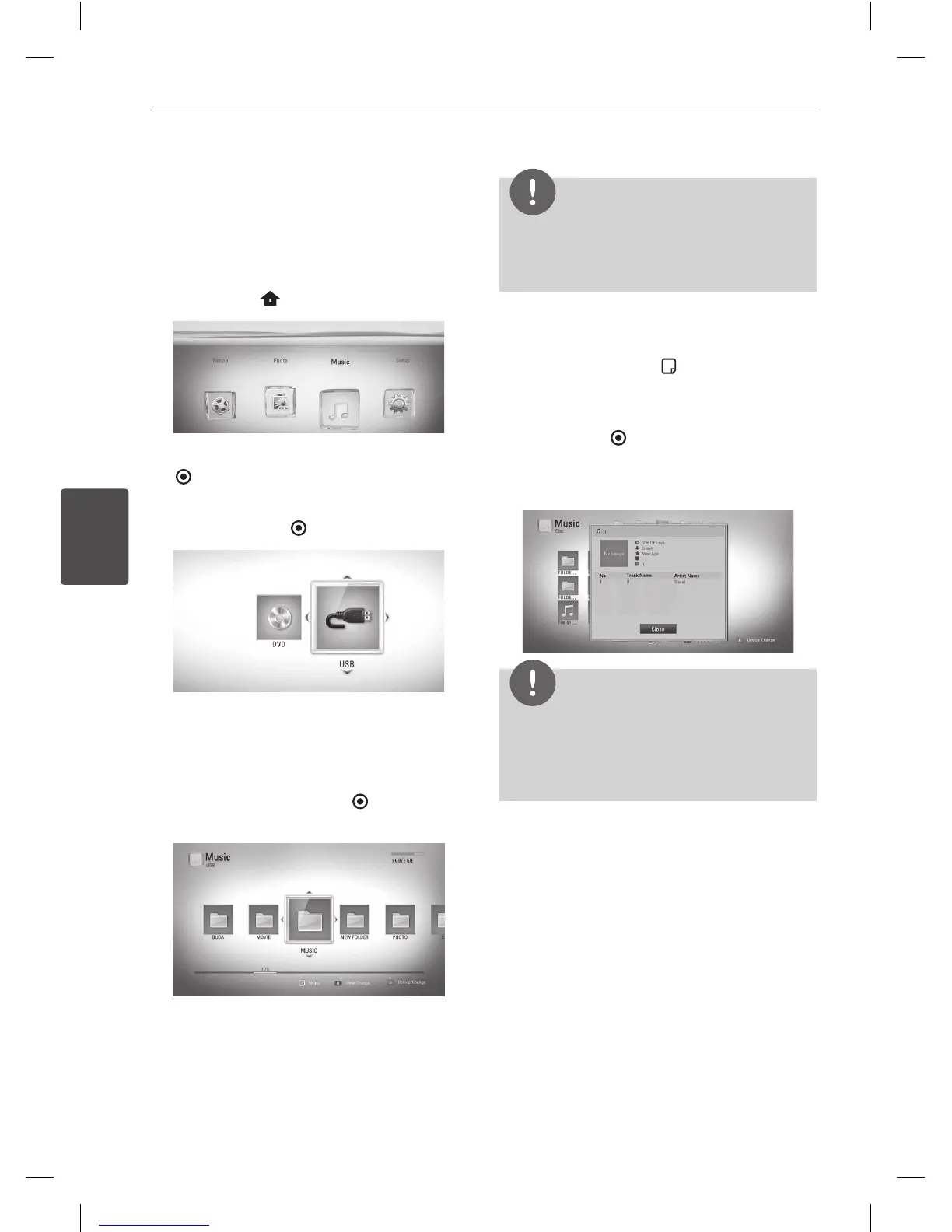
1. Press HOME (
).
2. Select [Music] using
Y
, and press ENTER
( ).
3. Select the [Disc] or [USB] option using
Y
,
and press ENTER (
).
This step is needed only when a disc and a
USB device is connected simultaneously on
this unit.
4. Select a music le or audio track using
vVY
, and press ENTER (
) to play the
music.
NOTE
• The le requirements are described on page 10.
• You can use various playback functions. Refer to
pages 32-36.
Displaying MP3 music information (ID3 Tag)
1. Select a music le using
vVY
2. Press DISPLAY/INFO (
) to display the
option menu.
3. Select [Information] option using
vV
,
and
press ENTER (
).
4. The music information will be displayed on
the screen.
NOTE
• Depending on the MP3 les, information may
not be displayed on the screen.
• MP3 les in USB or external HDD are not worked
for this function.
Audio CD Recording
You can record one desired track or all of the
tracks in Audio CD to a USB storage device.
1. Insert a USB storage device to the USB port
on the front panel.
2. Press
Z
(OPEN/CLOSE), and place an Audio
CD on the disc tray.
Press
Z
(OPEN/CLOSE) to close the disc
tray. The playback starts automatically.
3. Press INFO/DISPLAY to display the option
menu.
BD551-N.BUSALLP_0487.indd 44 7/19/11 11:43 AM



 To Next Page