Getting Started4
Getting Started
1
Important Notice for TV colour
system
The colour system of this player di ers according to
currently playing discs.
For example, when the player plays the disc
recorded in the NTSC colour system, the image is
output as an NTSC signal.
Only the multi system colour TV can receive all
signals output from the player.
y
If you have a PAL colour system TV, you will see
just distorted images when using discs or video
contents recorded in NTSC.
y
The multi system colour TV changes the colour
system automatically according to input signals.
In case that the colour system is not changed
automatically, turn it o and then on to see
normal images on screen.
y
Even if the disc recorded in NTSC colour system
are well displayed on your TV, these may not be
recorded correctly on your recorder.
Network Software
Update
Network update notifi cation
From time to time, performance improvements
and/or additional features or services may be
made available to units that are connected to a
broadband home network. If there is new software
available and the unit is connected to a broadband
home network, the player will inform you about the
update as follows.
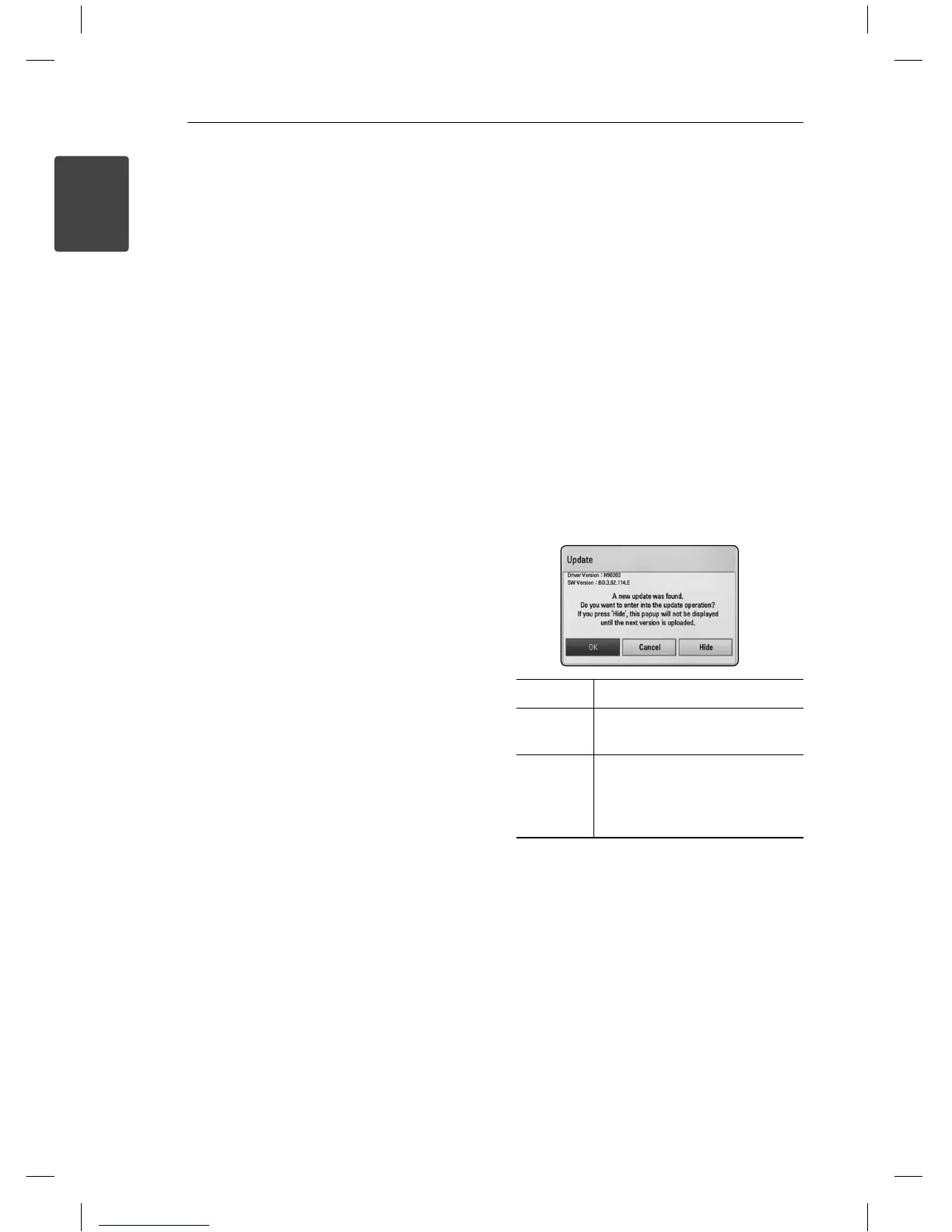
Option 1:
1. The update menu will appear on the screen
when you turn on the player.
2. Use
A/D
to select a desired option and then
press ENTER (
b
).
[OK] Starts the software update.
[Cancel] Exits the update menu and
displays it next booting.
[Hide] Exits the update menu and
it does not appear until next
software is uploaded in the
update server.
Option 2:
If the software update is available from the update
server, the “Update” icon appears in the Home
menu. Press blue (B) coloured button to start the
update procedure.
BD670-P_BINDLLK_SIM_ENG.indd 4BD670-P_BINDLLK_SIM_ENG.indd 4 11. 04. 05 9:0611. 04. 05 9:06


 To Next Page