Operation10
Charging portable devices
Check the voltage/current specication with your portable device before
charging the portable device.
Check manual or charger specication that you purchased portable device
or check manufacturer of portable device before you charge the portable
device.
>
Caution
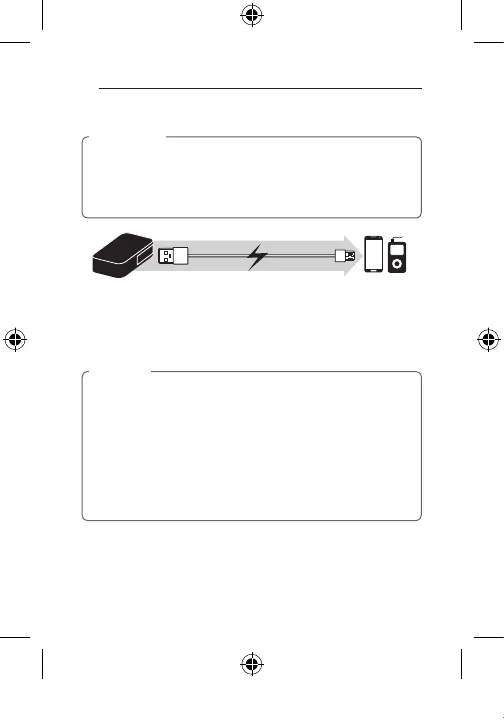
1. Connect the USB port (Output) of the portable battery and the USB port
of your portable deivce by using the USB cable.
2. Press the LED button.
-
LEDs ashing represents current battery capacity.
3. When charging of portable device is done, remove the USB cable.
•You can use the supplied USB cable with your portable device to charge.
•If not connecting a portable device to the portable battery after pressing
the LED button, the portable battery output is to be turned o about 20
seconds later. Charging mode for portable device will maintain during 20
seconds.
•In case of using BP4 10400 mAh, when you charge battery charging
specication 1.0 A(or higher) portable device by using one of USB port,
the other USB port may be limited to charge devices. Therefore, when
you charge portable device, please check charging specication of
portable device.
,
Note
BP410_BP405_BP302_ENG_TAY35387870.indd 10 2014-04-30 �� 9:55:58



 To Next Page