Operation8
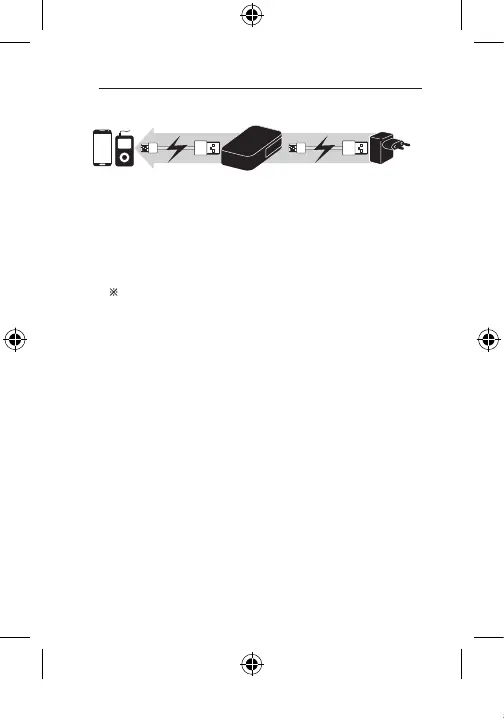
Sequential Charging
1. Connect the Micro USB port (Input) of the portable battery and the
charger adapter by using the USB cable.
2. Connect the USB port (Output) of the portable battery and the USB port
of your portable device by using the USB cable.
-
After nishing the portable battery charged, then your portable device
will be charged.
-
When you press LED button, after nishing your portable device
charged, then the portable battery will be charged.
Depending on Portable device, charging process might not stop
even though battery is fully charged (100% charged). In this case,
it will be not switched to charging the portable battery. In order to
change the sequence for charging the portable battery, please wait
for some time(it may dierent depending on device’s manufacturer.)
or disconnect the portable device from portable battery.
3. When charging of portable device is done, remove the USB cable.
BP410_BP405_BP302_ENG_TAY35387870.indd 8 2014-04-30 �� 9:55:58



 To Next Page