EasyManua.ls Logo

LG BX327 - User Manual

LG BX327
56 pages
Print Icon
To Next Page IconTo Next Page
Loading...
OWNER’S MANUAL
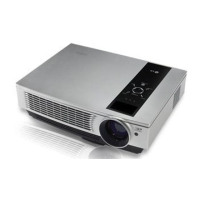
DLP PROJECTOR
BX327
Please read this manual carefully before operating
your set and retain it for future reference.
www.lg.com

Table of Contents

Other manuals for LG BX327

Question and Answer IconNeed help?

Do you have a question about the LG BX327 and is the answer not in the manual?

Summary

Safety Instructions

Indoor Installation

Safety precautions for projector placement and installation.

Power Safety

Warnings and guidelines related to electrical power and the power cord.

Usage Precautions

Safety measures during projector usage, including handling liquids and objects.

Installation and Setup

Installation Precautions

Essential guidelines for safe and optimal projector installation.

Basic Operation

Steps for placing and setting up the projector for initial use.

Powering On and Off

Procedures for turning the projector on and off, including quick power functions.

Image Focus and Positioning

Adjusting the projector's focus and screen image position.

Connecting Sources

Connect to Notebook PC

Guide for connecting a computer to the projector via various ports.

3 D Video Functionality

Before Watching 3 D

Important warnings and precautions before viewing 3D content.

While Watching 3 D

Safety considerations and advice for viewing 3D content.

Viewing 3 D Images

How to set up and view 3D images, including glasses usage.

Projector Functions

Picture Menu Options

Controls for adjusting picture settings like mode and color.

Adjusting Picture Settings

Detailed steps for fine-tuning picture quality parameters.

Advanced Picture Controls

Advanced settings for color, contrast, sharpness, and more.

Screen Menu Options

Settings related to screen display, projection mode, and aspect ratio.

Audio Menu Options

Controls for adjusting audio settings like volume, balance, treble, and bass.

Option Menu Settings

General settings including language, blank image, and screen capture.

Network Setup

Connecting to Network

Steps to connect the projector to a PC or router via LAN cable.

USB Device Usage

Connecting and Ejecting USB

How to connect and safely remove a USB storage device.

USB Usage Precautions

Important guidelines and restrictions for using USB devices.

Movie List and Playback

Supported movie formats and how to play them from USB.

Information and Maintenance

Lamp Replacement Guide

Step-by-step instructions and precautions for replacing the projector lamp.

Projector Lamp Control Warnings

Crucial safety warnings regarding projector lamp operation and handling.

Product Specifications

Technical details and operating conditions of the projector.

Summary

Safety Instructions

Indoor Installation

Safety precautions for projector placement and installation.

Power Safety

Warnings and guidelines related to electrical power and the power cord.

Usage Precautions

Safety measures during projector usage, including handling liquids and objects.

Installation and Setup

Installation Precautions

Essential guidelines for safe and optimal projector installation.

Basic Operation

Steps for placing and setting up the projector for initial use.

Powering On and Off

Procedures for turning the projector on and off, including quick power functions.

Image Focus and Positioning

Adjusting the projector's focus and screen image position.

Connecting Sources

Connect to Notebook PC

Guide for connecting a computer to the projector via various ports.

3 D Video Functionality

Before Watching 3 D

Important warnings and precautions before viewing 3D content.

While Watching 3 D

Safety considerations and advice for viewing 3D content.

Viewing 3 D Images

How to set up and view 3D images, including glasses usage.

Projector Functions

Picture Menu Options

Controls for adjusting picture settings like mode and color.

Adjusting Picture Settings

Detailed steps for fine-tuning picture quality parameters.

Advanced Picture Controls

Advanced settings for color, contrast, sharpness, and more.

Screen Menu Options

Settings related to screen display, projection mode, and aspect ratio.

Audio Menu Options

Controls for adjusting audio settings like volume, balance, treble, and bass.

Option Menu Settings

General settings including language, blank image, and screen capture.

Network Setup

Connecting to Network

Steps to connect the projector to a PC or router via LAN cable.

USB Device Usage

Connecting and Ejecting USB

How to connect and safely remove a USB storage device.

USB Usage Precautions

Important guidelines and restrictions for using USB devices.

Movie List and Playback

Supported movie formats and how to play them from USB.

Information and Maintenance

Lamp Replacement Guide

Step-by-step instructions and precautions for replacing the projector lamp.

Projector Lamp Control Warnings

Crucial safety warnings regarding projector lamp operation and handling.

Product Specifications

Technical details and operating conditions of the projector.

LG BX327 Specifications

General IconGeneral
Display TechnologyDLP
Zoom Ratio1.1x
Weight2.3 kg
Brightness3200 ANSI Lumens
Contrast Ratio15000:1
Lamp Life (Eco)10000 hours
Keystone Correction±40° (Vertical)
Input PortsHDMI, VGA, Composite
InputsHDMI, VGA, Composite

Related product manuals