Names of parts
8
Names of parts
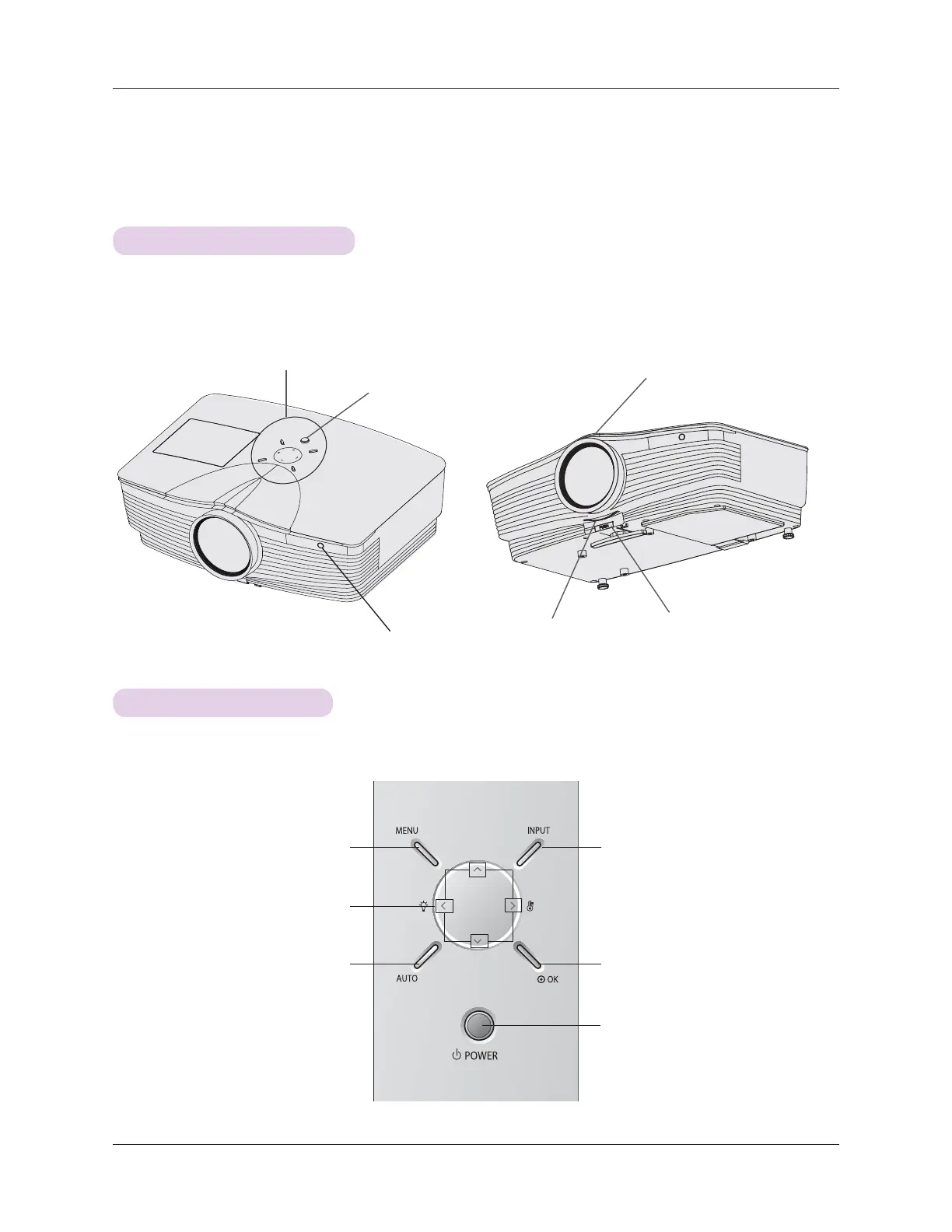
Main Body
Front remote control sensor
Foot adjusting button
Control panel
*
The projector is manufactured using high-precision technology. You may, however, see on the Projector
screen tiny black points and/or bright points (red, blue, or green). This can be a normal result of the
manufacturing process and does not always indicate a malfunction.
Focus ring
Zoom ring
Power button
Control Panel
#
OK Button
Checks present mode and saves the
function changes.
INPUT Button
Switches to RGB(Component), HDMI, Video
mode.
ġ2Ģ2˘2˚Button
Adjusts functions of menus.
POWER Button
Turn ON/OFF the projector.
MENU Button
Selects or closes menus.
AUTO Button
It automatically corrects the
position and the shaking of the
image at the RGB mode.



 To Next Page