EasyManua.ls Logo

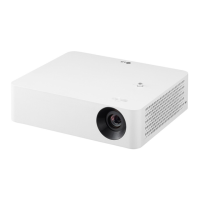
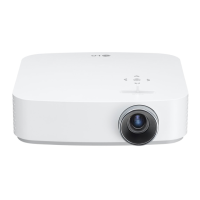
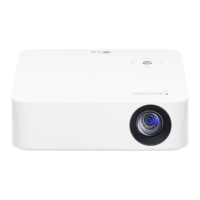
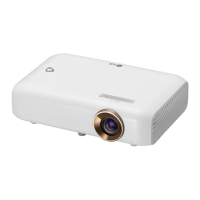
LG CineBeam PF610P - User Manual

LG CineBeam PF610P
140 pages
Print Icon
To Next Page IconTo Next Page
Loading...
PF610P
Please read the safety information carefully before using this product.
OWNER'S MANUAL
DLP Projector
www.lg.com
Copyright © 2021 LG Electronics Inc. All Rights Reserved.
OWNER'S MANUAL
P/NO : SAC38518901 (2106-REV00)

Questions and Answers

  • J
    Jordan AtkinsonAug 6, 2025
    Why does my LG CineBeam PF610P power off suddenly?
    • T
      Tracie WintersAug 6, 2025
      The LG Projector might be turning off suddenly due to several reasons. Check if the [Sleep Timer], [Auto Off], or [Auto Power Off] settings are enabled. Also, consider whether external devices are affecting the projector's operation. The auto-off function could be activated, which automatically shuts down the projector if there's no signal or remote control activity, depending on its settings.
  • S
    sarafarrellAug 11, 2025
    How to fix LG CineBeam PF610P that will not turn on?
    • E
      Elaine ThompsonAug 11, 2025
      If your LG Projector isn't turning on, ensure the power plug is correctly connected to the outlet. If it is, there might be an issue with the outlet itself. Try plugging another device into the same outlet to check if it's working.
  • T
    Thomas HarringtonAug 15, 2025
    Why is my LG CineBeam PF610P Projector remote not working?
    • C
      Cody RileyAug 15, 2025
      If your LG Projector remote isn't working, there might be a few reasons. The remote control may not work properly where a lamp with electronic stabilizer or a three-wavelength lamp is installed, so replace the lamp with international standard products. Ensure there are no obstacles between the remote and the projector. Also, when you replace the batteries, verify that they are correctly installed according to the polarities (+, -), and consider replacing both used batteries with new ones.
  • C
    Cathy PearsonAug 19, 2025
    What to do if the LG CineBeam PF610P remote control is not working?
    • V
      valerieguzmanAug 19, 2025
      If your LG Projector remote control isn't working, it could be due to a few reasons. If you have a lamp with an electronic stabilizer or a three-wavelength lamp installed, this could interfere with the remote's function; replacing it with an international standard product might solve the issue. Ensure there are no obstructions between the remote and the projector. When replacing batteries, verify they are correctly installed according to the polarities (+, -), and try replacing both batteries with new ones.
  • T
    Thomas WhiteAug 25, 2025
    What to do if my LG CineBeam PF610P Projector turns off suddenly?
    • K
      Kimberly WilsonAug 25, 2025
      If your LG Projector turns off suddenly, check whether the [Sleep Timer], [Auto Off], or [Auto Power Off] is set. Also, see if the external devices are operating together. The auto-off function may have been activated. This product is equipped with an auto-off function that automatically turns the product off when no signal is present or when the remote control has not been pressed, depending on the settings for the auto-off function.
  • M
    Martha DoyleAug 28, 2025
    Why does my LG Projector make noise?
    • A
      Andrew SolisAug 28, 2025
      The noise from your LG Projector is likely normal. Electrical noise, a small sound from the high-speed switching circuit, may vary depending on the product. Additionally, the fan sound might increase or decrease to maintain the projector's internal temperature, depending on the ambient temperature. This noise is normal and does not affect the projector’s functions.
  • D
    Darrell FranklinSep 1, 2025
    Why do I see dots on my LG Projector screen?
    • M
      Michael SparksSep 1, 2025
      The tiny dark or bright dots you see on your LG Projector screen are a common occurrence due to the high-precision production process and do not indicate a functional failure.

LG CineBeam PF610P Specifications

General IconGeneral
Typeled
Colorwhite
Displaydlp
Throw Typestandard throw
TV Tunerno
Portableultra portable
Noise Level26 decibels
Color Brightness1000 lumens
White Brightness1000 lumens
Resolutionfull hd (1080p)
Native Resolution1080 x 1920
Contrast Ratio150, 000 : 1
Aspect Ratio16:9
Throw Ratio Range1.195
Response Time83.5 milliseconds
HDRyes
HDR Formathdr 10
Screen Mirroringmobile to screen
Keystone Effectyes
3Dno
Minimum Screen Size60 inches
Maximum Screen Size120 inches
Focus Adjustmentmanual
Optical Zoomnone
Digital Zoomno
Minimum Distance5.21 feet
Maximum Distance10.43 feet
HDMI Ports2
HDMI 2.0 Ports1
HDMI 2.1 Ports0
HDMI 2.2 Ports1
HDMI ARC Portsyes
USB Ports2
RS-232 Port0
Video Inputhdmi, usb type a
Inputshdmi, usb type a, ethernet
Bluetoothyes
Sound Modestereo
Built In Speakersyes
Speakers Output3 watts
Streaming Servicesapple tv+, disney+, prime video, youtube, showtime, redbox, starz
Smart Applicationsapple homekit
Voice Assistantno
Remote Controlyes
Smart Functionsyes
Power Sourceac/dc power (plug-in)
Voltage100 volts
Weight and Dimensions IconWeight and Dimensions
Depth2.7 inches
Height7.6 inches
Width8.9 inches
Net Weight3.7 pounds

Related product manuals