EasyManua.ls Logo

LG CineBeam PU700R - User Manual

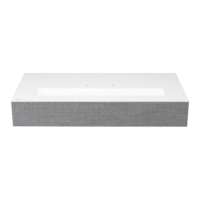
LG CineBeam PU700R
156 pages
Print Icon
To Next Page IconTo Next Page
Loading...
PU700R (PU700R-GL)
Please read the safety information carefully before using this product.
OWNER'S MANUAL
DLP Projector
www.lg.com
Copyright © 2022 LG Electronics Inc. All Rights Reserved.
OWNER'S MANUAL

Questions and Answers

  • J
    Jill MurphyJul 30, 2025
    Why does my LG CineBeam PU700R power turn off suddenly?
    • U
      ubrownJul 30, 2025
      Your LG Projector might be turning off suddenly due to a few reasons. Check if the [Sleep Timer], [Auto Off], or [Auto Power Off] settings are enabled. Also, check if external devices are operating together, as this might affect the power. The auto-off function could also be activated; this feature automatically turns off the projector if there's no signal or remote control input, depending on the settings.
  • B
    bjohnsonAug 5, 2025
    What to do if the LG CineBeam PU700R Projector remote control is not working?
    • R
      Robert BarrettAug 6, 2025
      If your LG Projector remote control isn't working, there might be a few reasons. A lamp with an electronic stabilizer or a three-wavelength lamp near the projector could interfere with the remote's signal; if this is the case, replace the interfering lamp with an international standard product. Also, make sure there are no obstructions between the remote and the projector. Ensure the batteries are correctly installed, paying attention to the polarities (+, -), and try replacing both batteries with new ones.
  • E
    Erica KentAug 14, 2025
    Why does my LG CineBeam PU700R Projector make noise?
    • J
      John MoralesAug 14, 2025
      Your LG Projector might be making noise for a couple of reasons, and these noises are normal. Electrical noise can occur due to the operation of the high-speed switching circuit, with the sound varying by product. Also, the fan sound may increase or decrease to maintain the internal temperature at an appropriate level, depending on the ambient temperature.
  • M
    Mary DixonAug 21, 2025
    What to do if I see dots on the screen of my LG CineBeam PU700R?
    • B
      Bryan MillerAug 21, 2025
      If you notice tiny dark or bright dots on the screen of your LG Projector, it's generally not a cause for concern. This is a common occurrence due to the high-precision manufacturing process and doesn't indicate a functional failure.

Summary

PREPARATION

Accessories and Optional Extras

Details included and optional accessories for the projector setup.

Parts and Components

Device Ports and Indicators

Identifies and explains projector ports and status indicators.

Joystick Button Operation

Menu Navigation and Functions

Explains controlling menus and basic projector functions using the joystick.

INSTALLATION

Projection Distance and Screen Setup

Guides on setting up the projector for optimal screen size and position.

Kensington Security System

Magic Lighting Remote Control

Remote Features, Pairing, and Usage

Covers remote control features, battery insertion, pairing, and operational guidance.

CONNECTING DEVICES

External Device Connections

Details on connecting HDMI, USB-C, smart devices, SIMPLINK, and input devices.

SAFETY PRECAUTIONS

Operational Safety Guidelines

Comprehensive safety instructions for installation, power, operation, and cleaning.

CHECKING BEFORE REPORTING MALFUNCTION

Initial Troubleshooting and Safety Checks

Steps to check before reporting a malfunction and basic safety checks.

Troubleshooting Guide

Power, Remote, and Screen Issues

Solutions for common power, remote control, and screen display problems.

Media, Network, and Account Issues

Troubleshooting for media playback, network connectivity, and LG account problems.

Browser and Content Issues

Addresses problems with the web browser, content display, and app functionality.

CHECKING INFORMATION

Specifications and Supported Modes

Technical specifications and supported connection modes for various devices.

Licenses and Notices

Information on product licenses, open source notices, and other specifications.

ABOUT LG PROJECTOR

Home Features and Management

Explains the projector's home screen features and how to manage apps and content.

Connecting to the Network

Managing your LG Account

HOW TO OPERATE THE PROJECTOR

Voice and Remote Control Operation

Details on using voice recognition, remote control features, and universal control setup.

Installation Wizard and SIMPLINK

Guides for using the installation wizard and connecting devices via SIMPLINK.

Connecting Input Devices

APPS AND CONTENT

App Management

Explains how to install, manage, and use apps on the projector.

Content Discovery and Display

Guides on content recommendation, search, screen mirroring, media playback, and PC file viewing.

MAKING THE MOST OF SMART PROJECTOR

Web Browser Usage and Settings

Information on using the web browser, its features, and customization options.

SETTINGS

Quick Settings and Picture Adjustments

Covers quick settings access and detailed picture adjustments for optimal viewing.

Sound Settings and Output

Guides on selecting sound modes, configuring audio output, and equalizer settings.

General and System Settings

Covers AI services, game optimizer, usage limits, device management, network, language, time, and safety settings.

BEING AWARE OF THE INFORMATION

Supported File Formats

Lists supported photo, video, and music file formats and their specifications.

LG CineBeam PU700R Specifications

General IconGeneral
Display TechnologyDLP
Brightness2000 ANSI Lumens
Contrast Ratio150, 000:1
Audio10W speaker
Light SourceLED
Lamp Life30, 000 hours
Aspect Ratio16:9
Noise30 dB
Resolution1920 x 1080
Throw Ratio1.2
ConnectivityWi-Fi, Bluetooth
Projection Distance1.2 m - 3.2 m
Keystone CorrectionVertical ±40°
HDRYes
Smart FeaturesScreen Share
InputsHDMI, USB
Outputs3.5mm Audio Out

Related product manuals