Getting Started10
Getting Started
1
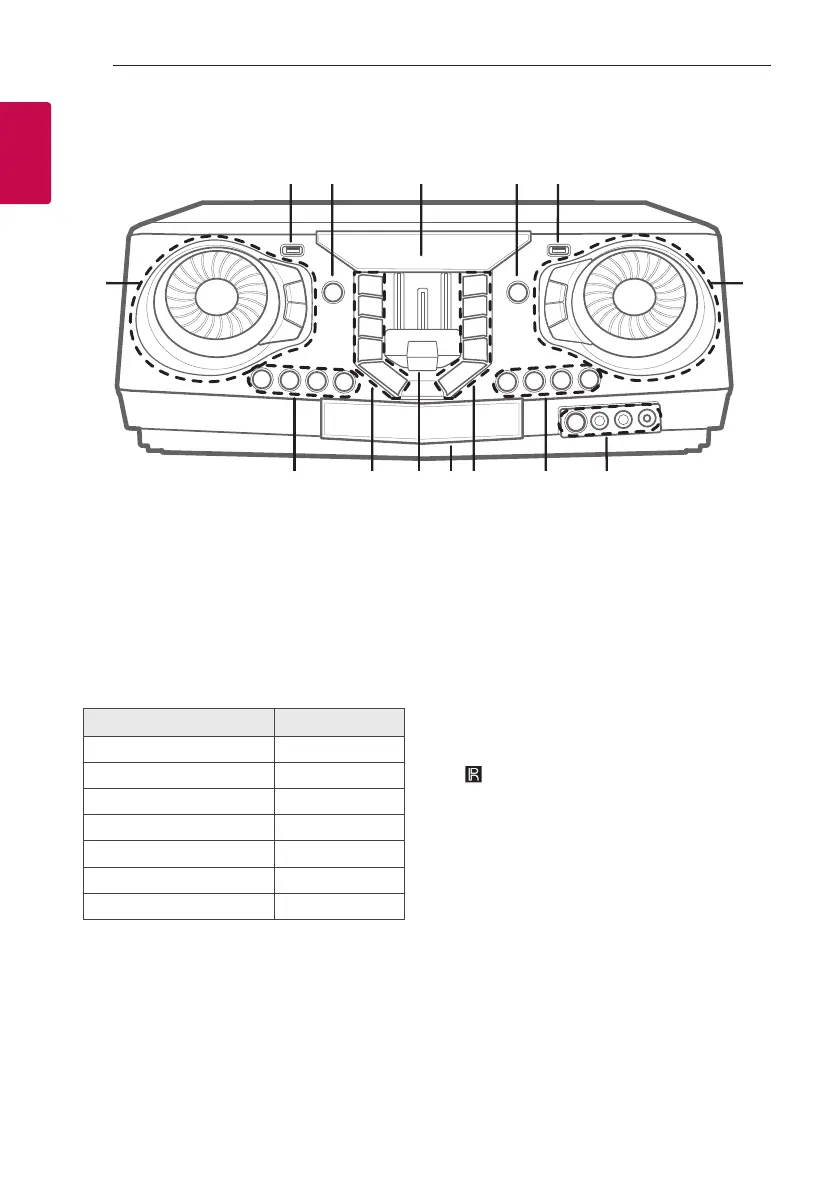
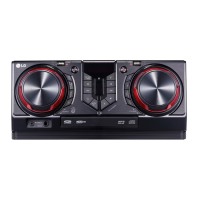
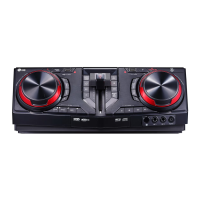
Front panel
a USB 1 Port
You can play sound files by connecting the USB
device.
b 1 (Standby)
Turns the power on or off.
c Display window
d F (Function)
Selects the function and input source.
Input source / Function Display
Disc CD
USB USB 1 / USB 2
AUX (3.5 mm) input AUX 1
AUX input AUX 2
Bluetooth BT
LG Sound Sync (Wireless) LG TV
Radio FM
e USB 2 Port
You can play sound files by connecting the USB
device.
f MASTER VOLUME
- Adjusts speaker volume.
- Selects the lighting effects.
- Selects vocal effects
LIGHTING
Selects the lighting mode.
MIC VOL (Microphone volume) -/+
Adjusts microphone volume.
MIC (Microphone) ECHO
Selects ECHO mode.
g
(Remote sensor)
MIC (Microphone) 1/2 jack
AUX IN 1 jack
h KEY CHANGER (L/l)
Changes the key to suit your vocal range.
VOICE CANCELLER
You can reduce the vocal tones during music
playback from various input sources.
VOCAL EFFECTS
Selects various vocal effects mode.
a b dc e
n
ghijklm


 To Next Page