EasyManua.ls Logo

LG CL88 - User Manual

LG CL88
7 pages
Print Icon
To Next Page IconTo Next Page
Loading...
www.lg.com
Copyright © 2020-2022 LG Electronics Inc. All Rights Reserved.2003_Rev01
MFL71963201
SIMPLE MANUAL
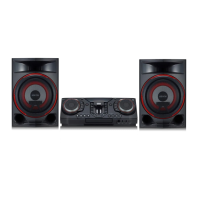
Mini Hi-Fi
System
Please read this manual carefully before operating your set and retain it for
future reference.
To view the instructions of advanced features, visit
http://www.lg.com and then download Owner’s Manual.
Some of the content in this manual may differ from your unit.
MODEL
CL88
ENGLISH
CAUTION
RISK OF ELECTRIC SHOCK
DO NOT OPEN
CAUTION: TO REDUCE THE RISK OF ELECTRIC SHOCK DO NOT
REMOVE COVER (OR BACK) NO USER-SERVICEABLE PARTS
INSIDE REFER SERVICING TO QUALIFIED SERVICE PERSONNEL.
Thislightningashwitharrowheadsymbol
withinanequilateraltriangleisintendedto
alerttheusertothepresenceofuninsulated
dangerousvoltagewithintheproduct’s
enclosurethatmaybeofsufcientmagnitude
toconstituteariskofelectricshocktopersons.
Theexclamationpointwithinanequilateral
triangleisintendedtoalerttheusertothe
presenceofimportantoperatingand
maintenance(servicing)instructionsinthe
literatureaccompanyingtheproduct.
WARNING:
y
TO PREVENT FIRE OR ELECTRIC SHOCK HAZARD, DO NOT
EXPOSE THIS PRODUCT TO RAIN OR MOISTURE.
y
Donotinstallthisequipmentinaconnedspacesuchasabook
caseorsimilarunit.
CAUTION:
y
Donotusehighvoltageproductsaroundthisproduct.(ex.
Electricalswatter)Thisproductmaymalfunctionduetoelectrical
shock.
y
Nonakedamesources,suchaslightedcandles,shouldbe
placedontheapparatus.
y
Donotblockanyventilationopenings.Installinaccordancewith
themanufacturer’sinstructions.
Slotsandopeningsinthecabinetareprovidedforventilation
andtoensurereliableoperationoftheproductandtoprotect
itfromoverheating.Theopeningsshouldneverbeblockedby
placingtheproductonabed,sofa,rugorothersimilarsurface.
Thisproductshallnotbeplacedinabuilt-ininstallationsuchas
abookcaseorrackunlessproperventilationisprovidedorthe
manufacturer’sinstructionhasbeenadheredto.
y
ThePowerPlugisthedisconnectingdevice.Incaseofan
emergency,thePowerPlugmustremainreadilyaccessible.
y
Theapparatusshouldnotbeexposedtowater(drippingor
splashing)andnoobjectslledwithliquids,suchasvases,should
beplacedontheapparatus.
y
Forsafetymarkinginformationincludingproductidentication
andsupplyratings,pleaserefertothemainlabelonthebottom
ortheothersurfaceoftheproduct.
For models using a Laser device :
ThisproductemploysaLaser
System.Toensureproperuseof
thisproduct,pleasereadthis
owner’smanualcarefullyand
retainitforfuturereference.Shall
theunitrequiremaintenance,
contactanauthorizedservice
center.
Useofcontrols,adjustmentsortheperformanceofprocedures
otherthanthosespecifiedhereinmayresultinhazardousradiation
exposure.Topreventdirectexposuretolaserbeam,donottryto
opentheenclosure.
For models using a battery
Thisdeviceisequippedwithaportablebatteryoraccumulator.
CAUTION:Riskofreorexplosionifthebatteryisreplacedby
anincorrecttype.
How to Safely remove the batteries or the battery pack
from the equipment: ToRemovetheoldbatteriesorbattery
pack,followtheassemblystepsinreverseorder.Toprevent
contaminationoftheenvironmentandbringonpossiblethreat
tohumanand/oranimalhealth,theoldbatteriesorthebattery
packmustbeputinanappropriatecontaineratdesignated
collectionpoints.Donotdisposeofbatteriesorbatterypack
togetherwithotherwaste.Itisrecommendedthatyouuselocal,
freereimbursementsystemsbatteriesorbatterypacks,(may
notbeavailableinyourarea).Thebatteriesorthebatterypack
shouldnotbeexposedtoexcessiveheatsuchassunshine,reor
thelike.
For models using a built-in battery
Donotstoreortransportatpressureslowerthan11.6kPaand
atabove15,000maltitude.
y
replacementofabatterywithanincorrecttypethatcan
defeatasafeguard(forexample,inthecaseofsomelithium
batterytypes);
y
disposalofabatteryintoreorahotoven,ormechanically
crushingorcuttingofabattery,thatcanresultinanexplosion;
y
leavingabatteryinanextremelyhightemperature
surroundingenvironmentthatcanresultinanexplosionor
theleakageofammableliquidorgas;and
y
abatterysubjectedtoextremelylowairpressurethatmay
resultinanexplosionortheleakageofammableliquidor
gas.
For models using an adapter
OnlyusetheACadaptersuppliedwiththisdevice.Donotuse
apowersupplyfromanotherdeviceoranothermanufacturer.
Usinganyotherpowercableorpowersupplymaycausedamage
tothedeviceandvoidyourwarranty.
POWER:Thisunitoperatesonamainssupplyof
200-240V~50/60Hz.
Wiring:ThisunitissuppliedwithaBS1363approvedmainplug.
Whenreplacingthefuse,alwaysuseafuseofthesamerating
andapprovedtoBS1362.Neverusethisplugwiththefuse
coveromitted.Toobtainareplacementfusecovercontactyour
dealer.Ifthetypeofplugsuppliedisnotsuitableforthemains
socketsinyourhome,thentheplugshouldberemovedanda
suitabletypetted.Pleaserefertothewiringinstructionsbelow:
Warning:Amainsplugremovedfromthemainsleadofthisunit
mustbedestroyed.Amainsplugwithbaredwiresishazardous
ifinsertedinamainssocket.Donotconnecteitherwiretothe
earthpin,markedwiththeletterEorwiththeearthsymbol
6
orcolouredgreenorgreenandyellow.Ifanyotherplugistted,
usesameratingoffuseintheplug.
Important: Thewiresinthismainsleadarecolouredin
accordancewiththefollowingcodes:
- BLUE: NEUTRAL, BROWN: LIVE-Asthecoloursofthe
wiresinthemainsleadofthisunitmaynotcorrespondwiththe
colouredmarkingidentifyingtheterminalsinyourplug,proceed
asfollows:Thewirewhichiscolouredbluemustbeconnectedto
theterminalwhichismarkedwiththeletterNorcolouredblack.
Thewirewhichiscolouredbrownmustbeconnectedtothe
terminalwhichismarkedwiththeletterLorcolouredred.
Disposal of your old appliance
1 Thiscrossed-outwheeledbinsymbolindicates
thatwasteelectricalandelectronicproducts
(WEEE)shouldbedisposedofseparatelyfrom
themunicipalwastestream.
2 Oldelectricalproductscancontainhazardous
substancessocorrectdisposalofyourold
appliancewillhelppreventpotentialnegative
consequencesfortheenvironmentandhuman
health.Youroldappliancemaycontainreusable
partsthatcouldbeusedtorepairother
products,andothervaluablematerialsthatcan
berecycledtoconservelimitedresources.
3 Youcantakeyourapplianceeithertotheshopwhereyou
purchasedtheproduct,orcontactyourlocalgovernment
wasteofficefordetailsofyournearestauthorisedWEEE
collectionpoint.Forthemostuptodateinformationfor
yourcountrypleaseseewww.lg.com/global/recycling.
Disposal of waste batteries/accumulators
Pb
1Thissymbolmaybecombined
withchemicalsymbolsfor
mercury(Hg),cadmium(Cd)or
lead(Pb)ifthebatterycontains
morethan0.0005%ofmercury,
0.002%ofcadmiumor0.004%
oflead.
2 Allbatteries/accumulatorsshouldbedisposedseparately
fromthemunicipalwastestreamviadesignatedcollection
facilitiesappointedbythegovernmentorthelocal
authorities.
3 Thecorrectdisposalofyouroldbatteries/accumulators
willhelptopreventpotentialnegativeconsequencesfor
theenvironment,animalandhumanhealth.
4 Formoredetailedinformationaboutdisposalofyourold
batteries/accumulators,pleasecontactyourcityoffice,
wastedisposalserviceortheshopwhereyoupurchased
theproduct.(http://www.lg.com/global/sustainability/
environment/take-back-recycling/global-network-
europe)
Declaration of Conformity
Hereby,LGElectronicsdeclaresthattheradioequipment
typeMiniHi-FiSystemisincompliancewiththerelevant
statutoryrequirements.ThefulltextoftheUKdeclarationof
conformityisavailableatthefollowinginternetaddress:
http://www.lg.com/global/support/cedoc/cedoc#
Forconsiderationoftheuser,thisdeviceshouldbeinstalled
andoperatedwithaminimumdistanceof20cmbetween
thedeviceandthebody.
Frequencyrange Outputpower(Max.)
2402to2480MHz 10dBm
Declaration of Conformity
Hereby,LGElectronicsdeclaresthattheradioequipment
typeMiniHi-FiSystemisincompliancewithDirective
2014/53/EU.ThefulltextoftheEUdeclarationof
conformityisavailableatthefollowinginternetaddress:
http://www.lg.com/global/support/cedoc/cedoc#
Forconsiderationoftheuser,thisdeviceshouldbeinstalled
andoperatedwithaminimumdistanceof20cmbetween
thedeviceandthebody.
Frequencyrange Outputpower(Max.)
2402to2480MHz 10dBm
Symbols
~
Referstoalternatingcurrent(AC).
0
Referstodirectcurrent(DC).
ReferstoclassIIequipment.
1
Referstostand-by.
!
Refersto“ON”(power).
Referstodangerousvoltage.
CAUTION:Becarefultomakesurechildrendonotputtheir
handsoranyobjectsintothe*speakerduct.
*speakerduct:Aholeforplentifulbasssoundonspeaker
cabinet.(enclosure)
Technology with the human touch
GUARANTEE
• LGElectronicsU.K.Ltd.willprovidethefollowingservicesinordertoexpeditethisGuarantee.
1.Allfaultycomponentswhichfailduetodefectivemanufacturewillbereplacedfreeofchargeforaperiodof12monthsfromthe
originaldateofpurchase.
2.Thedealer(orhisserviceagent)whosoldtheproductwillbereimbursedforanylabourprovidedintherepairofthisLG
equipment,foraperiodof12monthsfromtheoriginaldateofpurchase.Theseclaimsmustbemadeinaccordancewiththe
publishedscaleofservicechargesandrelevantclaimsprocedure.
PLEASE NOTE:
A.Thedealermayrestricttheguaranteetotheoriginalpurchaser.
B.Thedealerisnotobligedtocarryoutserviceunderguaranteeifunauthorisedmodificationsaremadetotheapparatus,orifnon
standardcomponentsareusedoriftheserialnumberoftheapparatusisremoved,defaced,misused,oraltered.
C.Anyclaimsmadeunderguaranteemustbedirectedtothedealerfromwhomtheequipmentwasoriginallypurchased.Thedealer
may,beforecarryingoutserviceunderguarantee,requireareceiptedaccountasevidenceofthedateofpurchase.
D.Werespectfullypointoutthatyourdealerisnotobligatedtoreplacebatteriesiftheybecomeexhaustedorworninuse.
E.Aerialalignmentandconsumercontroladjustmentsarenotcoveredbythisguarantee.
Thisguaranteedoesnotaffectyourstatutoryrights.
• REQUIREMENTSTOMAINTAINWARRANTYCOVERAGE:
RETAINYOURRECEIPTTOPROVEDATEOFPURCHASE.ACOPYOFYOURRECEIPTMUSTBESURRENDEREDATTHETIME
GUARANTEE SERVICE IS PROVIDED.
• ProductRegistrationCard:
Itishelpfultocompleteatleastyourname,address,phone,model&serialnumbersandreturnit.ThiswillenableLGtoassistyou
inthefutureshouldyouloseyourreceipt,yourunitsstolen,orshouldmodificationsbenecessary.
• Toobtaininformationorassistance:
CallUK:03448475454IE:016869454
MODEL NO.* SERIAL NO.* DATEOFPURCHASE.*
In all cases of difficulty - consult your LG dealer from whom the product was purchased
LGEUKWebsite:www.lg.com/uk
(Servicewebsite:www.lg.com/uk/support)
CL88-DB.DGBRLLK_SIM (Sheet)_MFL71963201.indd 1-4 2022-09-02   9:03:59

Other manuals for LG CL88

Question and Answer IconNeed help?

Do you have a question about the LG CL88 and is the answer not in the manual?

Summary

Front Panel Overview

Core Controls and Functions

Manage power, display, input selection, and volume.

DJ and Party Features

Control DJ loop, playback, party link, and accelerator.

Additional Information and Specifications

Safety Precautions

Advises on safe usage, placement, and extension cord use.

Safety and Compliance Information

General Safety Warnings

Details risks of electric shock, fire, and proper ventilation.

Battery and Adapter Safety

Guidance on battery replacement, removal, and adapter use.

Summary

Front Panel Overview

Core Controls and Functions

Manage power, display, input selection, and volume.

DJ and Party Features

Control DJ loop, playback, party link, and accelerator.

Additional Information and Specifications

Safety Precautions

Advises on safe usage, placement, and extension cord use.

Safety and Compliance Information

General Safety Warnings

Details risks of electric shock, fire, and proper ventilation.

Battery and Adapter Safety

Guidance on battery replacement, removal, and adapter use.

Overview

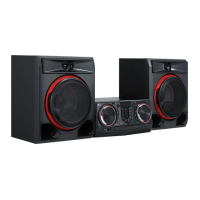
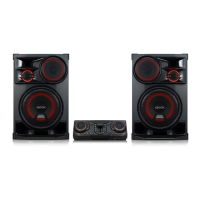
This document serves as a simple manual for the LG Mini Hi-Fi System, providing essential information for its operation and maintenance. Users are encouraged to read it carefully and retain it for future reference. For advanced features, the full Owner's Manual can be downloaded from the LG website.

Front Panel Overview

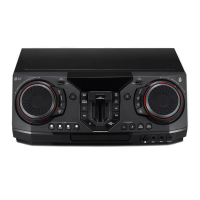
The front panel of the Mini Hi-Fi System offers a comprehensive set of controls and ports for various functions:

  • USB 1 Port and USB 2 Port: These ports allow users to play sound files by connecting a USB device, offering convenient access to digital music libraries.
  • ** (Standby):** This button controls the power, turning the unit on or off.
  • Display Window: Provides visual feedback on the current function, settings, and track information.
  • F (Function): Used to select the desired function or input source, allowing seamless switching between different modes like CD, USB, or radio.
  • MASTER VOLUME: This multi-functional knob adjusts the overall speaker volume. It also allows selection of lighting effects and vocal effects, enhancing the user's audio and visual experience.
    • LIGHTING: Specifically for selecting various lighting modes, adding a dynamic visual element to the music.
    • MIC VOL (Microphone volume) -/+: Adjusts the volume of connected microphones.
    • MIC (Microphone) ECHO: Activates and selects the ECHO mode for microphones, adding a reverberation effect to vocals.
  • R (Remote Sensor): Receives signals from the remote control, enabling convenient operation from a distance.
  • MIC (Microphone) 1/2 Jack: Input jacks for connecting microphones, ideal for karaoke or vocal performances.
  • AUX IN 1 Jack: An auxiliary input for connecting external audio devices.
  • KEY CHANGER (#/b): This feature allows users to change the key of the music to suit their vocal range, particularly useful for karaoke.
  • VOICE CANCELLER: Reduces vocal tones during music playback from various input sources, making it easier to sing along.
  • VOCAL EFFECTS: Selects different vocal effects modes, adding creative flair to vocal performances.
  • TWIN: Connects two speakers for TWIN mode in WIRELESS PARTY LINK, creating a wider and more immersive soundstage.
  • DJ LOOP: Selects DJ LOOP mode, which can be used during CD/USB playback to create repeating sections of a track.
  • ▷I (Play/Pause): Initiates or pauses playback. It also selects stereo/mono sound output.
  • ▷▷ (Skip/Search): Skips forward through tracks or files, or searches for a specific section within a track/file. In radio mode, it selects radio stations.
  • PARTY ACCELERATOR MODE: Selects the PARTY ACCELERATOR MODE, designed to enhance the party atmosphere.
  • Disc Tray: The compartment where CDs are inserted for playback.
  • PARTY ACCELERATOR Lever: A physical lever that, when slid, creates a party atmosphere with dynamic sound effects.

Rear Panel Overview

The rear panel provides essential connections for power, antennas, and speakers:

  • Power Cord: Connects the unit to the main power supply.
  • ANTENNA (FM): Input for connecting the FM antenna to receive radio broadcasts.
  • AUX IN 2 (L/R): Additional auxiliary input for connecting external audio devices, offering left and right channel connections.
  • SPEAKER LIGHTING SYSTEM: Connects the speaker lighting cables, allowing the speakers to synchronize with the unit's lighting effects.
  • SPEAKERS Connector: Connects the main speakers to the unit.

Controller App and LG Sound Sync (Wireless)

  • Controller App: The LG XBOOM App (Android only) can be downloaded to your device, providing remote control and access to advanced features.
  • LG Sound Sync (Wireless): This feature allows the Mini Hi-Fi System to wirelessly connect with compatible LG TVs, providing enhanced audio for your television viewing experience. For more information, the online owner's manual can be downloaded from the LG website.

Additional Information

Replacement of Battery: The manual includes an illustration for replacing the battery, indicating the type (AAA (R03)) and proper orientation.

About Ferrite Core (Optional): Instructions are provided on how to wind the power cord cable around a ferrite core twice. This is an optional step that can help reduce electromagnetic interference.

How to Disconnect the Wireless Network Connection or the Wireless Device: To disconnect wireless connections, simply turn off the unit by pressing the power button for more than 5 seconds.

Safety and Maintenance Features

The manual emphasizes several safety precautions and maintenance tips:

  • Electrical Safety:
    • Always use a 15 A socket for multiple connections to prevent power off due to insufficient supply.
    • Avoid placing objects on speakers to prevent damage from falling.
    • Install speakers on a non-slip surface to prevent movement due to strong vibrations.
    • Do not turn up maximum volume in small enclosed spaces, as powerful output can cause objects to fall.
    • Maintain a safe distance from speakers to protect hearing.
    • Allow at least 20 cm of free space between the main unit and speakers when installed on the ground to prevent vibrations from disturbing CD playback.
    • Connect the power cord directly to a wall outlet if possible. If using an extension cable, ensure it is rated 110 V / 15 A or 230 V / 15 A to prevent improper operation due to lack of power. Do not overload the extension cord.
  • Lighting Safety:
    • Do not look directly at the light-emitting part when the LIGHTING is on.
    • If the illumination brightness is glaring, switch on room lights or turn off the unit's LIGHTING.
  • General Precautions:
    • Do not expose the product to rain or moisture to prevent fire or electric shock.
    • Do not install the equipment in confined spaces like a bookcase.
    • Avoid using high-voltage products near the unit, as it may cause malfunction.
    • Do not place naked flame sources, such as lighted candles, on the apparatus.
    • Ensure proper ventilation by not blocking any openings.
    • The power plug is the disconnecting device and must remain readily accessible in case of emergency.
    • Do not expose the apparatus to water or liquids.
    • Refer to the main label for safety marking information.
  • Laser Device Safety (if applicable):
    • This product employs a Class 1 Laser System. Read the owner's manual carefully for proper use.
    • Contact an authorized service center for maintenance.
    • Do not attempt to open the enclosure to prevent direct exposure to the laser beam.
  • Battery Safety (if applicable):
    • Risk of fire or explosion if the battery is replaced by an incorrect type.
    • Safely remove old batteries/battery packs by following reverse assembly steps.
    • Dispose of old batteries/battery packs in designated collection points to prevent environmental contamination and health threats.
    • Do not expose batteries/battery packs to excessive heat.
    • For built-in batteries, do not store or transport at pressures lower than 11.6 kPa and above 15,000 m altitude.
    • Avoid replacing batteries with incorrect types, disposing of batteries in fire or hot ovens, mechanically crushing or cutting them, or exposing them to extremely high temperatures or low air pressure, as these can result in explosion or leakage of flammable liquid or gas.
  • Adapter Usage (if applicable):
    • Only use the AC adapter supplied with the device. Using other power supplies may damage the device and void the warranty.
  • Wiring (for UK models):
    • The unit is supplied with a BS 1363 approved main plug.
    • When replacing the fuse, use a fuse of the same rating and approved to BS 1362.
    • Never use the plug with the fuse cover omitted.
    • If the plug is unsuitable, remove it and fit a suitable type.
    • A removed mains plug must be destroyed.
    • Do not connect either wire to the earth pin.
    • Wiring codes: BLUE for NEUTRAL (connect to N or black), BROWN for LIVE (connect to L or red).
  • Speaker Duct Caution: Be careful to ensure children do not put their hands or any objects into the speaker duct (a hole for plentiful bass sound).

Disposal Information

  • Old Appliance Disposal: The crossed-out wheeled bin symbol indicates that waste electrical and electronic products (WEEE) should be disposed of separately from municipal waste. Old electrical products contain hazardous substances, and correct disposal helps prevent negative environmental and health consequences. They may contain reusable parts and valuable materials for recycling. Users can take appliances to the shop where purchased or contact local government waste offices for authorized WEEE collection points.
  • Waste Batteries/Accumulators Disposal: This symbol, potentially combined with chemical symbols for mercury (Hg), cadmium (Cd), or lead (Pb), indicates that batteries/accumulators should be disposed of separately from municipal waste. They should be taken to designated collection facilities. Correct disposal prevents negative environmental and health consequences.

Declaration of Conformity

  • UKCA and CE Declarations: LG Electronics declares that the Mini Hi-Fi System complies with relevant statutory requirements (UK) and Directive 2014/53/EU (EU). The full text of the declarations is available on the LG website.
  • User Consideration: The device should be installed and operated with a minimum distance of 20 cm between the device and the body.
  • Frequency Range and Output Power: The device operates within the 2402 to 2480 MHz frequency range with a maximum output power of 10 dBm.
  • Symbols: Explanations for various symbols are provided, including those for alternating current (AC), direct current (DC), Class II equipment, stand-by, ON (power), and dangerous voltage.

Guarantee Information

LG Electronics U.K. Ltd. provides a guarantee for the Mini Hi-Fi System:

  • Faulty Components: All faulty components due to defective manufacture will be replaced free of charge for 12 months from the original purchase date.
  • Labour: The dealer or service agent will be reimbursed for labour provided in repair for 12 months from the original purchase date.
  • Important Notes:
    • The guarantee may be restricted to the original purchaser.
    • Service under guarantee is not obligatory if unauthorized modifications, non-standard components, or altered serial numbers are present.
    • Claims must be directed to the dealer from whom the equipment was purchased, with a receipted account as evidence of the purchase date.
    • Batteries are not covered if exhausted or worn.
    • Aerial alignment and consumer control adjustments are not covered.
    • The guarantee does not affect statutory rights.
  • Warranty Coverage Requirements: Retain your receipt as proof of purchase. A copy must be surrendered for guarantee service.
  • Product Registration: Completing a product registration card with personal and unit details is helpful for future assistance.
  • Contact Information: Phone numbers for UK and IE support are provided.
  • Website: LG's UK website and service website are listed for further information.

This comprehensive overview aims to equip users with the necessary knowledge to operate, maintain, and troubleshoot their LG Mini Hi-Fi System effectively and safely.

LG CL88 Specifications

General IconGeneral
TypeHome audio mini system
Cassette deckNo
Product colorBlack
Number of decks1 deck(s)
Disc loading typeTray
Optical disc playerYes
Disc types supportedCD, CD-R, CD-RW, DVD
Audio formats supportedAAC, MP3, WMA
Impedance4 Ω
Speaker type2-way
RMS rated power700 W
Woofer diameter177.8 mm
Tweeter diameter50.8 mm
Number of speakers2
Signal-to-Noise Ratio (SNR)85 dB
Volume controlRotary
Equalizer modesBass, Classic, Funk, Hip hop, Jazz, Normal, Pop, Rock
FM band range87.5 - 108 MHz
Supported radio bandsFM
Power sourceAC
Input voltage220 - 230 V
Input frequency50 - 60 Hz
Power consumption (standby)0.5 W
Power consumption (typical)105 W
Display typeVFD
Apple docking-
Headphone outputs1
USB 2.0 ports quantityUSB 2.0 ports have a data transmission speed of 480 Mbps, and are backwards compatible with USB 1.1 ports. You can connect all kinds of peripheral devices to them.
Microphone connectivity6.3 mm
Weight and Dimensions IconWeight and Dimensions
Weight13770 g
Subwoofer weight3570 g
Subwoofer dimensions (WxDxH)350 x 276 x 166 mm

Related product manuals