EasyManua.ls Logo

LG CK99 - User Manual

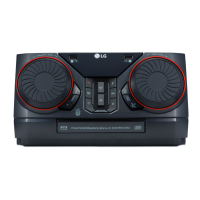
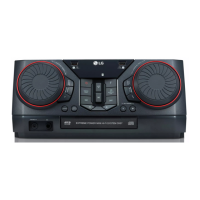
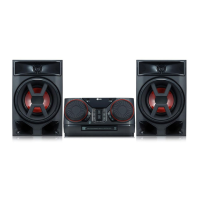
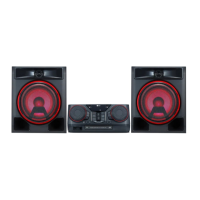
LG CK99
51 pages
Print Icon
To Next Page IconTo Next Page
Loading...
www.lg.com
Copyright © 2018 LG Electronics Inc. All Rights Reserved.
OWNER’S MANUAL
Mini Hi-Fi
System
Please read this manual carefully before operating your set and retain it for future
reference.
MODEL
CK99 (CK99, CKS99F)
MFL70405720

Table of Contents

Other manuals for LG CK99

Questions and Answers

  • J
    Jeffrey HoganAug 13, 2025
    How to fix no sound on LG Stereo System?
    • N
      Nicholas MontgomeryAug 14, 2025
      If there is no sound from your LG Stereo System, check that you have selected the correct function by pressing the function button. Also, verify that the speaker cables are correctly connected.
  • V
    vrangelAug 17, 2025
    How to fix no speaker light on LG CK99?
    • G
      gwatsonAug 17, 2025
      To resolve the issue of no speaker light on your LG Stereo System, first check if the speaker light cables are correctly connected to the unit. If they are, check the speaker light effects by pressing the LIGHTING button on the unit.
  • A
    aaronmillerAug 21, 2025
    What to do if the LG Stereo System remote control does not work?
    • D
      Dr. Ryan Juarez PhDAug 21, 2025
      If the LG Stereo System remote control isn't working, make sure you're within 7 meters of the unit and that there are no obstacles blocking the path between the remote and the unit. Also, try replacing the batteries with new ones.
  • K
    Kevin CaldwellAug 25, 2025
    Why my LG CK99 has no power?
    • I
      icervantesAug 25, 2025
      If your LG Stereo System has no power, first ensure the power cord is properly plugged in. If it is, check whether there is an electricity failure by testing other electronic devices.
  • K
    kingdanielleAug 28, 2025
    What to do if LG CK99 does not start playback?
    • D
      David BartlettAug 28, 2025
      If your LG Stereo System does not start playback, check if the disc is playable and properly inserted with the label side facing up. If there is no disc, insert one. If the disc is dirty, clean it.
  • S
    Scott PatelSep 1, 2025
    Why LG Stereo System radio stations cannot be tuned in properly?
    • R
      Rick ReedSep 1, 2025
      If your LG Stereo System isn't tuning into radio stations properly, ensure the antenna is securely connected and positioned correctly. If the signal is weak, try tuning to the station manually.
  • C
    Christopher MartinezSep 4, 2025
    How to troubleshoot LG Stereo System that does not work properly?
    • J
      johnhernandezSep 4, 2025
      If the LG Stereo System isn't working properly, try turning off the power to both the unit and any connected external devices (like a TV, Woofer, DVD-player, or Amplifier), then turn them back on. If that doesn't work, disconnect and then reconnect the power cords of the unit and connected devices. Note that previous settings may not be saved when the power is shut off.
  • P
    Paula McclainSep 8, 2025
    What to do if LG Sound Sync does not work on LG Stereo System?
    • C
      caseymichaelSep 8, 2025
      If LG Sound Sync is not working on your LG Stereo System, verify that your LG TV supports LG Sound Sync. Also, check the LG Sound Sync connection and the sound settings on both your TV and the stereo system.

Summary

LG Mini Hi-Fi System Owners Manual

Safety Information

Electric Shock and Laser Safety

Warnings about electric shock hazards, laser system precautions, and ventilation requirements.

Power Cord and Battery Safety

Power Cord Handling and Safety

Advice on safe use, maintenance, and protection of the power cord.

Battery Safety and Disposal

Instructions for safely removing, disposing of, and handling batteries or battery packs.

File Compatibility and USB Requirements

Music File Requirements

Specifications for MP3/WMA file compatibility, sampling frequency, and bit rate.

Remote Control Overview

Remote Control Buttons and Functions

Explanation of key buttons, input sources, and common functions.

Top Panel Controls and Functions

Power, USB Ports, and Display

Describes Standby, USB REC/DEMO, USB ports, and the display window.

Front and Rear Panel Connections

Front Panel Overview

Identifies MIC, Disc tray, Remote sensor, PORT. IN, and H/P jacks on the front.

Rear Panel Connections

Details Power cord, AUX IN/OUT, Antenna, SPEAKERS connector, and SPEAKER LIGHTING.

Connecting Speakers

Speaker Cable and Lighting Connection

Instructions for connecting speaker cables and lighting cables to the unit.

Speaker Placement and Safety

Guidelines for speaker placement, volume control, and safety precautions.

Optional Equipment Connection

AUX IN Connection Guide

Connect external audio devices using the AUX IN connectors for playback.

Audio Output and Party Link

AUX OUT Connection

Connect the unit's audio output to an auxiliary device input.

Party Link Setup and Operation

Connect two units for synchronized sound expansion via wired or wireless link.

Basic CD and USB Operations

Starting CD;USB Playback

How to insert discs or connect USB devices and select functions for playback.

Bluetooth Wireless Technology

About Bluetooth and Profiles

Explains Bluetooth technology and compatible profiles (A2DP).

Pairing Bluetooth Devices

Step-by-step guide to connect and pair your unit with Bluetooth devices.

Radio Operations

Listening to the Radio and Improving Reception

How to tune into stations, use auto/manual tuning, and improve FM reception.

Presetting and Deleting Radio Stations

Instructions to store up to 50 stations and erase all stored radio stations.

Sound Adjustment Features

Setting the Sound Mode

Selects preset surround sound fields for different music genres or atmospheres.

Setting the User EQ

Allows manual adjustment of Bass, Middle, and Treble levels to personalize sound.

Advanced Operations: USB Recording

Recording Sound Sources to USB

How to record audio from various sources like CD, AUX, and Radio to a USB device.

JUKE BOX Playlist Management

Making and Enjoying a JUKE BOX List

How to create, play, and manage playlists of favorite tracks/files.

Microphone and Vocal Features

Using the Microphone

Connecting and adjusting microphone volume for singing along with music.

Key Adjustment and Vocal Effects

Key Changer for Vocal Range

Adjusts the musical key of songs to better suit your vocal range.

Vocal Effects Selection for Karaoke

Applies various vocal effects to change voice pitch and style for karaoke.

Clock and Alarm Functions

Setting the Unit Clock Manually

Manual steps to set the current time on the unit.

Using Player as an Alarm Clock

Sets an alarm to wake up to the unit with a selected function and volume.

LG Sound Sync Connectivity

Controlling Unit via LG TV Remote

Use LG TV remote to control volume, mute, and function selection.

LG Sound Sync Setup and Notes

Steps to connect to LG TV and important considerations for synchronized audio and control.

Wireless Party Link Connection

About Wireless Party Link Expansion

Expands sound output between units for synchronized playback.

Connecting Main and Other Units

How to set up two units as MAIN and OTHER for Party Link connection.

General Troubleshooting

Unit Malfunctions and Power Issues

Solutions for general unit malfunctions, power problems, and connection resets.

Playback and Radio Tuning Problems

Solutions for issues with disc playback, no sound, and radio station tuning.

LG CK99 Specifications

General IconGeneral
TypeHome audio mini system
Cassette deckNo
Product colorBlack, Red
Disc loading typeTray
Optical disc playerYes
ColorationMonochromatic
Illumination locationFront
Number of microphone inputs2
Speaker type3-way
RMS rated power5000 W
Subwoofer driver diameter (imperial)15 \
Tuner typeDigital
RDS featuresPLL
FM band range87.5 - 108 MHz
Supported radio bandsFM
Headphone outputs1
Power source typeAC
Headphone connectivity3.5 mm/6.35 mm
USB 2.0 ports quantityUSB 2.0 ports have a data transmission speed of 480 Mbps, and are backwards compatible with USB 1.1 ports. You can connect all kinds of peripheral devices to them.
Microphone connectivity6.3 mm
Disc types supportedCD, CD-R, CD-RW
Playback disc formatsCD audio, MP3, WMA
Audio formats supportedMP3, WMA
Equalizer modesBass, Classic, Jazz, Pop, Rock, Standart
Display typeVFD
Operating temperature (T-T)5 - 35 °C
Operating relative humidity (H-H)5 - 90 %
Input voltage110/220 V
Input frequency50 - 60 Hz
Power consumption (standby)0.5 W
Power consumption (typical)320 W
Weight and Dimensions IconWeight and Dimensions
Package typeBox
Main unit weight8392 g
Main unit dimensions (WxDxH)469.5 x 419.1 x 238.76 mm

Related product manuals