EasyManua.ls Logo

LG CK99 - Optional Equipment Connection; AUX IN Connection Guide

LG CK99
51 pages
Print Icon
To Next Page IconTo Next Page
To Previous Page IconTo Previous Page
Loading...
Connecting
15
Connecting
2
Optional Equipment
Connection
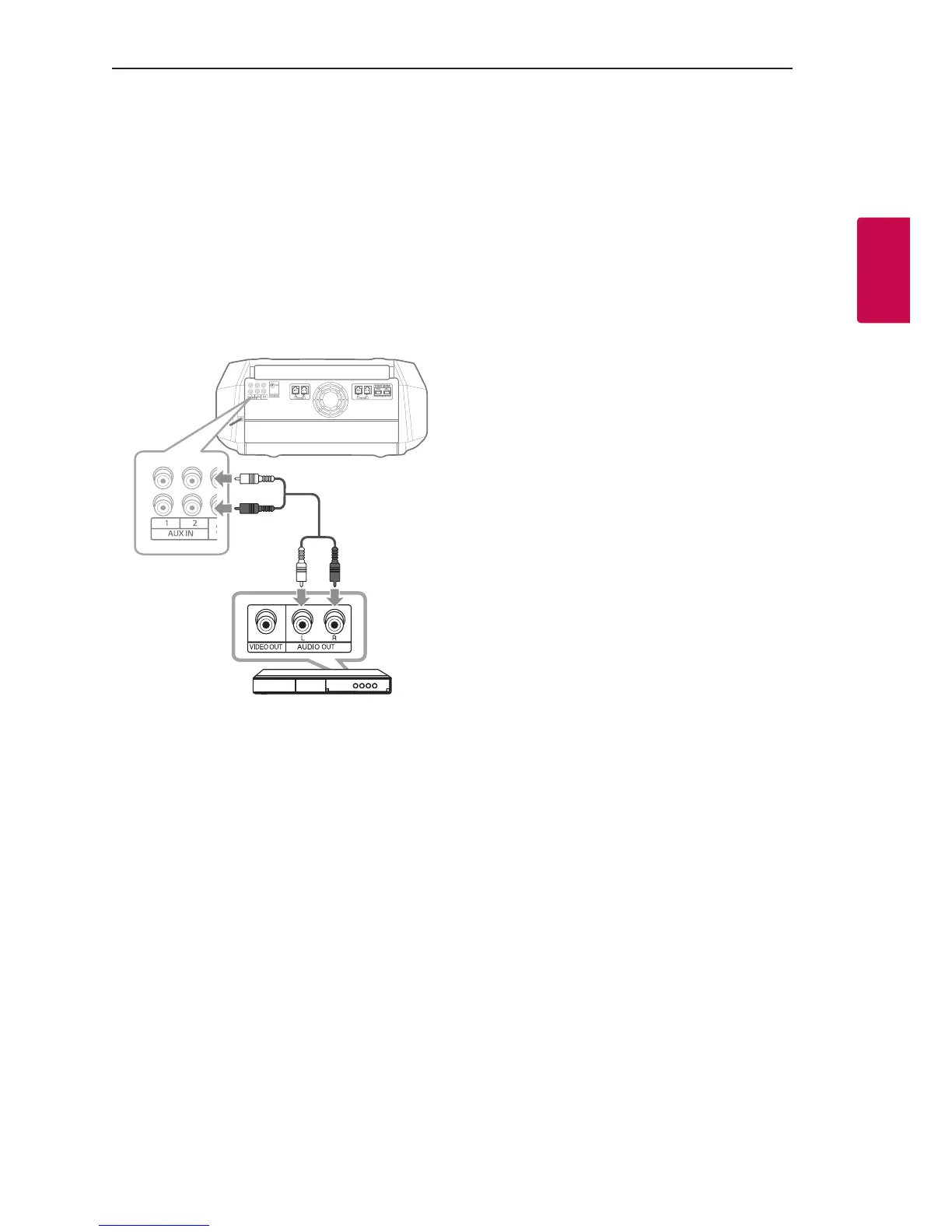
AUX IN Connection
Connect an output of auxiliary device (Camcorder, TV,
Player, etc) to the AUX IN 1/2 (L/R) connector.
If your device has only one output for audio(mono),
connect it to the left(white) audio jack on the unit.
L
R
L
R
L
R
L
R
L
R

L
R
Red
White
Audio cable
DVD, Blu-ray player etc.

Table of Contents

Other manuals for LG CK99

Related product manuals