ECHO
When you connect your microphone to the MIC
jack, you can give an echo effect to the sound from
the microphones by pressing ECHO on the remote
control or MIC ECHO on the unit.
ECHO MODE 1
ECHO MODE 2 ECHO OFF
y If a microphone is not connected, “PLEASE
INSERT MIC” appears in the display window.
y If you press VOCAL EFFECTS on ECHO
mode, after backing up current ECHO,
turn off ECHO mode and operate VOCAL
EFFECTS mode.
Press ECHO on the remote control or MIC
ECHO on the unit again, after backing up
current VOCAL EFFECTS, operate ECHO
mode.
,
Note
Using H/P MODE
Headphone monitoring is available.
Press H/P MODE on the unit to listen to music using
headphone. Rotate H/P VOLUME on the unit to
adjust the volume.
When mixing, press H/P MODE on the unit to select
a monitoring mode. You can listen to the music being
mixed or playing in Source A or Source B.
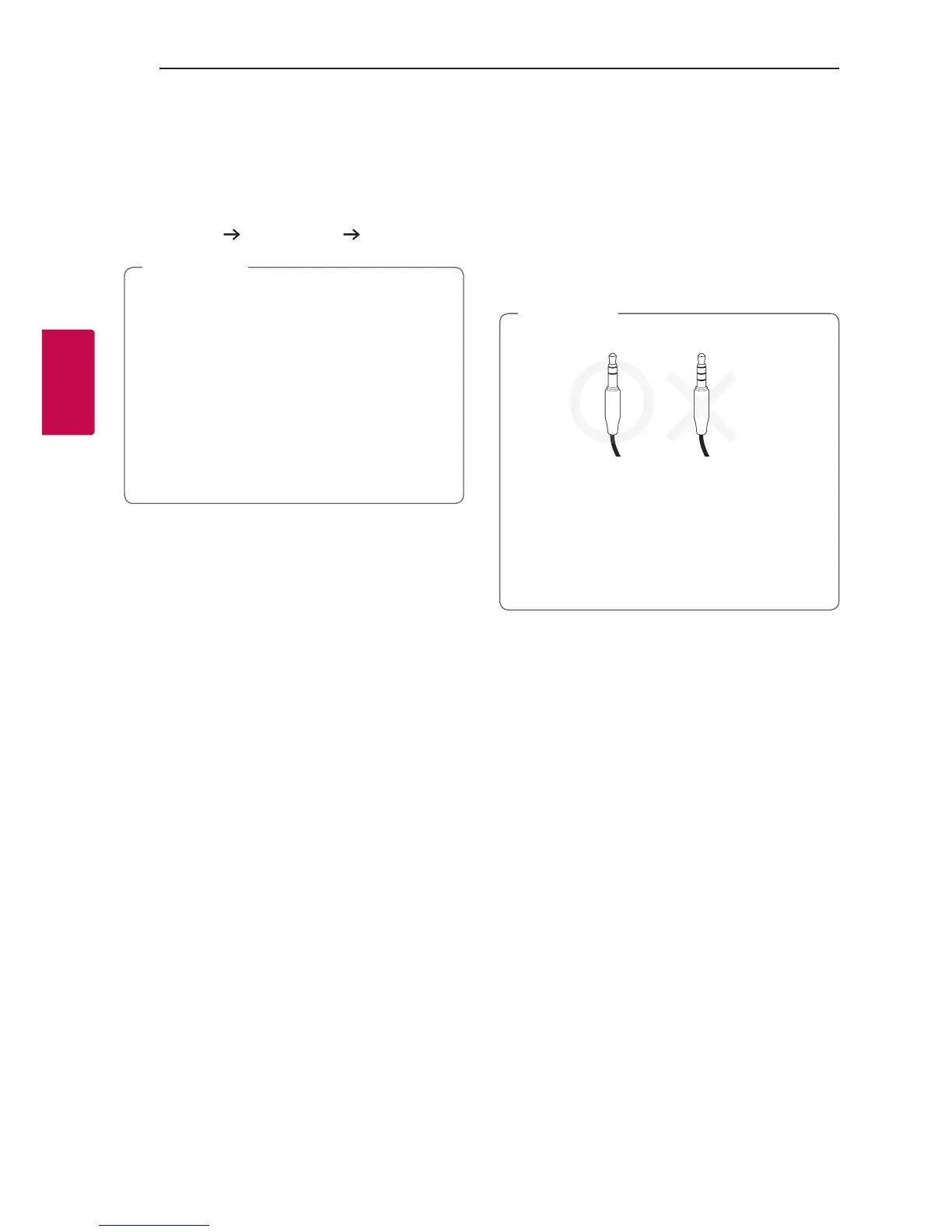
y It is not compatible with a 4 pole jack.
y If you select one source output in MIXER ON
mode, the playback effects (Except TEMPO)
are not applied to the output through the
headphone.
y If you power off or switch to MIXER OFF, the
selected H/P MODE is cancelled.
,
Note



 To Next Page