EasyManua.ls Logo

LG CM2520 - User Manual

LG CM2520
24 pages
Print Icon
To Next Page IconTo Next Page
Loading...
OWNER’S MANUAL
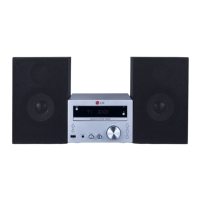
Micro Hi-Fi System
CM2520 (CM2520, CMS2520F)
Please read this manual carefully before operating
your set and retain it for future reference.
FOR THE WARRANTY TERMS & CONDITIONS,
PLEASE REFER TO BACK COVER OF THIS MANUAL.

Other manuals for LG CM2520

Questions and Answers

  • T
    Tanya AcevedoAug 11, 2025
    Why is there no sound coming from my LG CM2520 Stereo System?
    • J
      Jacob GibsonAug 11, 2025
      If your LG Stereo System isn't producing any sound, there are a few things to check: * First, ensure that you've selected the correct function by pressing the FUNCTION button. * Second, verify that the speaker cables are correctly connected. * Finally, make sure the volume isn't set too low; adjust it using the volume controller.
  • K
    kylerodriguezAug 17, 2025
    What to do if the remote control for my LG CM2520 doesn't work?
    • T
      Todd DayAug 17, 2025
      If your LG Stereo System remote control isn't working correctly, try these steps: 1. Make sure you're pointing the remote control directly at the remote sensor on the unit. 2. Ensure you're operating the remote within about 16 ft (5 m) of the unit. 3. Check for any obstacles between the remote and the unit and remove them. 4. Replace the battery in the remote control with a new one.
  • C
    cryanAug 26, 2025
    How to fix an LG CM2520 that has no power?
    • M
      Michael DickersonAug 26, 2025
      If your LG Stereo System isn't powering on, start by ensuring the power cord is securely plugged in. Also, check whether electricity failed by operating other electronic devices.
  • T
    Thomas ArnoldSep 2, 2025
    Why radio stations cannot be tuned in properly on my LG Stereo System?
    • D
      Dr. Barbara Clements DVMSep 2, 2025
      If you're having trouble tuning into radio stations with your LG Stereo System, try adjusting the position of the antenna. If the signal strength is weak, tune to the station manually. For preset channels, refer to page 14 for details on how to preset radio stations.

Summary

Getting Started

Safety Information

Crucial safety precautions and warnings for operating the system.

CAUTION concerning the Power Cord

Guidelines and warnings for safe use of the power cord.

Connecting

Connecting to speakers

Instructions on how to attach the speakers to the main unit.

Operating

Basic Operations

Covers fundamental operations for CD and USB playback.

Radio Operations

Guides on tuning, presets, and improving reception.

Presetting the Radio Stations

How to save favorite radio stations for quick access.

Sound adjustment

Adjusts sound settings like equalizer and surround modes.

Setting the alarm

Configures the unit to wake you up at a set time.

Recording to USB

Guides on recording audio to a USB device.

To select recording bit rate and speed

Sets the quality and speed for USB audio recordings.

Troubleshooting

Appendix

Specifications

Technical details including power, dimensions, and performance metrics.

Warranty

Warranty

Details the guarantee terms, coverage, and requirements.

LG CM2520 Specifications

General IconGeneral
Speaker Configuration2.0 Channel
BluetoothYes
USB PlaybackYes
FM TunerYes
Total Output Power50 W
Playable File FormatsMP3, WMA
Disc Capacity1
Audio Line-inYes
RadioFM
CD PlayerYes
USB PortYes
AUX InputYes
Remote ControlYes
Power Output (RMS)25W per channel
Power Output50W (25W x 2)

Related product manuals