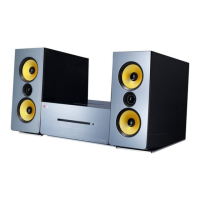
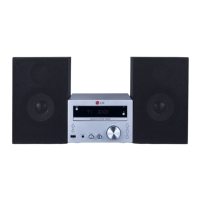
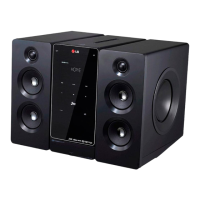
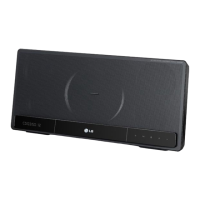
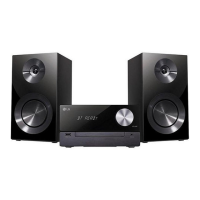
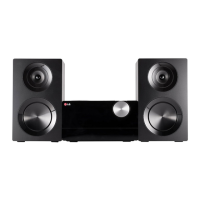
This document is the owner's manual for the LG CM2630 Micro Hi-Fi System (CM2630, CMS2630F).
The device is a Class 1 Laser Product. To ensure proper use, the manual should be read carefully and retained for future reference. Servicing should only be performed by authorized personnel. Opening the enclosure to prevent direct exposure to the laser beam is not recommended.
Power Cord Caution: Most appliances recommend placement on a dedicated circuit. Overloaded or damaged wall outlets, extension cords, or frayed power cords are dangerous and can lead to electric shock or fire. The power cord should be periodically examined for damage. To disconnect power, pull the mains cord plug. Ensure the plug is easily accessible during installation.
Battery Safety: The device is equipped with a portable battery or accumulator. Old batteries should be removed following the reverse order of assembly and disposed of in appropriate collection points to prevent environmental contamination and health risks. Batteries should not be exposed to excessive heat, such as sunshine or fire.
Water Exposure: The apparatus should not be exposed to water (dripping or splashing), and no objects filled with liquids, such as vases, should be placed on it.
Ventilation: Do not block any ventilation openings. Install in accordance with manufacturer's instructions. Slots and openings are provided for ventilation and to protect against overheating. These openings should never be blocked by placing the product on a bed, sofa, rug, or similar surface. The product should not be placed in a built-in installation unless proper ventilation is provided.
Unique Features
- USB Direct Recording: Records music directly to a USB device.
- Portable In: Allows listening to music from portable devices (MP3 players, notebooks, etc.).
- Timer: Sets an alarm to go off at a desired time.
- Bluetooth®: Enables listening to music stored on a Bluetooth device.
- Time Sync: Automatically sets the unit's clock using a Bluetooth device (LG Bluetooth Remote app).
Accessories
The system comes with the following accessories:
- Remote Control (1)
- Battery (2)
- FM Antenna (1)
Playable File Requirements
MP3/WMA Music File Requirements:
- Sampling frequency: 8 to 48 kHz (MP3), 8 to 48 kHz (WMA)
- Bit rate: 8 to 320 kbps (MP3), 40 to 192 kbps (WMA)
- Maximum files: Under 999
- File extensions: ".mp3" / ".wma"
- CD-ROM file format: ISO9660 / JOLIET
- For rewritable discs, the disc format option must be set to [Mastered] for compatibility with LG players. Live File System is not supported.
Compatible USB Devices:
- MP3 Player (Flash type)
- USB Flash Drive (USB 2.0 or USB 1.1 compatible)
- Not all USB devices are supported.
USB Device Requirements:
- Devices requiring additional program installation are not supported.
- Do not extract the USB device during operation.
- Large capacity USBs may take longer to search.
- Back up all data to prevent loss.
- USB extension cables or hubs may prevent recognition.
- NTFS file system is not supported (only FAT16/32).
- Total number of files exceeding 1000 is not supported.
- External HDDs, card readers, locked devices, hard type USB devices, and mobile phones are not supported.
- The USB port cannot be connected to a PC and cannot be used as a storage device.
- Some USBs may not work with this unit.
Remote Control
The remote control features:
- (Power): Switches the unit ON or OFF.
- (Open/Close): Ejects the disc from the slot loader.
- PRESET FOLDER A/V: Searches for MP3/WMA folders, selects preset radio stations.
- FUNCTION: Selects the function and input source.
- MUTE: Mutes the sound.
- VOL +/-: Adjusts speaker volume.
- PROGRAM/MEMORY: Stores radio stations, creates playlists.
- SOUND EFFECT: Chooses sound impressions.
- INFO: Displays music information (ID3 tags).
- REPEAT (MENU): Repeats tracks/files or plays randomly.
- ** (Skip/Search):** Skips or searches within tracks/files.
- TUNING -/+: Selects radio stations.
- ENTER: Stops playback/recording, cancels DELETE, confirms clock/alarm settings.
- ►/II (Play/Pause): Starts or pauses playback.
- SLEEP: Sets the system to turn off automatically (Dimmer function also darkens display).
- USB REC: Starts recording.
- DELETE: Deletes MP3/WMA files (USB only).
- 0 to 9 numerical buttons: Selects numbered tracks, files, or preset numbers.
- CLOCK: Sets and checks the time.
- TIMER: Sets the alarm.
- SET: Confirms clock and alarm settings.
Battery Installation: Remove the battery cover and insert two AAA batteries with correct polarity.
Front Panel
The front panel includes:
- / (Power): Switches the unit ON or OFF.
- Display Window
- (Insert/Eject): Inserts or ejects a disc.
- II (Play/Pause): Starts/pauses playback, selects STEREO/MONO.
- FUNC.: Selects function and input source.
- I«/»I (Skip/Search): Searches backward/forward, skips tracks/files.
- VOL.+/-: Adjusts volume.
- (Stop): Stops playback/recording, cancels DELETE.
- Disc slot: Loads a disc.
- Top buttons (after opening cover):
- PORT.IN: Listens to music from portable devices.
- PHONES: Connects headphones (3.5 mm).
- USB Port: Plays and records audio files via USB.
- EQ: Chooses sound impressions.
- SET/DEMO: Confirms settings, demonstrates functions.
- TIMER: Sets alarm.
- CLOCK: Sets and checks time.
- SLEEP: Sets auto-off timer (Dimmer function also darkens display).
Rear Panel
The rear panel includes:
- ANTENNA FM: Connects FM wired antenna.
- SPEAKERS terminal (R/L): Connects speakers.
- Cooling fan
- Power cord
Touch Button Precautions:
- Use touch buttons with clean, dry hands. Wipe off moisture in humid environments.
- Do not press touch buttons hard; excessive force can damage the sensor.
- Touch the button correctly for proper function.
- Avoid conductive materials (e.g., metallic objects) on touch buttons to prevent malfunctions.
Connecting
Connecting to Speakers:
- Press plastic finger pads on terminals to open.
- Insert black wire into '-' (minus) terminal and other end into '+' (plus) terminal.
- Speakers contain magnets; keep them away from TV or PC screens to avoid color irregularity.
- Color/Position: Red (Front right), White (Front left).
Antenna Connection:
- Connect the FM Wire antenna to the ANTENNA FM connector.
- Fully extend the FM wire antenna.
Optional Equipment Connection:
- USB Connection: Connect USB memory or MP3 player to the USB port.
- Removing USB Device: Choose a different function/mode or press ENTER or twice, then remove the USB device.
- PORT. IN Connection:
- Connect external device to PORT. IN connector.
- Turn power on.
- Select PORTABLE function.
- Turn external device on and start playing.
- PHONES Connection: Connect 3.5 mm stereo headphones to the PHONES jack for private listening. No sound will come from speakers when headphones are connected.
Operating
Basic Operations (CD/USB):
- Insert a disc or connect a USB device.
- Select CD or USB function.
- Select track/file using KK/ or << />I.
- Stop: Press ENTER or ☐.
- Playback: Press /II or >II.
- Pause: Press /II or >II during playback.
- Skipping to next/previous track/file: Press or ≫I (next) or K (previous).
- Searching within track/file: Press and hold / or << />I during playback.
- Searching within folder: Press PRESET FOLDER A/V.
- Repeating/Random playback: Press REPEAT(MENU) repeatedly (RPT1 -> RPT DIR -> RPT ALL -> RANDOM -> OFF).
Selecting a Folder and an MP3/WMA:
- Press PRESET FOLDER A/V repeatedly to select a folder.
- Press /l to play.
- USB folders/files are recognized hierarchically.
- Folders without files will not appear.
- Files and folders are played in recorded order.
- DTS audio format is not supported.
Other Operation:
- Programmed Playback: Store up to 20 favorite tracks/files.
- Insert CD or connect USB.
- Press PROGRAM/MEMORY in stop state.
- Select track/file using /►►►► or <<<< />I.
- Press PROGRAM/MEMORY again to save.
- Press / or >II to play programmed tracks/files.
- To clear selection, press and hold ENTER or.
- Programs are cleared when disc/USB is removed, unit is powered off, or function is switched.
- Deleting an MP3/WMA file (USB only):
- Select file/folder using or≪≫I, then press DELETE.
- Press and hold DELETE to format USB device.
- Press DELETE repeatedly to cycle through "DEL FILE?", "DEL FOLDER", "FORMAT?".
- Press /II or >II to confirm deletion/format.
- Press ENTER or to exit.
- Do not remove USB during operation. Regular backup is recommended. Delete function may not be supported depending on USB state.
Displaying File Information:
- While playing an MP3 file, press INFO to display file information (ID3 tags).
Turn Off Sound Temporarily:
- Press MUTE to mute sound. "x" appears on display.
- Press MUTE again or adjust VOL+/- to cancel.
DEMO:
- In power off state, press SET/DEMO once to power on and display functions.
- Press SET/DEMO again to cancel.
Auto Power Down:
- Unit turns off automatically after 25 minutes if not connected to an external device and unused.
- Also turns off after 6 hours if connected to an external device via analog input but unused.
Radio Operations:
- Listening to the radio:
- Press FUNCTION or FUNC. until FM appears.
- Auto tuning: Press and hold TUNING-/+ for 2 seconds.
- Manual tuning: Press TUNING-/+ repeatedly.
- Adjust volume with VOL+/-.
- Improving poor FM reception: Press /II or II to switch tuner from stereo to mono.
Presetting Radio Stations:
- Store up to 50 FM stations.
- Press FUNCTION or FUNC. until FM appears.
- Select frequency with TUNING-/+.
- Press PROGRAM/MEMORY (preset number blinks).
- Select preset number with PRESET FOLDER A/V.
- Press PROGRAM/MEMORY to store.
- Repeat for other stations.
- To listen, press PRESET FOLDER A/V.
Deleting All Saved Stations:
- Press and hold PROGRAM/MEMORY for two seconds ("ERASE ALL" blinks).
- Press PROGRAM/MEMORY to erase.
Sound Adjustment:
- Select sound mode using SOUND EFFECT or EQ.
- NATURAL: Comfortable, natural sound.
- AUTO EQ: Sets equalizer based on MP3 ID3 tag genre.
- POP, CLASSIC, JAZZ, ROCK: Enthusiastic atmosphere.
- MP3 -- OPT: Optimized for compressible MP3 files, improves treble.
- BASS BLAST (BASS): Reinforces treble, bass, and surround.
- LOUDNESS: Improves bass and treble.
- BYPASS: Sound without equalizer effect.
- Sound mode may need resetting after input or track/file changes.
Setting the Clock:
- Via BT.App: Set time on Bluetooth device, connect to unit via BT app. Clock synchronizes automatically.
- Via buttons:
- Turn unit on.
- Press and hold CLOCK.
- Choose time mode (12:00 for AM/PM or 0:00 for 24-hour) with K, confirm with SET or SET/DEMO.
- Select hours with K, confirm with SET or SET/DEMO.
- Select minutes with K, confirm with SET or SET/DEMO.
- To reset, press and hold CLOCK, then repeat steps 3-8.
Using Player as an Alarm Clock:
- Turn unit on.
- Press and hold TIMER.
- Select alarm sound source with SET or SET/DEMO.
- Set "ON TIME" (hours/minutes) with / and confirm with SET or SET/DEMO.
- Set "OFF TIME" (hours/minutes) with K and confirm with SET or SET/DEMO.
- Set volume with K and confirm with SET or SET/DEMO.
- Press TIMER to check alarm info.
- To reset, press and hold TIMER, then repeat steps 3-6.
- Clock settings are lost if cord is unplugged.
- BT app allows 12-hour or 24-hour time setting (Android only).
- Clock and alarm settings can be checked by pressing CLOCK or TIMER when unit is off.
- Alarm only works when unit is off.
- Press TIMER to deactivate ringing alarm.
Advanced Operation
Sleep Timer Setting:
- Press SLEEP repeatedly to select delay time (180 -> 150 -> 120 -> 90 -> 80 -> 70 -> 60 -> 50 -> 40 -> 30 -> 20 -> 10 minutes). Unit turns off after selected time.
- Press SLEEP repeatedly until display is bright to cancel.
- Remaining time appears on display. Sleep function works after dimmer function.
Dimmer:
- Press SLEEP once to darken display by half.
- Press SLEEP repeatedly until display is bright to cancel.
Recording on USB:
- Connect USB device.
- Select function (FUNCTION or FUNC.).
- One track/file recording: Record while playing.
- All tracks/files recording: Record in stop state.
- Program list recording: Record after creating a program list.
- Start recording by pressing USB REC.
- Stop recording by pressing ENTER.
Pausing Recording:
- During recording, press USB REC to pause. Press again to restart (Radio/Portable only).
To Select Recording Bit Rate and Speed:
- Press USB REC for longer than 3 seconds.
- Use / to select bit rate.
- Press USB REC again to select recording speed.
- Use /►►►►►► to select desired speed (CD Function Only).
- X1 SPEED: Listen to music while recording (Audio CD Only).
- X2 SPEED: Just record music file.
- Press USB REC to finish setting.
- Recording percentage rate is displayed (MP3/WMA CD Only).
- No sound during MP3/WMA recording.
- Files are stored when recording is stopped during playback (except MP3/WMA).
- Do not remove USB or turn off unit during recording to avoid incomplete files.
- "NO USB", "ERROR", "FULL", or "NO REC" indicates recording failure.
- Multi card readers, external HDDs, mobile phones are not for USB recording.
- Files are recorded at approximately 512 Mbyte for long-term recording.
- Maximum 999 files can be stored.
- Recording structure: AUDIO CD (CD REC/TRK_001), MP3/WMA (FILE REC/ABC), Other source (EXT_REC/AUDIO_001).
- BT is not supported for recording.
- Unauthorized copies of copyrighted material are prohibited.
Using a Bluetooth Wireless Technology
About Bluetooth:
- Wireless communication technology for short-range connection (within 10 meters).
- Sound may be interrupted by interference or distance.
- No charges for connecting individual devices.
- Compatible with mobile phones, MP3 players, laptops, PDAs.
- Bluetooth Profiles: A2DP (Advanced Audio Distribution Profile).
Listening to Music of a Bluetooth Device:
- Turn on Bluetooth feature on your device.
- Select Bluetooth function on unit (FUNCTION or FUNC.). "BT READY" appears.
- Operate Bluetooth device to perform pairing. Unit appears as "LG MICRO(XX:XX)" (XX:XX are last four digits of BT address).
- Enter PIN code: 0000.
- "BT CONN" and "BT PAIR" appear upon successful pairing.
- Some devices may have different pairing methods.
- Play music from your Bluetooth device. Adjust volume on Bluetooth device.
- Sound may be distorted if Bluetooth device volume is too high.
- Adjust Bluetooth device volume to a proper level.
- After searching, connect Bluetooth device to unit and play file.
- Sound may be interrupted by other electronic waves.
- Cannot control Bluetooth device with unit.
- Limited to one Bluetooth device per unit (multi-pairing not supported).
- Obstacles or distance (over 10m) may prevent connection.
- Bluetooth function may not work depending on device type.
- "BT READY" appears when not connected.
- Electrical malfunction due to devices using same frequency (medical equipment, microwaves, wireless LAN) may disconnect connection.
- Obstruction between device and player may disconnect connection.
- Sound quality decreases with distance; connection disconnects outside operating range.
- Device disconnects if main unit is turned off or moved over 10m away.
- If Bluetooth device disconnects, reconnect it.
Using LG Bluetooth Remote App
About LG Bluetooth Remote app:
- Enhances unit features. Download "LG Bluetooth Remote" app.
Install "LG Bluetooth Remote app" through "Apple App Store" or "Google Android Market":
- Tap App Store or Google Android Market icon.
- Search for "LG Bluetooth Remote".
- Find and tap "LG Bluetooth Remote" to download.
- Tap icon for installation.
- Tap icon for downloading.
- Ensure Bluetooth device is connected to the Internet.
- Ensure Bluetooth device has App Store or Google Android Market.
Install "LG Bluetooth Remote app" by using QR code:
- Install "LG Bluetooth Remote app" using QR code (scan with scanning software).
- Tap icon for installation.
- Tap icon for downloading.
- Ensure Bluetooth device is connected to the Internet.
- Ensure Bluetooth device has scanning software (download from App Store/Market if needed).
Activate Bluetooth with LG Bluetooth Remote app:
- Tap LG Bluetooth Remote app icon to open, go to main menu.
- Tap [Setting] and select desired unit.
- Tap [Setting] and [Help] for more information.
- BT app available for Android O/S: 2.3.3 (or later), iOS O/S: 4.3 (or later).
- Disconnect existing Bluetooth device before using BT app.
- BT app operation may differ from supplied remote control.
- Using BT app with connected Bluetooth device may disconnect existing Bluetooth connection.
- BT app may not work depending on Bluetooth device.
- Supplied remote control may not work in Bluetooth function if BT app is used.
- Operation may differ from supplied remote control when using BT app.
- Smartphone O/S may cause differences in BT app operation.
- If Bluetooth device is already connected to another unit, disconnect first.
- Connection may disconnect if other application is selected or settings are changed via BT app. Check connection status.
- If music outputs from device after BT app connection, try connecting procedure again.
Troubleshooting
- No Power: Plug in power cord, check other electronic devices.
- No sound: Press FUNCTION or FUNC., check selected function.
- Unit does not start playback: Insert playable disc, clean disc, insert disc with label/printed side upward.
- Radio stations cannot be tuned in properly: Connect antenna securely, tune manually, preset stations.
- Remote control does not work properly: Operate within 23 ft (7m), remove obstacles, replace batteries.
- Clock is not displayed: Connect Bluetooth device to unit via BT app for time sync.
Maintenance
Notes on Discs:
- Handling: Never stick paper or tape on disc.
- Storing: Store in case after playing. Avoid direct sunlight, heat sources, or leaving in parked car.
- Cleaning: Do not use strong solvents (alcohol, benzine, thinner, commercial cleaners, anti-static spray).
Handling the Unit:
- When shipping: Save original carton and packing materials. Repack unit as it was originally packed.
- Keeping exterior surfaces clean: Do not use volatile liquids (insecticide spray). Wiping with strong pressure may damage surface. Do not leave rubber or plastic products in contact for long periods.
- Cleaning the unit: Use a soft, dry cloth. For very dirty surfaces, use a soft cloth lightly moistened with mild detergent. Do not use strong solvents.
- Maintaining the Unit: Unit is a high-tech, precision device. If optical pick-up lens or disc drive parts are dirty/worn, picture quality may diminish. Contact authorized service center for details.
Specifications
General:
- Power supply: Refer to main label.
- Power consumption: Refer to main label.
- Dimensions (W x H x D): 286 x 135 x 293 mm
- Net Weight (Approx.): 3.8 kg
- Operating temperature: 5 °C to 35 °C (41 °F to 95 °F)
- Operating humidity: 5% to 90%
- Bus Power Supply: DC 5 V 500 mA
Inputs:
- PORT. IN: 0.5 Vrms (3.5 mm stereo jack)
Tuner:
- FM Tuning Range: 87.5 MHz to 108.0 MHz or 87.50 MHz to 108.00 MHz
Amplifier:
- Stereo mode: 80 W + 80 W
- T.H.D: 10%
CD:
- Frequency Response: 30 to 20000 Hz
- Signal-to-noise ratio: 80 dB
- Dynamic range: 80 dB
Speakers:
- Type: 3 Way 4 Speaker
- Impedance: 4 Ω
- Rated Input Power: 80 W
- Max. Input Power: 160 W
- Net Dimensions (WxHxD): 132 x 286 x 304 mm
- Net Weight (1EA): 4 kg
Design and specifications are subject to change without notice.

 Need help?
 General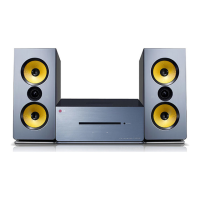

 To Next Page