EasyManua.ls Logo

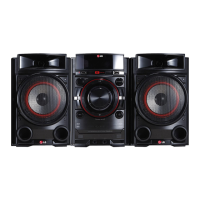
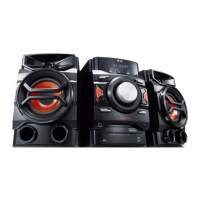
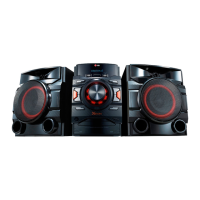
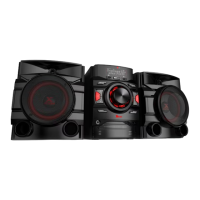
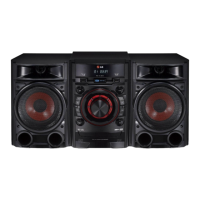
LG CM4430 - User Manual

LG CM4430
28 pages
Print Icon
To Next Page IconTo Next Page
Loading...
Please read this manual carefully before operating
your set and retain it for future reference.
CM4630 (CM4630, CMS4630F)
CM4530 (CM4530, CMS4530F, CMS4530W)
CM4430 (CM4430, CMS4530F)
CM4330 (CM4330, CMS4330F)
OWNER’S MANUAL
Mini Hi-Fi System
ENGLISH
DEUTSCH
FRANÇAIS
NEDERLANDS
SLOVENŠČINA
ITALIANO ESPAÑOL
ΕΛΛΗΝΙΚΑ
PORTUGUÊS

Questions and Answers

  • M
    Mark RoseAug 6, 2025
    Why is there no sound coming from my LG CM4430?
    • E
      Earl BentonAug 6, 2025
      If there is no sound from your LG Stereo System, verify that you have selected the correct function by pressing the FUNC button. Also, check that the speaker cables are correctly connected.
  • B
    Brian BaldwinAug 12, 2025
    How to troubleshoot no power on my LG CM4430?
    • A
      Ashley SmithAug 12, 2025
      If your LG Stereo System has no power, first ensure the power cord is properly plugged into the outlet. If it is, check if there's a power outage by testing other electronic devices.
  • W
    whitemoniqueAug 17, 2025
    What to do if the LG Stereo System remote control is not working?
    • M
      Maria PorterAug 17, 2025
      If the remote control for your LG Stereo System isn't working, make sure you're within 23 ft (7 m) of the unit and that there are no obstacles blocking the path between the remote and the unit. Also, try replacing the batteries with new ones.
  • B
    Bradley CunninghamAug 25, 2025
    What to do if my LG Stereo System does not start playback?
    • D
      David GomezAug 25, 2025
      If your LG Stereo System won't start playback, check the following: * Ensure that you have inserted a playable disc. * If no disc is inserted, insert one. * Make sure the disc is clean. * Verify that the disc is inserted with the label or printed side facing upwards.
  • T
    Timothy WadeAug 30, 2025
    How to fix LG CM4430 Stereo System when radio stations cannot be tuned in properly?
    • E
      ellismaryAug 30, 2025
      If your LG Stereo System is not tuning in radio stations properly: * Ensure the antenna is securely connected. * If the signal strength is weak, try tuning to the station manually.

Summary

Getting Started

Safety Information

Provides essential safety precautions for operating the Mini Hi-Fi System.

Risk of Electric Shock Warnings

Alerts users about potential electric shock hazards and the need for qualified service.

Fire and Electric Shock Hazard Warnings

Warns against exposing the product to rain or moisture to prevent fire or shock.

Power Cord Safety Precautions

Details safe practices for using the power cord and avoiding electrical hazards.

Battery and Disposal Information

Guides on safe battery removal and proper disposal of the appliance and batteries.

Safe Battery Removal

Instructions for safely removing and disposing of batteries to prevent contamination.

Appliance Disposal Guidelines

Information on how to properly dispose of the old appliance as WEEE.

Battery Disposal Guidelines

Details on the correct disposal of batteries and accumulators to protect the environment.

Unique Features of the System

Describes special features like USB Direct Recording and AUTO DJ for enhanced user experience.

Included Accessories

Lists and identifies the accessories supplied with the Mini Hi-Fi System.

Playable File Requirements

Specifies the compatibility requirements for MP3/WMA files and disc formats.

Compatible USB Devices

Details the types of USB devices and players supported by the unit for playback.

USB Device Requirements and Limitations

Outlines requirements and limitations for USB devices, including file systems and device types.

Remote Control Functions and Maintenance

Details the remote control's buttons and how to replace its batteries.

Front Panel Layout and Controls

Illustrates and labels the buttons and indicators on the front panel of the unit.

Front Panel Control Descriptions

Explains the function of each control and indicator on the front panel.

Rear Panel Connections (CM4530)

Details the input and output connectors on the rear panel of the CM4530 model.

Rear Panel Connections (CM4630)

Details the input and output connectors on the rear panel of the CM4630 model.

Rear Panel Connections (CM4430;CM4330)

Details the input and output connectors on the rear panel of CM4430/CM4330 models.

Connecting Components

Connecting Speakers

Provides detailed instructions on how to connect the speakers, including wire assignments.

Antenna Connection for Radio

Guides on connecting the FM antenna for optimal radio reception.

Optional Equipment Connection

Instructions for connecting external audio devices via the AUX IN port.

AUX IN Connection Guide

Details how to connect external audio sources using the AUX IN (L/R) connectors.

USB Connection for Media Playback

Instructions for connecting USB memory devices or MP3 players to the unit.

Operating the System

Basic CD;USB Playback Operations

Covers fundamental operations for CD and USB playback, including control and navigation.

Playback Control and Navigation

Details operations for stopping, pausing, skipping tracks, and searching within files.

Media Folder and Track Selection

How to navigate folders and directly select tracks or files using numerical buttons.

Repeat and Random Playback Modes

Explains how to set the unit for repeating tracks or playing them randomly.

Programmed Playback and File Information

How to create playlists and view metadata for MP3 files.

Temporary Sound Muting

How to mute the sound temporarily using the MUTE button and cancel it.

Deleting MP3;WMA Files and Formatting

Guide to deleting files, folders, or formatting USB devices.

AUTO DJ Playback Mode

Explains the AUTO DJ feature for seamless song blending and volume equalization.

Radio Operations: Listening and Presets

Steps for tuning FM radio, storing stations, and improving reception.

Radio Station Information (RDS)

How to view station name, program type, and text information using RDS.

Sound Adjustment and Clock Settings

How to set surround modes, the clock, and the alarm clock function.

Sleep Timer and Dimmer Functions

How to set a sleep timer for automatic shutdown and adjust display brightness.

External Device Audio and Auto Power Down

Playing audio from external devices and the unit's energy-saving power-down feature.

USB Recording and Dubbing

Guide to recording audio to USB, selecting bit rates, and dubbing between USB devices.

Troubleshooting

Troubleshooting Common Issues

Provides solutions for common problems like no power, no sound, playback issues, and remote control failure.

Appendix and Specifications

General and Amplifier Specifications

Lists general technical specifications and amplifier power output details.

CD and Speaker Specifications

Details technical specifications for CD playback and front/subwoofer speakers.

Unit Handling and Disc Care

Guidance on safely handling the unit, shipping, cleaning, and caring for discs.

Trademarks and Licenses

Information regarding trademarks and licenses associated with the product's software.

LG CM4430 Specifications

General IconGeneral
Bass reflex-
Speaker type4-way
RMS rated power300 W
Number of speakers2
Peak Music Power Output (PMPO)3500 W
TypeHome audio mini system
Cassette deckNo
Product colorBlack
Disc loading typeTray
Optical disc playerYes
Playback disc formatsCD audio
Audio formats supportedMP3, WMA
Apple docking compatibilityNot supported
USB 2.0 ports quantityUSB 2.0 ports have a data transmission speed of 480 Mbps, and are backwards compatible with USB 1.1 ports. You can connect all kinds of peripheral devices to them.
Power sourceAC
Volume controlRotary
Weight and Dimensions IconWeight and Dimensions
Depth352 mm
Width668 mm
Height302 mm
Weight9560 g

Related product manuals