EasyManua.ls Logo

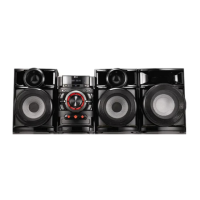
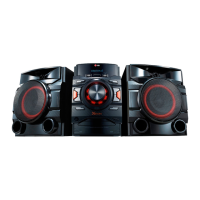
LG CM4530 - User Manual

LG CM4530
32 pages
Print Icon
To Next Page IconTo Next Page
Loading...
Please read this manual carefully before operating
your set and retain it for future reference.
CM4630 (CM4630, CMS4630F),
CM4530 (CM4530, CMS4530F, CMS4530W),
CM4430 (CM4430, CMS4530F)
CM4330 (CM4330, CMS4330F)
OWNER’S MANUAL
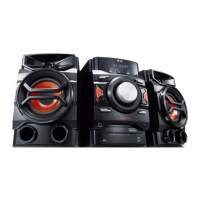
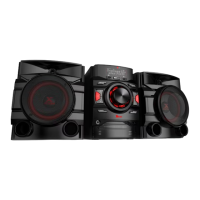
Mini Hi-Fi System
ENGLISH
CM4530-AB_DUSALLK_ENG_7506.indd 1 2013-01-25  3:59:38

Other manuals for LG CM4530

Questions and Answers

  • J
    Jacob IngramAug 16, 2025
    Why is there no sound coming from my LG Stereo System?
    • T
      Tracy ThompsonAug 17, 2025
      If there is no sound from your LG Stereo System, verify that you have selected the correct function by pressing the FUNC button. Also, check that the speaker cables are correctly connected.
  • C
    Chelsea WashingtonAug 19, 2025
    Why there is no sound from my LG Stereo System?
    • N
      Norma FreyAug 19, 2025
      If you're not getting any sound from your LG Stereo System, first, press the FUNC button to ensure you've selected the correct function. Also, verify that the speaker cables are correctly connected.
  • J
    Javier MillerAug 22, 2025
    How to tune LG CM4530 Stereo System if radio stations cannot be tuned in properly?
    • R
      Russell AndersonAug 22, 2025
      If you're having trouble tuning into radio stations with your LG Stereo System, ensure the antenna is securely connected. If the signal is weak, try tuning to the station manually.
  • D
    Dustin PhamAug 25, 2025
    How to troubleshoot no power on my LG CM4530 Stereo System?
    • S
      Susan PerkinsAug 26, 2025
      If your LG Stereo System has no power, first ensure the power cord is properly plugged into the outlet. If it is, check if there's a power outage by testing other electronic devices.
  • N
    Nicholas WattsAug 28, 2025
    What to do if the LG Stereo System remote control is not working?
    • C
      chad24Aug 28, 2025
      If the remote control for your LG Stereo System isn't working, make sure you're within 23 ft (7 m) of the unit and that there are no obstacles blocking the path between the remote and the unit. Also, try replacing the batteries with new ones.
  • M
    martinezbrookeAug 30, 2025
    What to do if my LG Stereo System does not start playback?
    • J
      Jeremy FigueroaAug 30, 2025
      If your LG Stereo System won't start playback, check the following: * Ensure that you have inserted a playable disc. * If no disc is inserted, insert one. * Make sure the disc is clean. * Verify that the disc is inserted with the label or printed side facing upwards.
  • K
    Kimberly GonzalezSep 2, 2025
    How to fix LG CM4530 when radio stations cannot be tuned in properly?
    • S
      smithritaSep 2, 2025
      If your LG Stereo System is not tuning in radio stations properly: * Ensure the antenna is securely connected. * If the signal strength is weak, try tuning to the station manually.
  • L
    Linda LewisSep 5, 2025
    Why my LG CM4530 Stereo System has no power?
    • K
      Kenneth OrtegaSep 5, 2025
      If your LG Stereo System has no power, first ensure the power cord is securely plugged into an outlet. If it is, check if there's a power outage by testing other electronic devices.
  • H
    harrisjamieSep 7, 2025
    What to do if the LG CM4530 Stereo System remote control does not work?
    • B
      Brandon LunaSep 7, 2025
      If the remote control for your LG Stereo System isn't working, make sure you're within 23 ft (7 m) of the unit and that there are no obstructions between the remote and the unit. If problems persist, replace the batteries with new ones.
  • A
    Amy CoxSep 10, 2025
    What to do if LG Stereo System does not start playback?
    • M
      Melvin BrownSep 12, 2025
      If your LG Stereo System isn't playing a disc, make sure you've inserted a playable disc with the label side facing up. If a disc is already inserted, ensure it is clean. If there is no disc, insert one.

Summary

Unique Features

Playable File Requirements

Remote Control Operations

Front Panel Overview

Rear Panel Connections (CM4530)

Rear Panel Connections (CM4630)

Rear Panel Connections (CM4430;CM4330)

Connecting Speakers

Attaching Speakers to Unit

Step-by-step instructions for physically connecting speaker wires correctly.

Antenna Connection

Optional Equipment Connection

USB Device Connection

Operating the System

Basic Operations

Fundamental controls for playback, volume, and source selection.

Other Operations

Advanced playback modes and file management features.

Sound Muting and File Deletion

DEMO and AUTO DJ Modes

Auto Power Down Feature

Radio Operations Guide

Tuning and Listening to Radio

How to tune into FM/AM stations manually or automatically.

Presetting and Managing Stations

Steps to save, access, and erase favorite radio frequencies.

Improving FM Reception

Tips to enhance FM radio signal quality.

Sound Adjustment Options

Setting the Surround Mode

Selecting pre-set surround sound fields for an enhanced audio experience.

Setting the Clock and Alarm

Sleep Timer and Dimmer Settings

Advanced Operations Guide

Listening to External Devices

Connecting and playing audio from external devices via the AUX IN port.

Recording Audio to USB

Guide on how to record audio sources directly to a USB device.

Pausing and Resuming Recording

How to pause and restart audio recording to USB.

USB Recording Settings

Dubbing USB to USB

Using Bluetooth Wireless Technology

About Bluetooth and Profiles

Overview of Bluetooth technology, its range, and supported profiles.

Bluetooth Music Playback

How to play music from a paired Bluetooth-enabled device.

Troubleshooting Product Issues

System Specifications

General Specifications

Overall model details, dimensions, weight, and operating conditions.

Input and Tuner Specifications

Details for AUX IN connector and FM/AM tuning frequency ranges.

Amplifier and CD Specifications

Power output, sound modes, and CD playback performance metrics.

Speaker Specifications Details

Front Speaker Specifications

Impedance, rated input power, max input power, and dimensions of front speakers.

Subwoofer Speaker Specifications

Impedance, rated input power, max input power, and dimensions of the subwoofer.

Unit Maintenance and Care

Disc Handling and Storage

Recommendations for handling, storing, and cleaning discs to ensure playback quality.

Trademarks and Licenses

Information on product trademarks, logos, and associated software licenses.

LG CM4530 Specifications

General IconGeneral
TypeHome audio mini system
Cassette deckNo
Product colorBlack
Optical disc playerYes
Speaker type-
Subwoofer typePassive subwoofer
RMS rated power500 W
Number of speakers2
Peak Music Power Output (PMPO)5500 W
USB 2.0 ports quantityUSB 2.0 ports have a data transmission speed of 480 Mbps, and are backwards compatible with USB 1.1 ports. You can connect all kinds of peripheral devices to them.
Apple docking compatibilityNot supported
Disc types supportedCD
Audio formats supportedMP3, WMA
Video formats supportedWMV
Power sourceAC
Weight and Dimensions IconWeight and Dimensions
Depth334 mm
Width918 mm
Height352 mm
Weight14120 g

Related product manuals