Connecting18
Connecting
2
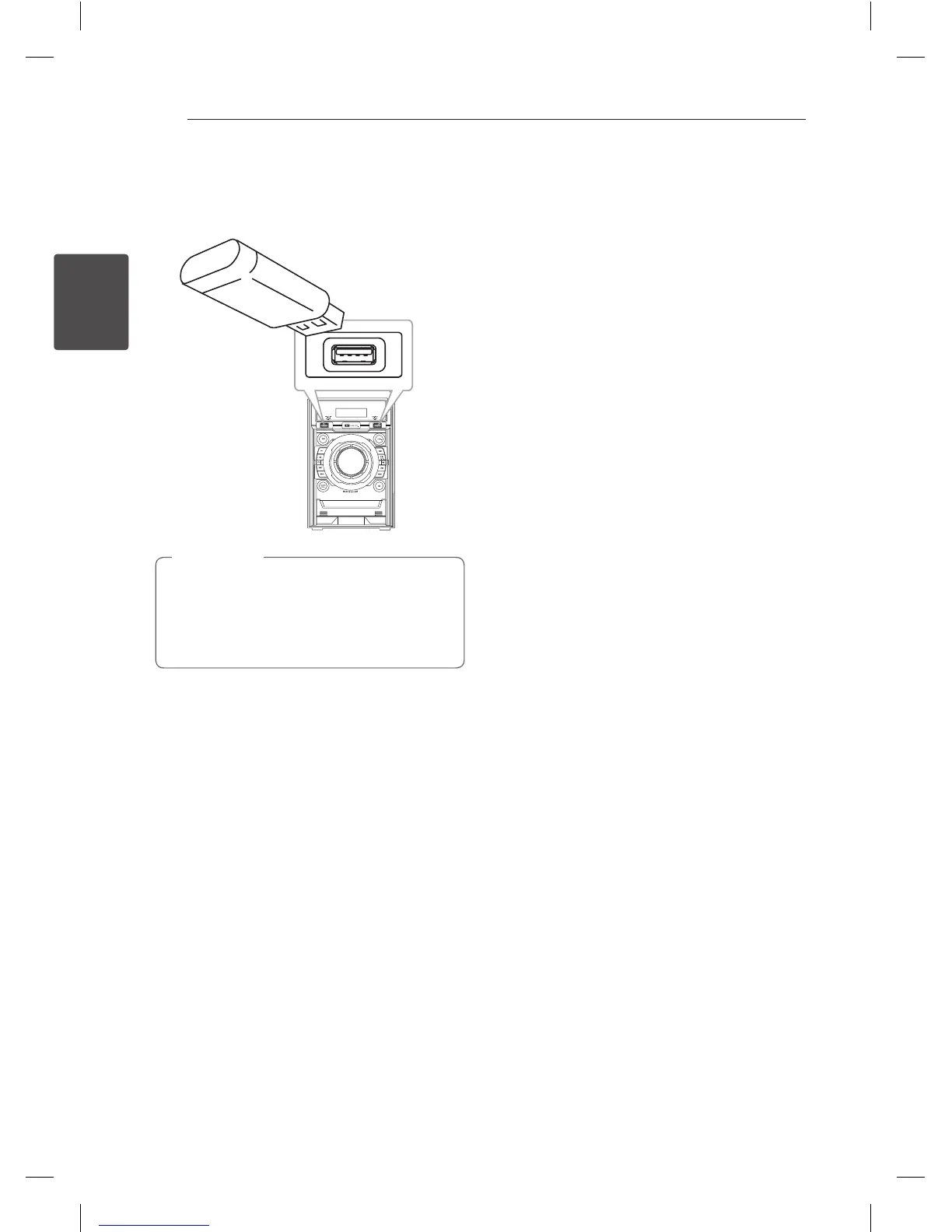
USB Connection
Connect the USB port of USB Memory (or MP3
player, etc.) to the USB port on the front of the unit.
Removing the USB Device from the unit.
1. Choose a different function/mode or
press
I
(Stop) twice in a row.
2. Remove the USB device from the unit.
,
Note
CM4530-AB_DUSALLK_ENG_7506.indd 18 2013-01-25 3:59:42



 To Next Page