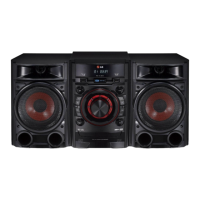
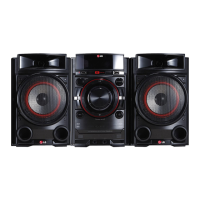
Mini Hi-Fi
System
Model : CM4450
ENGLISH | SIMPLE MANUAL (2 of 2)
To view the instructions of advanced features, visit http://
www.lg.com and then download Owner’s Manual. Some of
the content in this manual may differ from your unit.
(22) |
http://www.lg.com
. .
USB Recording
USB
a
b
Press to stop the recording /
.
Press to pause the recording. (Only TUNER,
AUX, PORTABLE) /
.
(TUNERAUXPORTABLE)
Press and hold for 3 seconds. /
. 3
a
To select bitrate and recording speed /
b
Select the bitrate and conrm. /
.
Connect a USB storage and select the
source (CD, AUX, PORTABLE, TUNER) to
record. /
CDAUX) USB
. (PORTABLETUNER
Press to start recording. During recording,
“REC” displayed. /
“REC” .
,
Select the recording speed and conrm.
(Only CD function) /
( CD) .
,
Status /
Recording (Only CD function) /
( CD)
Playback /
One track/le /
/
Programmed playback /
Programmed the track(s)/le(s) /
()/()
Full stop /
All track(s)/le(s) /
/
Deleting le
,
This function is supported only in stop status. (USB only) /
( USB) .
,
a
Press to exit the current mode. /
.
Select the le you want to delete. /
.
c
Press to delete le, folder or format. /
.
Select the folder you want to delete. /
.
b
Select the DEL FILE, DEL DIR or FORMAT. /
.FORMAT DEL DIR DEL FILE
Additional Feature
USB copying
USB
Connect USB devices to USB ports and
select USB 1. /
.USB1 USB USB
a
b
Press USB REC to start recording. Audio les
in USB 1 are copied to USB 2. /
. USB REC
.USB2 USB1
Press to stop recording /
.
,
Press to pause the recording. (Only TUNER,
AUX, PORTABLE) /
.
( TUNERAUXPORTABLEUSB)
,
Status /
Recording /
Playback /
One track/le /
/
Programmed playback /
Programmed the track(s)/le(s) /
()/()
Full stop /
All track(s)/le(s) /
/
AUDIO CD MP3/WMA The other source* TUNER
A le is recorded by about 512 Mbyte when you record for a long term. /
. 512
,
When you stop recording during playback, the le that has recorded at that time will be stored.
(Except MP3/WMA le) /
(MP3/WMA) .
,
It’ll be stored as follows. * The other source : AUX and the like. /
. AUX :* .
,
Press and hold. /
.
a
b
AM 12:00 0:00
10
OFF
120
...
180 150
FILE-XXX_001
Alarm function works only after clock is set. /
.
,
XX:00
00:XX
c
d
Press and hold. /
.
a
b
c
d
e
XX:00
00:XX
VOL XX
CD
USB1
TUNER
USB2
CM4450-FB_DARELLK_SIM_1401_1402.indd 3 2015-03-16 �� 4:40:50



 To Next Page
 Loading...