Operating20
Operating
3
Advanced Operations
Playing the iPod/iPhone
You can enjoy the sound with your iPod/iPhone.
For details about iPod/iPhone, refer to the iPod/
iPhone User Guide.
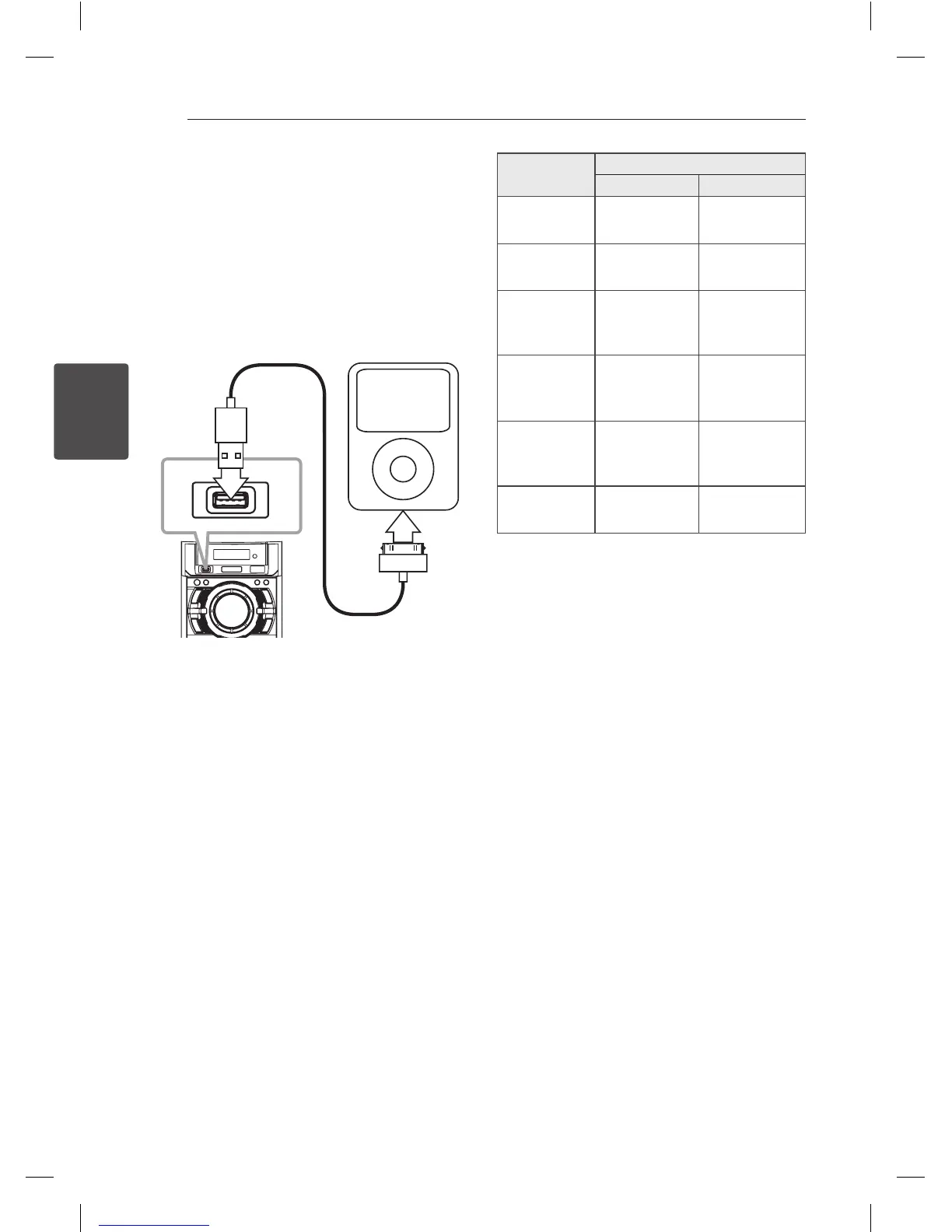
1. Connect iPod/iPhone to the USB port on the
front of the unit by using the iPod/iPhone cable.
If you turn this unit on, your iPod/iPhone will be
automatically turned on and start recharging.
2. Press FUNC. on the unit or FUNCTION on the
remote control to select USB function. You can
operate your iPod/iPhone through an iPod/
iPhone’s display by using the remote control
and also control on your iPod/iPhone.
To
Do this
ON UNIT ON REMOTE
Pause or
restart
T
ST./MO.
d
/
M
Skip
Y
/
U C
/
V
Search
Press and hold
Y
/
U
Press and hold
C
/
V
Move to the
Previous
menu
-
REPEAT
(MENU)
Move to the
desired item
-
PRESET·
FOLDER
W
/
S
Choose an
item
I
Z
ENTER
Compatible iPod/iPhone
We recommend installing the latest software
version.
The unit supports the models as follows.
y
iPod touch 1 G, 2 G, 3 G, 4 G
y
iPod classic
y
iPod nano 2 G, 4 G, 5 G, 6 G
y
iPhone 4S
y
iPhone 4
y
iPhone 3GS
y
iPhone 3G
Depending on your iPod/iPhone’s software version,
you may not control your iPod/iPhone from the
unit.



 To Next Page
 Loading...