Connecting16
Connecting
2
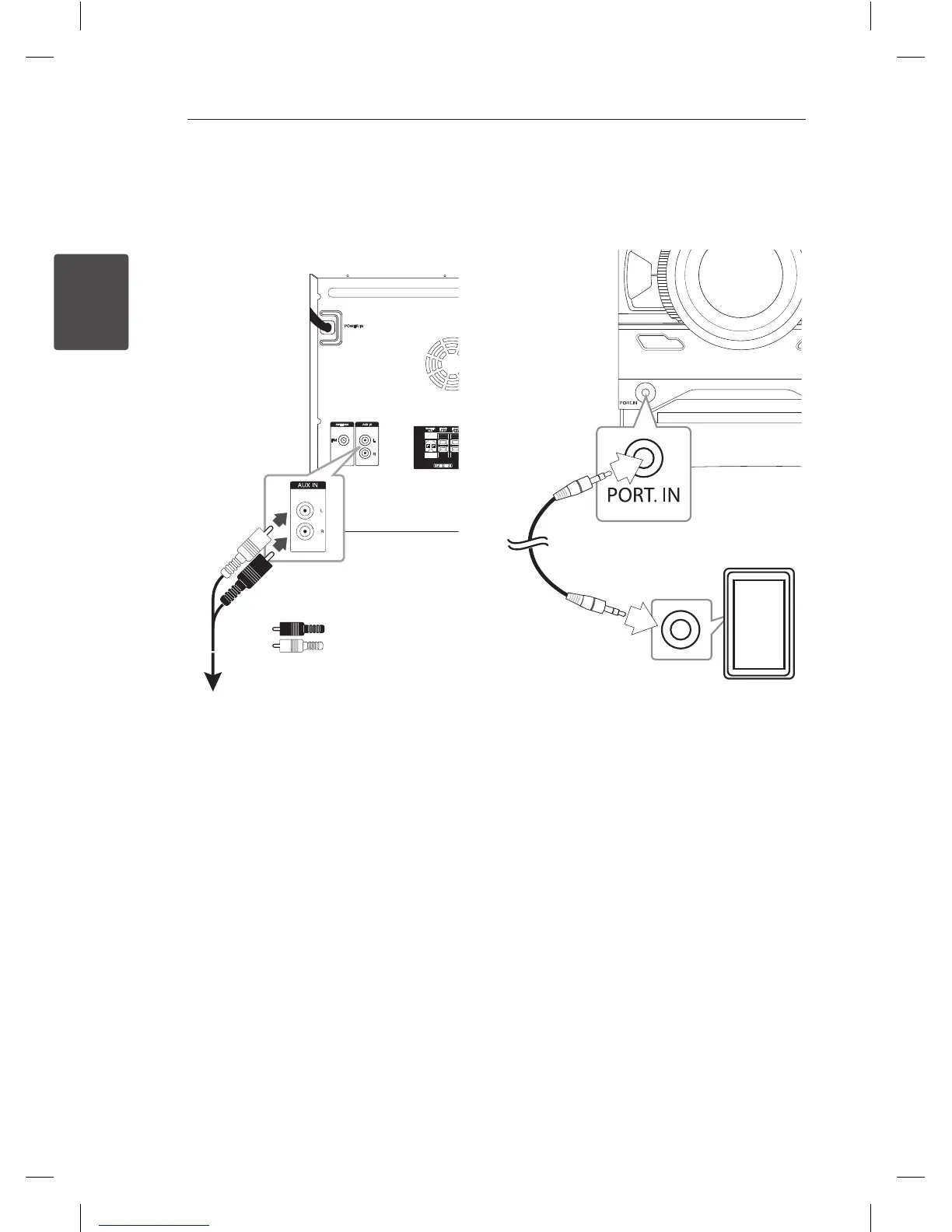
AUX IN Connection
Connect an output of auxiliary device(Camcoder,
TV, Player, etc) to the AUX IN(L/R) connector.
If your device has only one output for audio(mono),
connect it to the left (white) audio jack on the unit.
To the audio output jacks of
your component
(Camcorder, TV, Players, etc)
Red
White
PORT. IN Connection
Connect an output (earphone or line out) of
portable device (MP3 or PMP etc) to the
PORT. IN connector.
CM4340P-FV.DAUSLLK_ENG_0125.indd 16 2014-03-07 1:37:53


 To Next Page