Play music on your Bluetooth device.
c
Using BLUETOOTH®
a
b
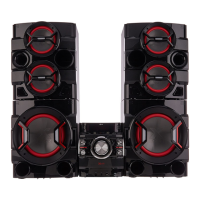
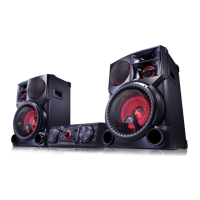
LG CM9950 (XX)
BLUETOOTH
PAIRED
LG CM9950 (XX)
To use this unit more comfortably, install “Music Flow Bluetooth” on your
Bluetooth
devices. Select a way of installation ( or ).
Using Music Flow Bluetooth App
Music Flow Bluetooth
Search for “Music Flow Bluetooth” on the Google Play Store.
Scan QR code.
y
When this unit is successfully connected with your Bluetooth device, “BLUETOOTH PAIRED” will be appear on the display window.
The display will change to the Bluetooth device’s name soon after.
y
If the device name isn’t available on the unit, “_” will be displayed.
y
Even when this unit is connected to 3 Bluetooth devices in the Bluetooth mode, you can play and control music by using only
one of the connected devices.
y
The multi pairing connection is only supported on Android or iOS devices. (Multi pairing connection may not be supported
depending on the connected device specications.)
y
A removable/detachable Bluetooth device (Ex : Dongle etc.) doesn’t support multi pairing.
y
Even when this unit is connected with multiple Bluetooth devices, only one device which is playing will keep the Bluetooth
connection, even if you change the function of the other devices.
,
Enter the PIN code (0000) as needed.
,
a
Press a desired DJ eect (FLANGER, PHASER, CHORUS, DELAY). To
cancel, press it again.
b
DJ EFFECT
DJ
EFFECT
FLANGERPHASER CHORUS DELAY
Rotate EFFECT LEVEL to adjust the eect level.
EFFECT LEVEL
a
Select a desired DJ PRO mode.
b
DJ PRO
CLUB
FOOTBALL
Press a DJ Pro.Pad of desired sound.
a
Press USER EQ.
b
USER EQ
Rotate MASTER EQ (BASS, MIDDLE, TREBLE) to adjust the sound level.
MASTER EQ
BASS MIDDLE TREBLE
Auto DJ blends the end of one song into the beginning of another for seamless playback.
AUTO DJ
Select a desired AUTO DJ mode.
Mixing
Move the Mix fader to adjust the sound volume of mixing sound.
AUTO
SYNC
OFF
180 150
120
. . .
10
AM 12:00
0:00
10:20
10:20
a
b
c
d
10:20
10:20
a
b
c
d
e
VOL 3
FILE-XXX_001
Additional Feature
Alarm function works only after clock is set.
,
,
c
Save the setting.
AUTO DJ RANDOM
AUTO DJ SEQUENTIAL
AUTO DJ OFF
BLUETOOTH
PAIRED
a
b
MIXER ON
MIX
Only AUTO DJ SEQUENTIAL is selected when played JUKE BOX list.
,
You can adjust DJ EFFECT sound gage level between 0 to 15. The initial level is 7.
,
• Android O/S : Ver 4.0.3 (or later)
• Refer to the guide from the
“Music Flow Bluetooth”
App on your smart device.
,
Initial DJ Pro mode is CLUB sound eect.
,
• If NFC connection does not work well, try again after checking the location of NFC tag in your
phone.
• Android O/S : Ver 4.1.2 (or later)
,
Press LIGHTING MODE. The mode changes each time you press :
OFF
→
VOLCANO
→
POLICE
→
THUNDER
→
PSYCHE
→
CAOS(CHAOS)
→
OFF
LIGHTING MODE
LIGHTING
MODE
• When using Mixing, you can synchronize the tempo of audio les being played in USB 1 and USB 2 by pressing
AUTO SYNC.
• The tempo of music being played in USB1 is synchronized to that in USB2.
• If you fully stop (USB 2) or change the function, AUTO SYNC function is cancelled.
Set on the Bluetooth and select “LG CM9950 (XX)” on your Bluetooth device.
Press MIX. Select a desired function for the side A and play it.
Side B is xed as USB2 function.
CM9950-FS.DAUSLLK_MFL68823918_Sim1.indd 2 2015-02-16 1:23:38


 To Next Page
 Loading...