EasyManua.ls Logo

LG CM9540 - Service Manual

LG CM9540
85 pages
Print Icon
To Next Page IconTo Next Page
Loading...
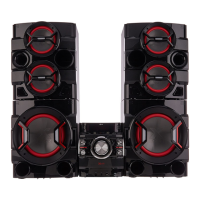
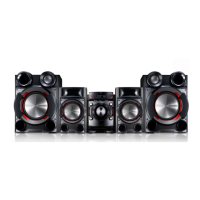
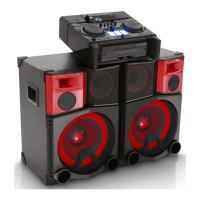
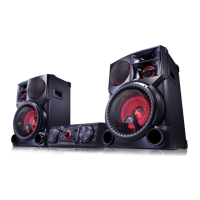
Mini Hi-Fi System
SERVICE MANUAL
MODEL: CM9540
(CM9540, CMS9540F/W)
CAUTION
BEFORE SERVICING THE UNIT, READ THE “SAFETY PRECAUTIONS”
IN THIS MANUAL.
MODEL: CM9540 (CM9540, CMS9540F/W)SERVICE MANUAL
4102 ,MARCH76592129NFA : ON/P
Website http://biz.lgservice.com
Internal Use Only

Table of Contents

Other manuals for LG CM9540

Questions and Answers

  • L
    Laura PhillipsAug 7, 2025
    What to do if my LG CM9540 Stereo System has no sound?
    • E
      efergusonAug 7, 2025
      If there is no sound coming from your LG Stereo System, first, make sure you've selected the correct function by rotating the FUNCTION knob. Also, verify that the speaker cables are correctly connected.
  • M
    Michelle MooreAug 11, 2025
    What to do if my LG CM9540 has no power?
    • T
      Troy MossAug 11, 2025
      If your LG Stereo System isn't powering on, first, make sure the power cord is securely plugged into an outlet. If it is, check to see if there's a power outage by testing other electronic devices in your home.
  • T
    Tina MackAug 17, 2025
    Why is the remote control for my LG CM9540 not working?
    • B
      Bruce WilliamsAug 17, 2025
      If the remote control for your LG Stereo System isn't working, first ensure that you are within 23 ft (7 m) of the unit. Then, check for any obstructions between the remote and the unit and remove them. Finally, try replacing the batteries in the remote with new ones.
  • J
    Jennifer ColeAug 22, 2025
    Why are radio stations on my LG CM9540 Stereo System not tuning in properly?
    • L
      Lindsey NelsonAug 22, 2025
      If your LG Stereo System is having trouble tuning into radio stations, make sure the antenna is securely connected. If the signal strength is weak, try tuning to the station manually. If tuning by scanning preset channels, preset some radio stations.
  • P
    Paul PerezAug 27, 2025
    What to do if my LG Stereo System does not start playback?
    • M
      Mark RiveraAug 27, 2025
      If your LG Stereo System won't start playback, check if the disc is playable. Ensure a disc is inserted correctly with the label or printed side facing upwards. If a disc is already inserted, make sure it is clean.
  • J
    Jennifer LeAug 31, 2025
    Why is there no speaker light on my LG CM9540 Stereo System?
    • L
      Lisa WigginsAug 31, 2025
      If the speaker light on your LG Stereo System isn't working, check whether the speaker light cables are connected to the unit correctly. Also, check the speaker light effects by pressing BEAT LIGHTING/DEMO or X-FLASH.

Summary

LG Mini Hi-Fi System Service Manual

Section 1: System Overview and Precautions

Servicing Precautions

Guidelines for safely handling and repairing the unit, focusing on pick-up components.

ESD Precautions

Procedures to prevent damage from electrostatic discharge to sensitive electronic components.

Hidden Key Mode Functions

Accessing and using special hidden key combinations for diagnostics and settings.

EEPROM Service Information

Steps for accessing and modifying the EEPROM for service purposes.

Program Download & Update Guide

Instructions for downloading and updating the system's firmware via USB.

Specifications

Detailed technical specifications of the Mini Hi-Fi System's components and performance.

Section 2: Cabinet and Mechanical Components

Exploded Views

Visual breakdown of major assemblies for part identification and repair.

Cabinet and Main Frame Section (CM9540)

Exploded view and parts list for the main chassis and frame of the unit.

Mechanism Deck Section (DP17 TM2)

Exploded view and parts list for the CD mechanism deck assembly.

Packing Accessory Section

Details of included accessories and packaging materials for the product.

Speaker Section

Exploded views and parts identification for front and subwoofer speakers.

Section 3: Electrical Troubleshooting and Schematics

One Point Repair Guide

Step-by-step troubleshooting for common single-point failure issues.

Electrical Troubleshooting Guide

Flowcharts for diagnosing electrical faults in power supply, system, and audio circuits.

Waveforms of Major Check Points

Visual examples of signal waveforms at key test points for diagnostics.

Wiring Diagram

Diagram illustrating the connection layout between internal modules and external interfaces.

Block Diagrams

High-level functional block diagrams showing system component interactions.

Circuit Diagrams

Detailed schematics of power supply, main, speaker, and accessory circuits.

Circuit Voltage Chart

Table listing voltage specifications at various connectors and test points.

Printed Circuit Board Diagrams

Top and bottom views of main PCBs showing component placement and routing.

LG CM9540 Specifications

General IconGeneral
BluetoothYes
CD PlayerYes
USB PlaybackYes
FM RadioYes
Playable File FormatsMP3, WMA
Audio Line-inYes
AUX InputYes
Remote ControlYes
Speaker Type2-Way Speaker

Related product manuals