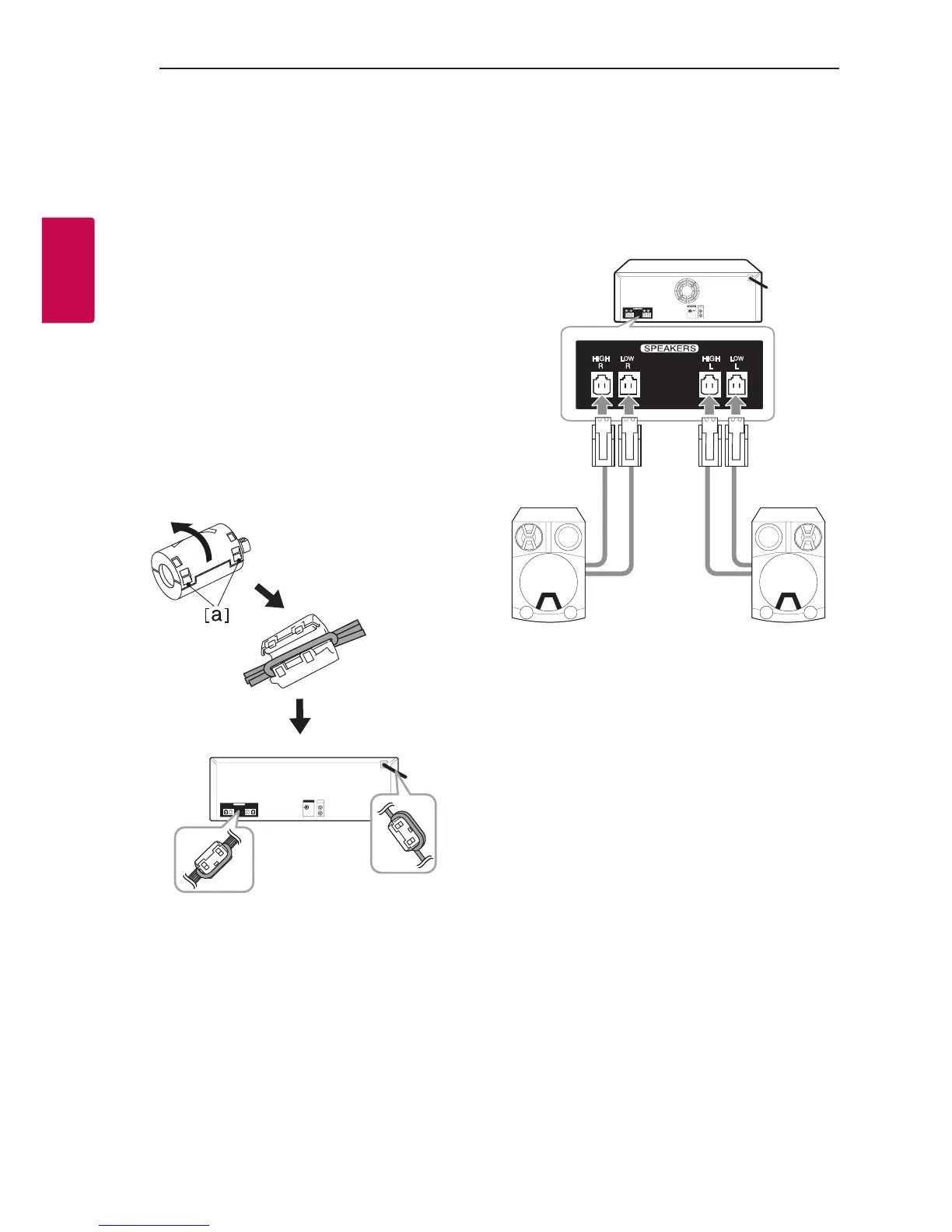
How to Affix the Ferrite
Core
Ferrite core may not be provided depending on each
nation’s regulations.
Affix the Ferrite Core for power
cord and speaker cables
You must afx a ferrite core in order to reduce or
eliminate electrical interference.
1. Pull the stopper [a] of the ferrite core to open.
2. Wind the power cord around the ferrite core
once.
Wind the SPEAKERS cables around the ferrite
core once.
3. Close the ferrite core until it clicks.
Connecting to speakers
Connect the speaker cable plugs to the SPEAKERS
connector. Make sure to connect the speaker’s plug
to the corresponding colored speaker connector
when connecting the plug.



 To Next Page