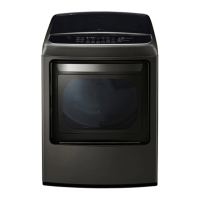
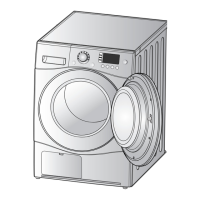
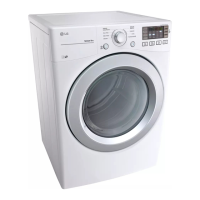
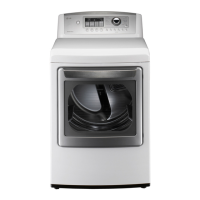
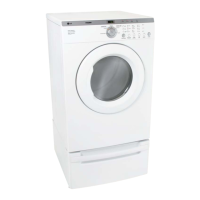
This document is the owner's manual for an LG dryer, models DT25WTG and DT25WTGP2. It provides comprehensive information on installation, operation, smart functions, maintenance, and troubleshooting.
Function Description
The LG dryer is designed to efficiently dry clothes using various cycles and settings. Key features include:
- Easy-to-Use Control Panel: A cycle selector knob allows users to choose desired dry cycles, and cycle options or settings can be adjusted with the touch of a button.
- Two-Way Easy-Access Reversible Door (on some models): The LG EasyLoad™ door can be tilted open from the top (hamper-style) for easy loading, preventing items from falling to the floor. It also swings open like a traditional door for easy access when unloading or loading bulkier items. The door hinge can be reversed to suit installation location.
- Steam Functions: LG's steam technology injects hot steam to refresh clothes and reduce static. The Steam Fresh™ cycle is available, and a Steam option can be added to selected cycles.
- Flow Sense™ Duct Blockage Sensing System Indicator: This system detects and alerts users to restrictions in the household ductwork that reduce exhaust airflow. An alert indicates the need to clean or repair ducts to improve efficiency and reduce drying times.
- Smart Diagnosis™: This feature allows the dryer to transmit data by phone to the Customer Information Center for quick and effective diagnosis of technical difficulties.
- LG ThinQ Application: A smartphone app enables users to set options, self-diagnose, troubleshoot problems, and access other useful features via Wi-Fi.
Important Technical Specifications
The manual provides detailed specifications for the DT25WTG and DT25WTGP2 models:
- Electrical Requirements: 120 V~, 60 Hz, 400 W.
- Gas Requirements (Gas Models only):
- NG (Natural Gas): 4-10.5 inches WC (Water Column).
- LP (Liquid Propane): 8–13 inches WC.
- The dryer is factory-configured for LP gas but can be converted to NG by a qualified technician.
- BTU rating is AGA-certified for elevations below 10,000 feet. For installations above 10,000 feet, derating by a qualified technician or gas supplier is required.
- Dimensions:
- Width: 27 inches (68.6 cm).
- Depth: 29 1/2 inches (75.0 cm).
- Height: 44 1/4 inches (112.3 cm).
- Depth with door open: 50 1/4 inches (127.5 cm).
- Net Weight:
- Gas dryer: 132.5 lb (60.1 kg).
- Electric dryer: 129.8 lb (58.9 kg).
- Drying Capacity (Normal Cycle): 207L, IEC 7.3 cu.ft. (22.5 lb/10.2 kg).
- Installation Clearances: Recommended 1 inch (2.5 cm) on sides and rear for ease of installation, servicing, and noise reduction. For closet installations with a door, minimum ventilation openings (48 sq. in. upper, 24 sq. in. lower) are required.
- Ductwork: Requires 4-inch (10.2 cm) rigid, semi-rigid, or flexible metal ductwork for exhausting to the outside. Plastic or thin foil ducting is prohibited due to fire risk. The total length of flexible metal duct must not exceed 8 ft (2.4 m). Duct length limitations vary based on the number of 90° elbows (e.g., 65 ft for 0 elbows, 28 ft for 4 elbows with 4-inch diameter rigid metal duct). Deduct 6 ft (1.8 m) for each additional elbow.
Usage Features
The dryer offers a range of features to optimize drying performance and user convenience:
- Cycle Guide: Provides recommended dry levels and temperatures for various fabric types, including Bedding, Heavy Duty, Normal, Perm. Press, Delicates, Speed Dry, and Air Dry. It also indicates available options like More Time/Less Time, Anti-bacterial, Wrinkle Care, Damp Dry Signal, and Energy Saver.
- Sensor Dry Cycles: Utilize a dual sensor system to detect moisture levels in clothes and air, automatically adjusting drying time for optimal results.
- Manual Dry Cycles: Allow users to select a specific drying time and temperature. Time can be adjusted in 1-minute increments using More Time/Less Time buttons.
- Cycle Modifier Buttons: Adjust settings like Dry Level (for sensor dry cycles), Temperature, and Time Dry.
- Cycle Option Buttons: Activate additional features such as Wrinkle Care (tumbles load periodically for up to 3 hours to prevent wrinkles) and Damp Dry Signal (signals when the load is approximately 80% dry).
- Special Functions:
- Drum Light: A blue LED illuminates the drum when the dryer is on, turning off automatically when the door is closed or after four minutes.
- Control Lock: Prevents unwanted use or changes to settings by disabling all controls except the POWER button. Activated by pressing and holding the Control Lock button for 3 seconds.
- Energy Saver (on some models): Reduces energy consumption in the Normal cycle by starting with an air dry section and increasing drying time. This option is on by default in the Normal cycle.
- Custom PGM: Allows users to save frequently used combinations of settings as a custom program.
- LG ThinQ Application Integration:
- Remote Start: Control the dryer remotely and check cycle status from a smartphone.
- Download Cycle: Download new and specialty cycles not included in the basic appliance cycles.
- Smart Pairing (on some models): Automatically selects the best dryer cycle and settings based on the most recently completed wash cycle (requires both washer and dryer to be connected to Wi-Fi).
- Energy Monitoring: Tracks dryer energy usage.
- Push Alerts: Receive notifications when a cycle is complete or if problems occur.
Maintenance Features
Regular maintenance is crucial for extending the dryer's life and ensuring optimal performance:
- Regular Cleaning:
- Exterior: Clean with warm water and a mild, nonabrasive household detergent. Avoid methylated spirits, solvents, steel wool, or abrasive cleansers.
- Interior: Wipe the door opening and seal with a soft, damp cloth. Clean the window with a soft cloth and mild detergent. Stainless steel drums can be cleaned with conventional stainless steel cleaner.
- Around and Under the Dryer: Vacuum lint and dust regularly.
- Maintaining Ductwork: Check for lint buildup and clean at least once per year. If airflow or drying performance noticeably reduces, inspect for obstructions.
- Cleaning the Lint Filter: Clean after every cycle by rolling lint off with fingers or vacuuming. If heavily soiled with fabric softener, wash with warm, soapy water and dry thoroughly before reinstalling. Never operate the dryer without the lint filter or with a wet lint filter.
Troubleshooting
The manual includes a comprehensive troubleshooting section for common issues:
- Dryer not turning on: Check power cord connection, house fuse, circuit breaker, or power outage.
- Dryer not heating: Check house fuse, circuit breaker, power outage, or gas supply (for gas models). Electric dryers may run without heat if there's a circuit problem.
- Dryer takes too long to dry: Check for blocked, dirty, or excessively long exhaust ducts; improper load sorting (heavy items with lightweight items); large loads of heavy fabrics; incorrect control settings; or a dirty lint filter.
- Dryer starts by itself every few minutes: This is normal behavior for the Wrinkle Care feature, designed to prevent wrinkles after the cycle ends.
- Lint on clothes: Caused by excess static, overloaded dryer, items left in pockets, or an unclean lint filter.
- Excess static in clothes: Use fabric softener, reduce drying time, or use SENSOR DRY cycles.
- Clothes have damp spots after SENSOR DRY cycle: May be due to very large or very small loads, or single bulky items wrapping themselves.
- Error Codes:
- tE1 through tE7: Temperature sensor failure.
- PS (electric dryers only): Power cord connected incorrectly.
- Flow Sense™ indicator (four bars or "d80"): Indicates a restricted exhaust system (too long, too many turns, partial blockage, or external venting restriction). Requires duct inspection and cleaning/repair. The indicator resets after multiple consecutive cycles with improved performance.
- Clean Filter indicator: Lint filter not cleaned properly.
- d90, d95: Ductwork is 90%-95% blocked. Do not use the dryer until the exhaust system is cleaned/repaired.
- nP: Electric dryer power cord connected incorrectly or incorrect house power supply.
- gAS: Gas supply or service turned off (gas models only).

 Need help?

 To Next Page
 General