EasyManua.ls Logo

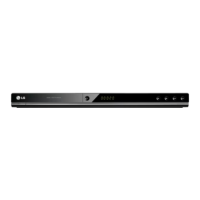
LG DV298H-E2T - User Manual

LG DV298H-E2T
23 pages
Print Icon
To Next Page IconTo Next Page
Loading...
DVD PLAYER
OWNER’S MANUAL
MODEL : DVX298H
Before connecting, operating or adjusting this product,
please read this instruction booklet carefully and completely.
DV298H-E2T.NA5HLLS_ENG_5723

Questions and Answers

  • T
    Theresa StoneAug 13, 2025
    Why is there no sound coming from my LG DV298H-E2T?
    • J
      James TaylorAug 13, 2025
      If you're not getting any sound, make sure the equipment connected to the audio cable is set to receive the DVD audio signal. Select the correct input mode on your audio receiver. Also, check if the connected equipment is turned on. Finally, verify that the AUDIO options are correctly set, then turn the DVD player on again.
  • E
    Erika KingAug 17, 2025
    How to fix an LG DV298H-E2T DVD Player that has no power?
    • D
      donaldcamposAug 17, 2025
      If your LG DVD Player has no power, ensure the power cord is securely plugged into the wall outlet.
  • B
    Bryan Lewis DVMAug 21, 2025
    How to fix no sound on LG DV298H-E2T?
    • G
      gthompsonAug 21, 2025
      If your LG DVD player isn't producing sound, ensure the equipment connected via the audio cable is set to receive DVD sound output by selecting the correct input mode on the audio receiver. Also, verify that the connected equipment is powered on. Finally, check that the AUDIO options are correctly set, then restart the DVD player.
  • B
    Billy RamirezAug 25, 2025
    What to do if my LG DV298H-E2T does not start playback?
    • S
      samantharichardsonAug 25, 2025
      If your LG DVD player isn't starting playback, make sure you've inserted a playable disc, checking both the disc type and regional code. If the disc is playable, verify that the rating level isn't set. Also, ensure that you are pointing the remote control directly at the remote sensor on the DVD player and that you are close enough for the remote to work effectively.
  • M
    miranda40Aug 28, 2025
    Why is there no picture on my LG DVD Player?
    • D
      Dawn JonesAug 28, 2025
      If there's no picture, it might be because your TV isn't set to receive the DVD signal. Try selecting the correct video input mode on your TV. Also, check that the video cable is securely connected.
  • A
    Amanda MurraySep 1, 2025
    What to do if my LG DVD Player won't start playback?
    • M
      mhallSep 1, 2025
      If the DVD player won't start playback, it could be due to the disc you've inserted. Ensure that the disc is playable by checking the disc type and regional code. Also, check if the rating level is set and change it if necessary.
  • C
    Chelsey HillSep 5, 2025
    What to do if my LG DV298H-E2T DVD Player has no picture?
    • A
      Amanda AdkinsSep 5, 2025
      If your LG DVD Player shows no picture, first ensure that your TV is set to the correct input mode for DVD. If that's not the problem, check that the video cable is securely connected to both the DVD player and the TV.
  • K
    Kimberly MoonSep 8, 2025
    Why won't my LG DVD Player start playback?
    • B
      Brenda OrtegaSep 8, 2025
      If your LG DVD Player doesn't start playback, there might be several reasons: * The disc you've inserted might not be playable. Ensure it's a compatible disc type and regional code. * The rating level might be set. Try changing the rating level. * The remote control might not be pointed correctly or is too far away. Point the remote at the sensor on the DVD player and ensure you're close enough.

LG DV298H-E2T Specifications

General IconGeneral
TypeDVD Player
Playback FormatsDVD, CD, MP3, JPEG
Video OutputComposite, Component, HDMI
Output Resolution1080p
Audio Playback FormatsMP3, WMA
Video Up-ScalingYes
USB direct recordingYes
Progressive scanYes
HDMI portYes
USB portYes
Video Playback FormatsDivX, MPEG2
Audio OutputStereo

Related product manuals