EasyManua.ls Logo

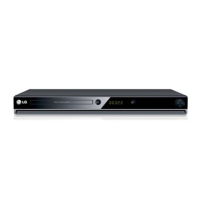
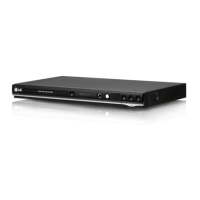
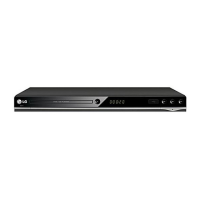
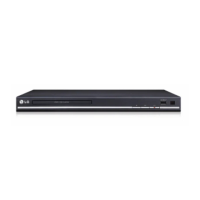
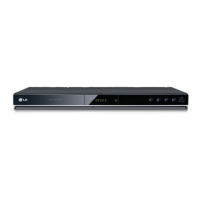
LG DV387 - User Manual

LG DV387
16 pages
Print Icon
To Next Page IconTo Next Page
Loading...
ENGLISH
DV364 / DV387
P/No. : MFL56732795
DV364.387-N.CPANLLK_2795_ENG 6/23/08 5:59 PM Page 1

Other manuals for LG DV387

Questions and Answers

  • J
    Jonathan ReeseAug 10, 2025
    Why is there no sound coming from my LG DVD Player?
    • A
      Andrew CastilloAug 10, 2025
      If you're experiencing no sound, verify that the equipment connected with the audio cable is set to receive the signal from the LG DVD player by selecting the correct input mode on the audio amplifier. Also, check that the AUDIO options are set correctly.
  • L
    lisa10Aug 19, 2025
    What to do if there is no picture on my LG DVD Player?
    • R
      Ryan FordAug 20, 2025
      If there's no picture, ensure your TV is set to receive the signal from the LG DVD player by selecting the appropriate video input mode. Also, check that the video cable is securely connected.
  • L
    Lisa BanksAug 30, 2025
    What to do if my LG DV387 does not start playback?
    • R
      Rhonda NelsonAug 30, 2025
      If the LG DVD player doesn't start playback, make sure you've inserted a playable disc, checking its type and regional code. Also, verify that the rating level isn't set. Finally, ensure the remote control is pointed at the remote sensor on the unit.

Summary

Safety Precautions

Electrical Shock and Fire Risks

Warnings about opening the unit, moisture, and fire hazards.

Proper Unit Ventilation

Guidance on ensuring adequate airflow and placement to prevent overheating.

Critical Safety Instructions

Essential Usage Guidelines

Instructions for safe operation, cleaning, and environmental considerations.

Product Handling Warnings

Cautions on water proximity, heat sources, and cord protection.

Connecting Your LG Player

Remote Control Guide

Playback and Navigation Buttons

Functions of playback controls, menu navigation, and disc menu access.

Main Unit Component Identification

Adjusting Player Settings

Initial Setup and Language Selection

Guide for first-time setup, including language and menu preferences.

Display and Aspect Ratio Settings

Customizing screen aspect ratio and display modes for optimal viewing.

Audio Output Configuration

Setting digital audio output formats and sampling frequencies.

Disc Playback Control Settings

How to Play Discs

Basic Disc Playback Operations

Steps for inserting, playing, stopping, and resuming disc playback.

Advanced Playback Features

Using frame-by-frame, repeat, fast forward/reverse, A-B repeat, and slow playback.

Playing DivX Files and Subtitles

Music and Photo File Playback

Viewing and Managing Photo Files

Enhanced Media Playback Features

Playing Games on DV364

Troubleshooting Player Issues

Resolving Power and Signal Problems

Solutions for power, picture, and sound issues.

Addressing Playback and Remote Control Malfunctions

Fixes for playback errors and remote control operational problems.

LG DV387 Specifications

General IconGeneral
TypeDVD player
Progressive ScanYes
Remote ControlYes
Image Playback FormatsJPEG
Playable Disk TypesCD, DVD, DVD-R, DVD-RW
Video OutputComponent Video
Playback FormatsMP3, JPEG
Surround SoundDolby Digital
Video Playback FormatsMPEG-2
Audio Playback FormatsMP3

Related product manuals