EasyManua.ls Logo

LG DV456 - User Manual

LG DV456
20 pages
Print Icon
To Next Page IconTo Next Page
Loading...
P/No. : MFL62315001(03)
MODEL : DV456 / DV415 / HTR456
Before connecting, operating or adjusting this product,
please read this instruction booklet and carefully completely.
* 1. USB feature is not available with DV415 model.
Question and Answer IconNeed help?

Do you have a question about the LG DV456 and is the answer not in the manual?

Summary

Remote Control Operations

Remote Control Battery Installation

Instructions for inserting batteries into the remote control correctly.

Remote Control Button Functions

Explains the function of each button on the remote control for playback and menu navigation.

Remote Control Operation Tips

Provides guidance on operating the remote and specific notes like volume control.

Installation and Connections

Player Setup and Positioning

General advice on player placement and initial setup for optimal performance.

DVD Player Connectivity Options

Details on connecting the DVD player via video, audio, and component cables.

Audio Output Connections

Guides on connecting the audio output to external audio equipment like amplifiers.

Audio and Display Settings

Digital Multi-channel Sound

Explains how to achieve best sound quality using multi-channel audio connections.

Language and Display Configurations

Language Settings

Allows selection of menu language and preferred audio/subtitle languages for discs.

Audio and Speaker Configuration

Configures digital audio output, sample frequency, and 5.1 channel speaker settings.

Parental Control and Advanced Settings

Parental Control Setup

Guides on setting passwords, ratings, and unlocking parental control features.

Forgotten Password Recovery

Provides the procedure to clear a forgotten parental control password.

Player Operations

Disc Playback Operations

Basic Disc Playback

Step-by-step guide for inserting a disc and starting playback.

File Playback and Features

Playing DivX, Music, and Photo Files

Guides on playing DivX movies, music files, and viewing photos from discs/USB.

USB and Programmed Playback

USB Direct Recording

Guides on recording audio CDs to USB, including modes and file requirements.

Advanced Audio and Video Settings

Troubleshooting and Specifications

Troubleshooting Common Issues

Provides solutions for common problems like no power, no picture, no sound, and remote issues.

Summary

Remote Control Operations

Remote Control Battery Installation

Instructions for inserting batteries into the remote control correctly.

Remote Control Button Functions

Explains the function of each button on the remote control for playback and menu navigation.

Remote Control Operation Tips

Provides guidance on operating the remote and specific notes like volume control.

Installation and Connections

Player Setup and Positioning

General advice on player placement and initial setup for optimal performance.

DVD Player Connectivity Options

Details on connecting the DVD player via video, audio, and component cables.

Audio Output Connections

Guides on connecting the audio output to external audio equipment like amplifiers.

Audio and Display Settings

Digital Multi-channel Sound

Explains how to achieve best sound quality using multi-channel audio connections.

Language and Display Configurations

Language Settings

Allows selection of menu language and preferred audio/subtitle languages for discs.

Audio and Speaker Configuration

Configures digital audio output, sample frequency, and 5.1 channel speaker settings.

Parental Control and Advanced Settings

Parental Control Setup

Guides on setting passwords, ratings, and unlocking parental control features.

Forgotten Password Recovery

Provides the procedure to clear a forgotten parental control password.

Player Operations

Disc Playback Operations

Basic Disc Playback

Step-by-step guide for inserting a disc and starting playback.

File Playback and Features

Playing DivX, Music, and Photo Files

Guides on playing DivX movies, music files, and viewing photos from discs/USB.

USB and Programmed Playback

USB Direct Recording

Guides on recording audio CDs to USB, including modes and file requirements.

Advanced Audio and Video Settings

Troubleshooting and Specifications

Troubleshooting Common Issues

Provides solutions for common problems like no power, no picture, no sound, and remote issues.

Overview

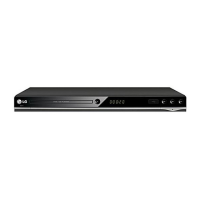
This document describes the LG DVD Player, models DV456, DV415, and HTR456, providing comprehensive information on its functions, usage, and maintenance.

Function Description

The LG DVD Player is designed to play various disc formats, including DVD-VIDEO, DVD-R/RW, DVD+R/RW, Video CDs (VCD/SVCD), Audio CDs, MP3 files, WMA files, DivX files, and CD-G Discs. It supports both standard and progressive scan video output, offering enhanced picture quality for compatible televisions. The player features multi-channel sound capabilities, allowing connection to amplifiers with 2-channel analog stereo, Dolby Pro Logic II/Pro Logic, 2-channel digital stereo (PCM), or multi-channel decoders (Dolby Digital™, MPEG 2, or DTS).

A key feature of the DV456 and HTR456 models is the USB Direct Recording function, which allows users to record audio tracks from an Audio CD directly to a USB Flash Drive. The player also supports playback of multimedia files (music, video, and photos) from USB-sticks, enabling versatile media consumption.

The device incorporates copyright protection technology developed by Macrovision, which may affect recording and playback of certain discs. It also features regional code restrictions, meaning it can only play DVD discs labeled with the same regional code as the unit or "ALL."

Usage Features

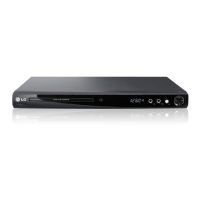
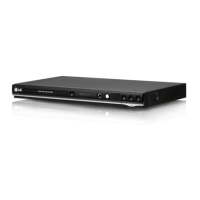
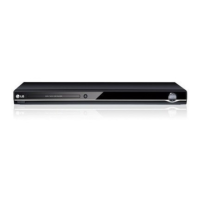
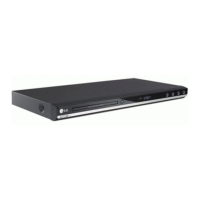
The player's front panel includes essential controls such as Power (ON/OFF), Disc Tray (for inserting discs), Open/Close button, Display window (showing current status), Remote sensor, and Play/Stop/Skip buttons. The DV456 model additionally includes a USB Port on the front for easy access.

The remote control provides a full range of functions, including Power, Open/Close, Clear (for removing tracks from the Program List), Program (for entering program edit mode), Numerical buttons (for selecting options), Scan (for searching backward or forward), Skip (for navigating chapters/tracks), Pause/Step (for pausing playback or frame-by-frame playback), Play, Stop, DVD Menu, Title (for accessing disc's title menu), Display (for On-Screen Display), Audio (for selecting audio language or channel, and for USB recording), Subtitle (for selecting subtitle language), Angle (for selecting DVD camera angle), Setup (for accessing/exiting setup menu), A-B (for repeating a section), Repeat (for repeating chapters, tracks, titles, or all), and Zoom (for enlarging video images). The remote control also allows volume control by pressing the Audio button for more than 3 seconds and then using the navigate buttons.

The On-Screen Display (OSD) provides various information about the disc in playback, such as title/track number, chapter number, elapsed playing time, selected audio language/channel, selected subtitle, and selected angle. Users can navigate and change settings directly through the OSD.

The player offers several playback modes:

  • Normal Playback: Standard playback of discs.
  • Programmed Playback: Users can create a program list of up to 30 favorite tracks from an Audio CD or MP3/WMA disc and play them in a desired order.
  • Repeat Playback: Allows repeating the current chapter/track, title/all, or a specific A-B section.
  • Scan and Slow Motion: Fast forward/reverse scanning and slow-motion playback are available for various disc types.
  • Frame-by-Frame Playback: For detailed viewing of video content.
  • Zoom: Enlarges video images during playback or pause mode, with navigation through the zoomed picture.
  • Angle Switching: For DVD discs with scenes recorded at different camera angles.
  • Subtitle and Audio Language Selection: Allows users to choose preferred subtitle and audio languages.
  • DivX Playback: Supports DivX movie files, with the ability to change character sets for correct subtitle display.
  • Photo Viewing: Displays JPEG photo files, with options for slide show, rotation, and zoom.
  • Music Playback: Plays MP3/WMA files, with display of ID3 tag information.

The player includes a "Last Scene Memory" function that memorizes the last scene viewed from a disc, even after removing the disc or turning off the unit. A "Power Resume" feature stores the last memory position every 60 seconds during disc playback, allowing resumption after a power outage. A "Screen Saver" appears after five minutes of inactivity in Stop mode, and the unit automatically turns off if the screen saver is displayed for another five minutes.

Parental Control features allow users to block playback of rated DVDs based on their content, with options for setting a password and selecting a rating level. The DivX® VOD function provides a registration code for renting and purchasing videos from the DivX VOD service.

Maintenance Features

To ensure proper functioning and longevity of the device, several maintenance guidelines are provided:

  • Disc Handling: Avoid touching the playback side of discs, hold them by the edges, and never stick paper or tape on them.
  • Disc Storage: Store discs in their cases after playing, away from direct sunlight or heat sources.
  • Disc Cleaning: Clean discs with a soft, dry cloth, wiping from the center outwards, to remove fingerprints and dust that can cause poor picture quality and sound distortion. Avoid using strong solvents or anti-static sprays.
  • Unit Cleaning: Use a soft, dry cloth to clean the player's exterior surfaces. For extremely dirty surfaces, a soft cloth lightly moistened with a mild detergent solution can be used. Strong solvents like alcohol, benzine, or thinner should be avoided as they can damage the surface.
  • Unit Handling: When shipping the unit, it is recommended to use the original shipping carton and packing materials for maximum protection. Avoid placing rubber or plastic products in contact with the unit for extended periods to prevent marks.
  • Power Cord Protection: Protect the power cord from physical abuse, such as twisting, kinking, pinching, or being walked upon. Regularly inspect the cord for damage and replace it if necessary. Ensure the plug is easily accessible for disconnection from the mains.
  • Ventilation: Do not block ventilation openings. Install the equipment in accordance with manufacturer's instructions, ensuring proper airflow to prevent overheating. Avoid placing the unit on soft surfaces or in confined spaces without adequate ventilation.
  • Regular Inspection: The DVD player is a precision device, and regular inspection and maintenance of the optical pick-up lens and disc drive parts are recommended after every 1,000 hours of use, depending on the operating environment, to maintain picture quality. Contact an authorized service center for details.
  • Troubleshooting: The manual includes a troubleshooting section to help users identify and resolve common issues such as no power, no picture, no sound, playback problems, and remote control malfunctions.

LG DV456 Specifications

General IconGeneral
TypeDVD player
Progressive ScanYes
Remote ControlYes
Playable Disk TypesCD, DVD
Supported MediaCD-R, CD-RW
Video Playback FormatsMPEG-2
Output Resolution480p
ConnectorsOptical audio, Coaxial audio

Related product manuals