battery
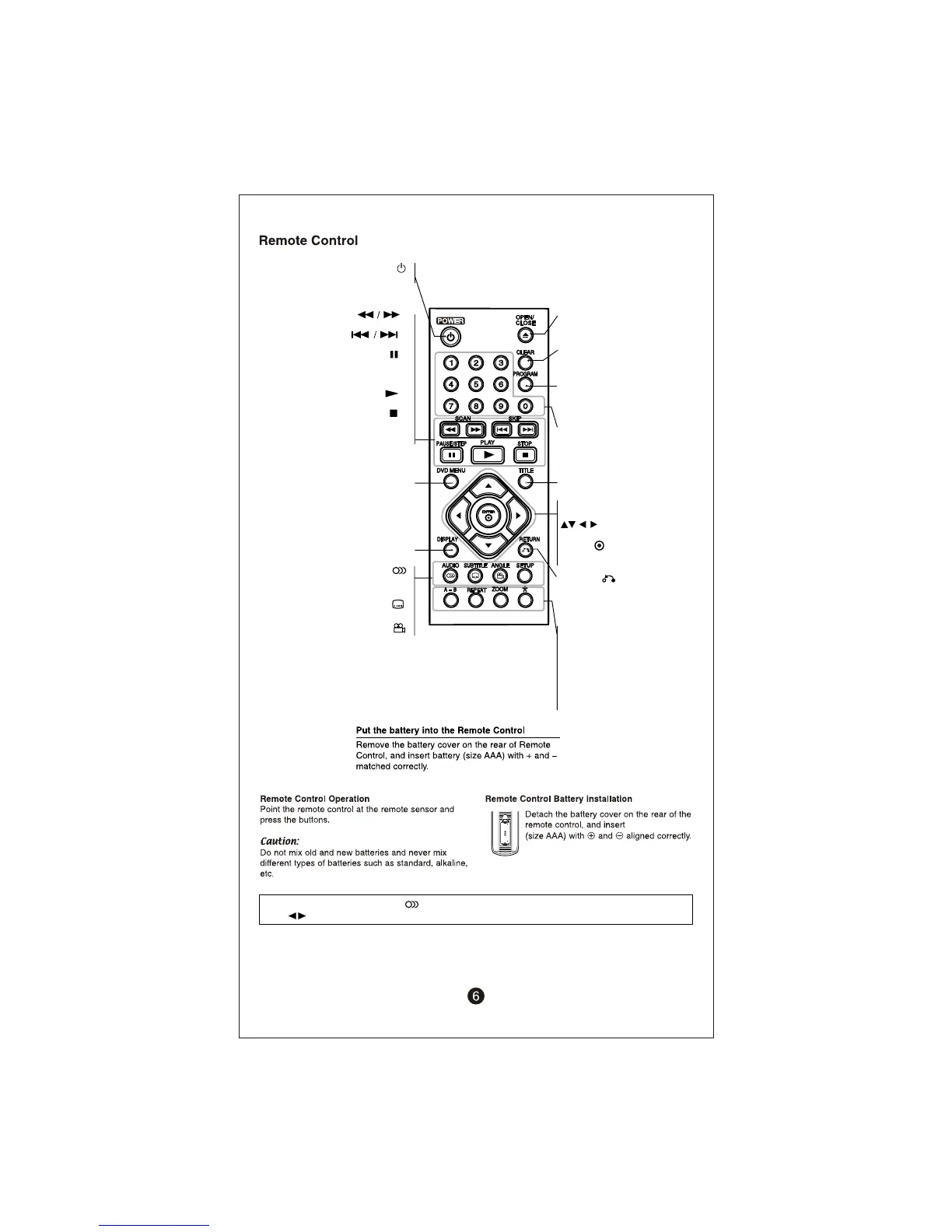
POWER ( )
Switches the unit ON or OFF.
SCAN ( )
Search backward or forward.
SKIP ( )
Go to next or previous chapter/ track.
PAUSE/ STEP ( )
Pauses playback temporarily/ press
repeatedly for frame- by- frame
playback.
PLAY ( )
Starts playback.
STOP ( )
Stops playback.
DVD MENU
Accesses the DVD menu.
DISPLAY
Accesses On- Screen Display.
AUDIO ( )
SUBTITLE ( )
Selects a subtitle language.
ANGLE ( )
Selects a DVD camera angle,
if available.
SETUP
Accesses or exits the setup menu.
USB recording or selects an audio
language or audio channel.
OPEN/ CLOSE
Opens and closes the disc tray.
CLEAR
Removes a track number on the
Program List.
PROGRAM
Enters the program edit mode.
Numerical buttons
Selects numbered options
in a menu.
TITLE
Access the disc’s title menu.
TITLE
Access the disc’s title menu.
Navigates the menus.
ENTER ( )
Confirms menu selection.
RETURN ( )
Press to move backwards in the
menu or exit the menu. Change
the USB mode.
A- B
Repeats a section.
REPEAT
Repeats a chapter, track, title or all.
ZOOM
Enlarges video image.
* Not in Use.
Note: VOLUME KEY: Press the Audio button for more then 3 sec. to controls the volume.
Use navigate button to increase or decrease the volume.


 To Next Page