EasyManua.ls Logo

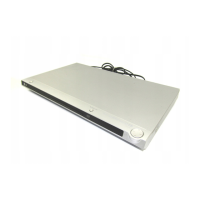
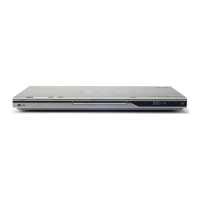
LG DVX482H - User Manual

LG DVX482H
17 pages
Print Icon
To Next Page IconTo Next Page
Loading...
DVX482H / DVX492H
As an ENERGY STAR
®
Partner,
LG has determined that this
product or product models meet
the E
NERGY STAR
®
guidelines for
energy efficiency.
ENERGY STAR
®
is a U.S. registered mark.
P/No. : MFL60171108
ENGLISH
FOR THE GUARANTEE TERMS & CONDITIONS,
PLEASE REFER TO BACK COVER OF THIS MANUAL.
DV482H.492H-E.BGBRLLK_1108_ENG 1/28/09 5:06 PM Page 1

Other manuals for LG DVX482H

Questions and Answers

  • D
    Dwayne FieldsAug 10, 2025
    Why is there no sound coming from my LG DVD Player?
    • S
      Samantha BakerAug 10, 2025
      If you're experiencing no sound, verify that the equipment connected with the audio cable is set to receive the signal from the LG DVD player by selecting the correct input mode on the audio amplifier. Also, check that the AUDIO options are set correctly.
  • R
    Robin StarkAug 20, 2025
    What to do if my LG DVD Player does not start playback?
    • T
      Trevor HamptonAug 20, 2025
      If the LG DVD player doesn't start playback, make sure you've inserted a playable disc, checking its type and regional code. Also, verify that the rating level isn't set. Finally, ensure the remote control is pointed at the remote sensor on the unit.
  • T
    Tiffany PayneAug 29, 2025
    What to do if there is no picture on my LG DVX482H?
    • S
      sara69Aug 30, 2025
      If there's no picture, ensure your TV is set to receive the signal from the LG DVD player by selecting the appropriate video input mode. Also, check that the video cable is securely connected.

Summary

Safety Precautions

Power Cord Safety

Warnings and precautions regarding the power cord, including proper handling and connection.

Playable Disc Types

Connecting the Unit

Audio and Video Connections

Instructions for connecting audio and video cables to the TV and amplifier.

SCART Connection Setup

Steps for connecting the unit to a TV using a SCART cable.

Component Video Setup

Instructions for connecting the unit to a TV using component video cables (YPbPr).

Digital Audio Output Setup

Connecting to audio amplifiers via coaxial or optical digital audio outputs.

Connecting the Unit

HDMI Connection Setup

Steps for connecting the unit to an HDMI-compatible TV for high-definition output.

Resolution Settings for Output

How to adjust the video output resolution for HDMI and component connections.

Remote Control Functions

Remote Control Button Guide

Explains the function of each button on the supplied remote control.

Main Unit Overview

Unit Buttons Explained

Describes the function of each button on the main unit, such as Power, Play, Stop, and Skip.

Adjusting Unit Settings

Initial Setup Guide

Steps for initial language and setup menu configuration when turning on the unit for the first time.

Playing Discs

Basic Disc Playback

Steps for opening, inserting, playing, and stopping discs.

Playing a DivX Movie File

Basic DivX File Playback

Steps for playing DivX movie files, including selecting and starting playback.

Listening to Music Disc or Files

Basic Music Playback

Steps for playing music from discs or files, including track selection and playback control.

Viewing Photo Files

Basic Photo Viewing

Steps for viewing photo files from discs, including selection and full-screen display.

USB Direct Recording

Recording Audio CDs

Steps for recording audio tracks from CDs directly to a USB flash drive.

Using an USB Flash Drive

Connecting and Using USB Drive

Steps for connecting a USB flash drive and playing MP3/WMA/JPEG/DivX files.

Troubleshooting and Specifications

Troubleshooting Common Issues

Solutions for common problems like no power, no picture, no sound, or remote control issues.

Product Specifications

Detailed technical specifications of the unit, including power, dimensions, and outputs.

LG Guarantee Information

LG DVX482H Specifications

General IconGeneral
BrandLG
ModelDVX482H
CategoryDVD Player
LanguageEnglish

Related product manuals