EasyManua.ls Logo

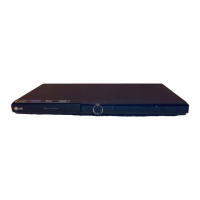
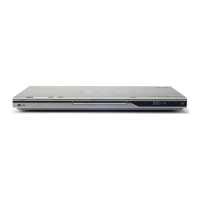
LG DVX550 - User Manual

LG DVX550
17 pages
Print Icon
To Next Page IconTo Next Page
Loading...
P/NO : MFL63266939
MODEL
DVX550
Please read this manual carefully before operating
your set and retain it for future reference.
FOR THE GUARANTEE TERMS & CONDITIONS,
PLEASE REFER TO BACK COVER OF THIS MANUAL.
OWNER'S MANUAL
DVD Player
ENGLISH

Questions and Answers

  • S
    Stephanie Thomas DDSAug 10, 2025
    Why is there no sound coming from my LG DVD Player?
    • P
      pdouglasAug 11, 2025
      If you are experiencing no sound with your LG DVD Player, verify that the equipment connected to the audio cable is set to the correct input mode. Also, check your AUDIO settings to ensure they are correctly configured.
  • M
    Martin WeaverAug 21, 2025
    What to do if my LG DVD Player does not start playback?
    • B
      Brandi AndrewsAug 21, 2025
      If your LG DVD Player does not start playback, it could be due to several reasons. First, make sure you have inserted a playable disc that is compatible with the unit's disc type and regional code. Another reason could be that the rating level is set; try changing the rating level. Also, ensure the remote control is pointed at the remote sensor on the unit.
  • J
    Jordan JohnsonAug 30, 2025
    What to do if there is no picture on my LG DVD Player?
    • T
      Tiffany LopezAug 31, 2025
      If there is no picture on your LG DVD Player, ensure that your TV is set to the correct input mode to receive the signal from the DVD player. Also, check that the video cable is securely connected.

LG DVX550 Specifications

General IconGeneral
TypeDVD Player
Playback FormatsDVD, CD, MP3, WMA, JPEG
Progressive ScanYes
Remote ControlYes
USB PortYes
Video OutputComposite, Component
Audio OutputStereo, Coaxial
Disc CompatibilityDVD, DVD-R, DVD-RW, CD, CD-R, CD-RW
UpscalingYes (up to 1080p)

Related product manuals