EasyManua.ls Logo

LG E12EK - User Manual

LG E12EK
20 pages
Print Icon
To Next Page IconTo Next Page
Loading...
OWNER’S MANUAL
AIR CONDITIONER
Please read this manual carefully before operating
your set and retain it for future reference.
www.lg.com
P/NO : MFL67415203
TYPE : WALL MOUNTED
ENGLISH
ITALIANO
ESPAÑOL
FRANÇAIS
DEUTSCH
ΕΛΛΗΝΙΚΆ
PORTUGUESE
NEDERLANDS
POLSKI
MAGYAR
БЪЛГАРСКИ

Questions and Answers

Summary

TIPS FOR SAVING ENERGY

IMPORTANT SAFETY INSTRUCTIONS

WARNING

Critical warnings about potential serious injury or death if instructions are ignored.

CAUTION

Cautions about potential minor injury or product damage if instructions are ignored.

Installation

Safety precautions for installing the air conditioner and its components.

SAFETY PRECAUTIONS

Operation

Safety guidelines for operating the air conditioner to prevent hazards.

CAUTION

Further cautions regarding product use and potential hazards.

Operation ranges

Displays the operational temperature ranges for cooling and heating modes.

BEFORE USE

Components

Identifies and illustrates the indoor and outdoor unit components of the air conditioner.

Using the remote control

Explains the functions of the wireless remote control and its buttons.

Inserting batteries

Step-by-step guide for inserting batteries into the remote control.

Installing the remote control holder

Instructions on how to mount the remote control holder.

BASIC FUNCTIONS

Cooling your room

Instructions on how to operate the air conditioner for cooling.

Removing humidity

Guide for using the dehumidifying operation mode to remove moisture.

Heating your room

Instructions on how to operate the air conditioner for heating.

Airing your room

How to use the air circulation mode without changing room temperature.

Adjusting the fan speed

Steps to adjust the fan speed for different airflow levels.

Adjusting the air flow direction

How to set the direction of the air flow horizontally or automatically.

Setting the timer

Information on using the timer for energy saving and efficient operation.

Setting the current time

How to set the current time on the air conditioner.

Turning on the air conditioner automatically at a set time

Guide to set the timer for automatic ON operation.

Turning off the air conditioner automatically at a set time

Guide to set the timer for automatic OFF operation.

Canceling the timer setting

How to cancel previously set timer operations.

Setting sleep mode

Instructions to activate sleep mode for automatic shutdown.

ADVANCED FUNCTIONS

Changing room temperature quickly

How to use Jet Cool/Heat mode for rapid temperature adjustment.

Indoor air purification

Information on the Auto Clean operation for removing indoor moisture.

Auto operation

Using the artificial intelligence mode for automatic fan and temperature adjustment.

Auto Changeover operation

How the unit automatically switches modes to maintain set temperature.

Energy saving cooling mode

Minimizing power consumption while maintaining comfort.

Display screen brightness

Adjusting the brightness of the indoor unit's display screen.

Operating the air conditioner without the remote control

How to operate the unit using the indoor unit's On/Off button.

Restarting the air conditioner automatically

Restoring previous settings after a power failure.

Cleaning the air filter

Step-by-step guide for cleaning the air filter.

MAINTENANCE

Indoor unit maintenance

Maintenance tasks for the indoor unit, including cleaning and component checks.

Outdoor unit maintenance

Maintenance tasks for the outdoor unit, including cleaning and checks.

TROUBLESHOOTING

Self-diagnosis function

Explains the self-diagnosis feature and error indicators.

Before requesting service

Checks to perform before contacting a service center for troubleshooting.

Air conditioner not generating cool air

Troubleshooting steps for when the unit is not producing cool air.

Cannot adjust fan speed

Solutions for issues with adjusting fan speed settings.

Cannot adjust temperature

Troubleshooting steps for problems adjusting the temperature.

Summary

TIPS FOR SAVING ENERGY

IMPORTANT SAFETY INSTRUCTIONS

WARNING

Critical warnings about potential serious injury or death if instructions are ignored.

CAUTION

Cautions about potential minor injury or product damage if instructions are ignored.

Installation

Safety precautions for installing the air conditioner and its components.

SAFETY PRECAUTIONS

Operation

Safety guidelines for operating the air conditioner to prevent hazards.

CAUTION

Further cautions regarding product use and potential hazards.

Operation ranges

Displays the operational temperature ranges for cooling and heating modes.

BEFORE USE

Components

Identifies and illustrates the indoor and outdoor unit components of the air conditioner.

Using the remote control

Explains the functions of the wireless remote control and its buttons.

Inserting batteries

Step-by-step guide for inserting batteries into the remote control.

Installing the remote control holder

Instructions on how to mount the remote control holder.

BASIC FUNCTIONS

Cooling your room

Instructions on how to operate the air conditioner for cooling.

Removing humidity

Guide for using the dehumidifying operation mode to remove moisture.

Heating your room

Instructions on how to operate the air conditioner for heating.

Airing your room

How to use the air circulation mode without changing room temperature.

Adjusting the fan speed

Steps to adjust the fan speed for different airflow levels.

Adjusting the air flow direction

How to set the direction of the air flow horizontally or automatically.

Setting the timer

Information on using the timer for energy saving and efficient operation.

Setting the current time

How to set the current time on the air conditioner.

Turning on the air conditioner automatically at a set time

Guide to set the timer for automatic ON operation.

Turning off the air conditioner automatically at a set time

Guide to set the timer for automatic OFF operation.

Canceling the timer setting

How to cancel previously set timer operations.

Setting sleep mode

Instructions to activate sleep mode for automatic shutdown.

ADVANCED FUNCTIONS

Changing room temperature quickly

How to use Jet Cool/Heat mode for rapid temperature adjustment.

Indoor air purification

Information on the Auto Clean operation for removing indoor moisture.

Auto operation

Using the artificial intelligence mode for automatic fan and temperature adjustment.

Auto Changeover operation

How the unit automatically switches modes to maintain set temperature.

Energy saving cooling mode

Minimizing power consumption while maintaining comfort.

Display screen brightness

Adjusting the brightness of the indoor unit's display screen.

Operating the air conditioner without the remote control

How to operate the unit using the indoor unit's On/Off button.

Restarting the air conditioner automatically

Restoring previous settings after a power failure.

Cleaning the air filter

Step-by-step guide for cleaning the air filter.

MAINTENANCE

Indoor unit maintenance

Maintenance tasks for the indoor unit, including cleaning and component checks.

Outdoor unit maintenance

Maintenance tasks for the outdoor unit, including cleaning and checks.

TROUBLESHOOTING

Self-diagnosis function

Explains the self-diagnosis feature and error indicators.

Before requesting service

Checks to perform before contacting a service center for troubleshooting.

Air conditioner not generating cool air

Troubleshooting steps for when the unit is not producing cool air.

Cannot adjust fan speed

Solutions for issues with adjusting fan speed settings.

Cannot adjust temperature

Troubleshooting steps for problems adjusting the temperature.

Overview

This document is an owner's manual for an LG wall-mounted air conditioner, providing instructions for its operation, maintenance, and troubleshooting. It emphasizes safety precautions and offers tips for energy saving.

Function Description

The LG air conditioner is designed to regulate indoor temperature and humidity, offering various modes to ensure comfort. It can perform cooling, heating (for heating/cooling models), and dehumidifying operations. The cooling mode allows users to set a desired room temperature between 18°C and 30°C. The heating mode (for heating/cooling models) operates within a temperature range of 16°C to 30°C. The dehumidifying mode automatically adjusts room temperature and fan speed to maintain optimal humidity levels, preventing mold growth, especially in high-humidity or rainy conditions. In this mode, the room temperature cannot be manually adjusted.

The air conditioner also features an air circulation mode, which circulates indoor air without changing the room temperature. This mode is indicated by a cooling lamp and a specific icon on the display screen.

Advanced functions include Jet Cool/Heat operation, which rapidly cools or warms the indoor air. In jet cooling mode, strong air blows out at 18°C for 30 minutes, while in jet heating mode, strong air blows out at 30°C for 30 minutes. This function is not available in Air Circulation, Auto, or Auto Changeover modes and may vary by model.

The Auto operation (Artificial intelligence) mode automatically adjusts fan speed and temperature based on the room temperature. For cooling-only models, it offers options like "Cool," "Cool slightly," "Maintain room temperature," "Heat slightly," and "Heat," allowing users to select an operation code based on whether the temperature is higher or lower than desired. In this mode, fan speed cannot be manually adjusted, but the air deflector can be set to rotate automatically.

The Auto Changeover operation automatically switches between operation modes to maintain the set temperature within ±2°C. The temperature range for this mode is 18°C to 30°C, and fan speed can be adjusted.

An Energy saving cooling mode minimizes power consumption during cooling by increasing the set temperature to an optimal level for comfort. During this mode, the temperature displayed on the unit may differ from that on the remote control.

Usage Features

The air conditioner is primarily operated using a wireless remote control, which provides access to all functions. The remote control features buttons for power on/off, temperature adjustment, fan speed, operation mode selection (Cooling, Auto, Auto Changeover, Dehumidifying, Heating), Jet cooling/heating, air flow direction (vertical), room temperature display, timer settings, special functions (Auto Clean, Energy Saving Cooling), and display screen brightness. Some functions may not be supported depending on the model.

Inserting batteries into the remote control involves removing the battery cover, inserting two AAA (1.5 V) batteries with correct polarity, and reattaching the cover. If the display fades, batteries should be replaced. The remote control holder can be installed on a wall using screws, ensuring it's in a safe, easily accessible place away from direct sunlight. For proper operation, the remote control should be pointed towards the signal receiver at the bottom of the indoor unit, and both the transmitter and receiver should be kept clean.

Timer functions allow users to set the current time, and schedule the air conditioner to turn on or off automatically at a specific time. To set the current time, the timer button is pressed and held for 3 seconds, then minutes are selected, and the setting is cleared. To set an automatic on or off time, the respective ON or OFF button is pressed, minutes are selected, and the setting is cleared. Timer settings can be canceled individually or all at once.

The Sleep mode automatically turns off the air conditioner after a set period (up to 7 hours). In Cooling and Dehumidifying modes, the temperature gradually increases by 1°C after 30 minutes, and another 1°C after another 30 minutes, for a more comfortable sleep, with a maximum increase of 2°C from the preset temperature.

The display screen brightness of the indoor unit can be adjusted using the LIGHT button on the remote control.

In cases where the remote control is unavailable, the air conditioner can be operated using the On/Off button on the indoor unit. Opening the front cover reveals this button. For cooling and heating models, the operation mode changes based on room temperature: below 21°C for heating, between 21°C and 24°C for dehumidifying, and above 24°C for cooling. For cooling-only models, the temperature is fixed at 22°C (71.6°F).

The air conditioner also has a restart automatically function, which restores previous settings after a power failure. This is a factory default setting but can be disabled or re-enabled by holding the On/Off button on the indoor unit for 6 seconds.

Maintenance Features

Regular maintenance is crucial for optimal performance and longevity of the air conditioner. The manual provides a detailed maintenance schedule.

The air filter should be cleaned once every 2 weeks or more often if necessary. To clean, the power must be turned off and unplugged, the front cover opened, the filter removed by lifting its knob, cleaned with a vacuum cleaner or warm water (with detergent if dirt is stubborn), and then dried in the shade before reinserting.

The indoor unit surface should be cleaned regularly with a soft, dry cloth. The condensate drain pipe should be cleaned every 4 months, and the condensate drain pan and heat exchanger should be thoroughly cleaned once a year. The remote control batteries should be replaced once a year. For deeper cleaning of the heat exchanger coils and panel vents, consultation with a technician is recommended.

The outdoor unit requires annual cleaning of the fan and condensate drain pan. It's also important to verify annually that the fan assembly is firmly tightened and that electric components are cleaned with jets of air.

If the air conditioner will not be used for an extended period, it should be dried in Fan mode for 3 to 4 hours, and the power plug disconnected, to prevent internal damage from moisture and to remove odors.

Safety precautions during maintenance include turning off and unplugging the power before any work, avoiding water hotter than 40°C for cleaning filters to prevent deformation or discoloration, and not using volatile substances that could damage the product surface. It is also noted that dirt collected in the outdoor unit's heat exchanger coils can decrease operational efficiency and increase energy costs, emphasizing the importance of regular cleaning.

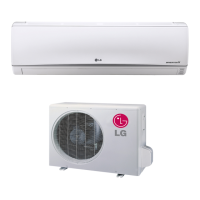
LG E12EK Specifications

General IconGeneral
TypeSplit system
Multi-split-
Product colorWhite
Remotely operatedYes
Air conditioner functionsCooling, Heating
Cooling capacity in watts (max)4000 W
Cooling capacity in watts (min)900 W
Heating capacity in watts (max)5100 W
Seasonal efficiency rating (cooling) (SEER)5.4
Seasonal efficiency rating (heating) (SCOP) (Average heating season)3.4
AC input voltage220-240 V
AC input frequency50 Hz
Energy efficiency class (cooling)A
Annual energy consumption (cooling)227 kWh
Hourly energy consumption (cooling)4.7 kWh
Hourly energy consumption (heating)4.4 kWh
Annual energy consumption (heating) (Average heating season)1565 kWh
Indoor unit typeWall-mountable
Indoor unit depth210 mm
Indoor unit width885 mm
Indoor unit height285 mm
Indoor unit weight9000 g
Indoor unit noise level (high speed)39 dB
Outdoor unit depth230 mm
Outdoor unit width717 mm
Outdoor unit height483 mm
Outdoor unit weight26000 g
Outdoor unit noise level47 dB

Related product manuals