EasyManua.ls Logo

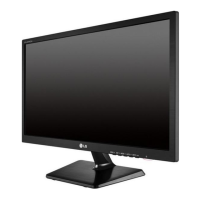
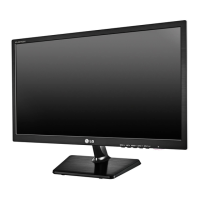
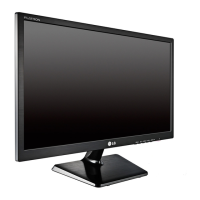
LG E1942S - User Manual

LG E1942S
33 pages
Print Icon
To Next Page IconTo Next Page
Loading...
лчиттничюнльтцию.
глтчн.Бзвыдны
www.sotmarket.ru
дбняинфмциятв,
тзывы,бзыиы
Инструкция для
LG E2342T
Перейти в карточку товара
8 800 775 98 98

Questions and Answers

  • J
    Jennifer VazquezAug 17, 2025
    How to fix no image on LG E1942S Monitor?
    • S
      Shane DavisAug 17, 2025
      If no image appears on your LG Monitor, first ensure the power cord is correctly connected to the outlet and that the monitor is turned on. Adjust the brightness and contrast settings. If the monitor is in power saving mode, try moving the mouse or pressing a key. Also, verify that your PC is turned on. If a message appears indicating the signal from the PC is out of range, consult the 'Specifications' section of the manual to configure your display appropriately. Finally, note that the monitor enters DPM mode if it remains on 'No-Signal' for 5 minutes.
  • D
    David SchmidtAug 20, 2025
    What to do if the display image is incorrect on my LG E1942S Monitor?
    • L
      lgonzalesAug 20, 2025
      If the display image on your LG Monitor is incorrect, press the AUTO button to automatically adjust the image to the ideal setting. Alternatively, go to Control Panel ? Display ? Settings and adjust the display to the recommended resolution, ensuring that the color setting is higher than 24 bits (true color).
  • C
    Colleen SchmittAug 23, 2025
    Why does the screen blink on my LG E1942S Monitor?
    • A
      Aaron JonesAug 23, 2025
      If the screen of your LG Monitor blinks, check if it is set to interlace mode. If it is, change it to the recommended resolution.
  • J
    John WangAug 26, 2025
    What to do if no image appears on my LG E1942S?
    • C
      chigginsAug 26, 2025
      If your LG monitor displays no image, ensure the power cord is correctly connected to the outlet and that the monitor is powered on. Check the brightness and contrast settings. If the monitor is in power saving mode, try moving the mouse or pressing a key. Also, ensure your PC is turned on. If the PC signal is out of range, check the 'Specifications' section of the manual and configure your display again. Note that the monitor goes to DPM mode when on 'No-Signal' for 5 minutes.
  • M
    Manuel RosarioAug 28, 2025
    Why is my LG E1942S screen blinking?
    • D
      David GarciaAug 28, 2025
      If your LG monitor screen is blinking, check if the screen is set to interlace mode. If it is, change it to the recommended resolution.
  • D
    Daniel DixonAug 31, 2025
    Why is the screen color on my LG Monitor mono or abnormal?
    • M
      Monica CampbellAug 31, 2025
      If the screen color on your LG monitor is mono or abnormal, check that the signal cable is properly connected, tightening it with a screwdriver if necessary. Also, ensure the video card is correctly inserted in its slot. Finally, verify that the color setting is set higher than 24 bits (true color) in Control Panel ? Settings.
  • A
    Amy SandovalSep 2, 2025
    Why is my LG monitor display image incorrect?
    • R
      Richard AllenSep 3, 2025
      If the display image on your LG monitor is incorrect, try pressing the AUTO button to automatically adjust the display to the ideal setting. Also, check your display settings in Control Panel and adjust the resolution to the recommended one. Ensure that the color setting is higher than 24 bits (true color).
  • J
    Jason CollinsSep 5, 2025
    What to do if I see an 'Unrecognized monitor, Plug&Play (VESA DDC) monitor found' message on my LG E1942S Monitor?
    • D
      Deanna GatesSep 5, 2025
      If you see an 'Unrecognized monitor, Plug&Play (VESA DDC) monitor found' message on your LG Monitor, install the display driver from the CD (or diskette) that came with your display. Also, make sure your video card supports the Plug&Play function.
  • D
    daniel02Sep 8, 2025
    How to unlock OSD on LG E1942S?
    • T
      Tanner ThomasSep 8, 2025
      You can unlock the OSD controls on your LG Monitor at any time by pushing the MENU button for several seconds until the message 'OSD UNLOCKED' appears.
  • J
    Jennifer PriceSep 12, 2025
    Why is the screen color mono or abnormal on my LG monitor?
    • S
      Scott CastilloSep 12, 2025
      If the screen color on your LG monitor is mono or abnormal, ensure the signal cable is properly connected, tightening it with a screwdriver if necessary. Also, verify that the video card is correctly inserted in its slot. Check the color settings in the Control Panel and set it to higher than 24 bits (true color).

Summary

Assembling and Preparing Monitor

Unpacking Monitor Accessories

Check product box for included items and contact dealer if any are missing.

Monitor Parts and Buttons Overview

Identifies monitor components, buttons, and connection panel.

Setting Up the Monitor Base

Instructions for attaching the stand base to the monitor.

Mounting Monitor on a Table

Steps to place the monitor on a table with ventilation guidelines.

Mounting Monitor on a Wall

Guidelines and VESA specifications for wall mounting the monitor.

Using the Monitor

Connecting Monitor to PC

Explains PC connection, Plug & Play, and D-SUB connection.

DVI-D Connection Guide

Instructions for connecting the monitor using a DVI-D cable.

Customizing Monitor Settings

Navigating OSD Settings

How to navigate and change settings using the On-Screen Display menu.

Monitor Troubleshooting

Resolving No Image Issues

Steps to diagnose and resolve issues when the monitor screen remains blank.

Correcting Incorrect Display Image

Solutions for problems like incorrect position, bars, or unclear text on screen.

Monitor Specifications

LG E1942S Specifications

General IconGeneral
BrandLG
ModelE1942S
CategoryMonitor
LanguageEnglish

Related product manuals