23
■BIOS Flash
You Can update BIOS using USB Device (FDD/USB Memory)
Because this system is not equipped with any USB Device, you have to use an external USB Device
for a BIOS update.
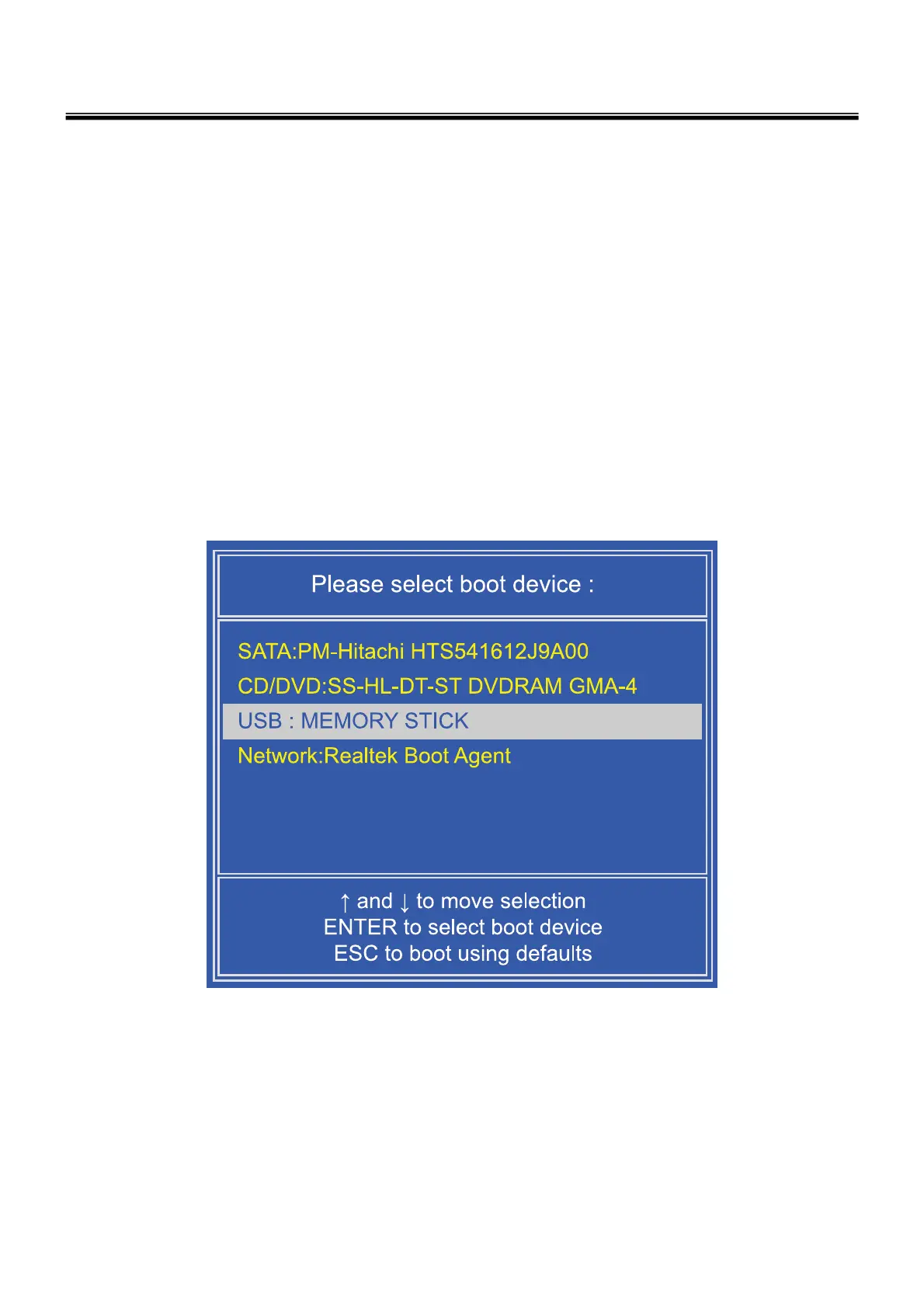
In order to boot up with an USB Device, please set Removable Device as the
first boot up drive in the boot menu of BIOS Setup.
· How to update flash Rom in Dos
1. Create ‘boot up’ flash update USB Device (FDD/USB Memory).
2. Copy BIOS Flash software to the flash update USB Device (FDD/USB Memory).
3. Connect the USB Device for USB Port.
4. Press F11 Key while the "LG LOGO" appears.
5. A while later, the system setup home screen appears.
Ch3. System information



 To Next Page