25
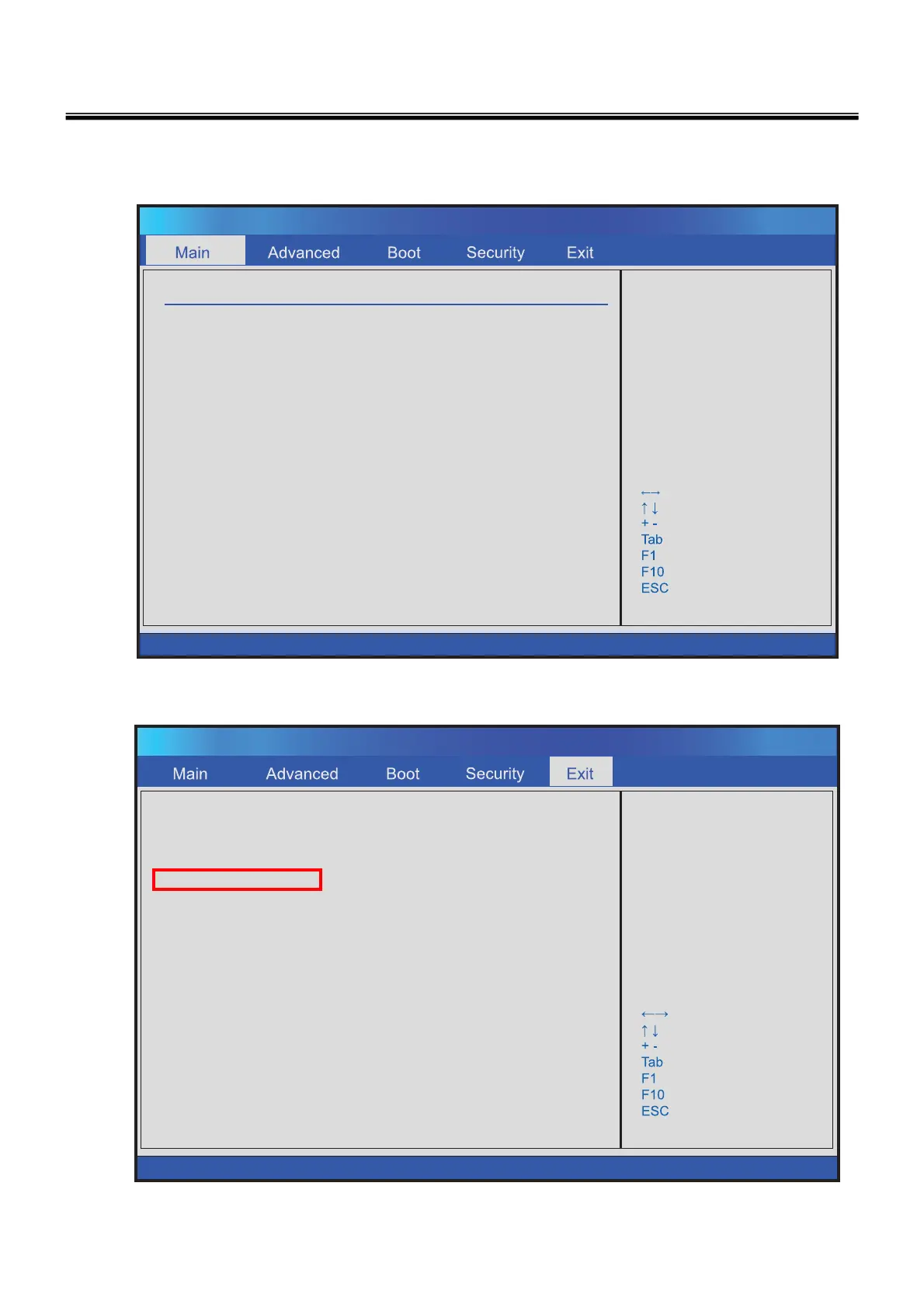
10. Press [F1] Key, then you can see the BIOS SETUP UTILITY screen as below.
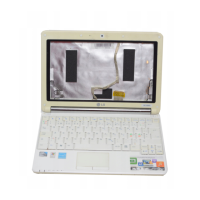
Exit & Save Changes
Exit & Discard Changes
Disard Changes
Load Setup Defaults
Exit system setup
after saving the
changes.
F10 key can be used
for this operatios.
Select Screen
Select Item
Change Field
Select Field
General Help
Save and Exit
Exit
BIOS SETUP UTILITY
v02.61 (C) Copyright 1985-2006, American Megatrends, Inc.
System Overview
Firmware Information
BIOS Build A1636IL1, Ver0. 01, 03/07/2007
EC Build 1636EL11 Ver3.0B 03/07/2007
Processor
Brand Intel(R) Core(TM)2 Duo CPU
Speed : *.**Ghz
System Memory
Total 1024MB
System Time [12:40:59]
System Date [Mon 02/04/2007]
Use [ENTER] to Select
a field.
Use [+] or [ - ] to
Configure systme Time.
Select Screen
Select Item
Change Field
Select Field
General Help
Save and Exit
Exit
BIOS SETUP UTILITY
v02.61 (C) Copyright 1985-2006, American Megatrends, Inc.
11. It selects the :”Load Setup Default” and it summons a BIOS settings at initial value.
Ch3. System information



 To Next Page