27
Ch3. System information
BIOS Release Process and Making Bootable CD
1. LGE(Korea) will upload BIOS Image(*.iso) to GCSC(Global Cyber Service Center:http://biz.lgservice.com)
when BIOS should be updated.
2. BIOS will include both System BIOS and EC(Embedded Controller) BIOS.
3. Service center can download BIOS file from GCSC and update BIOS according to below procedure.
4. Service center will make Bootable Image CD with Image file(*.iso) as below
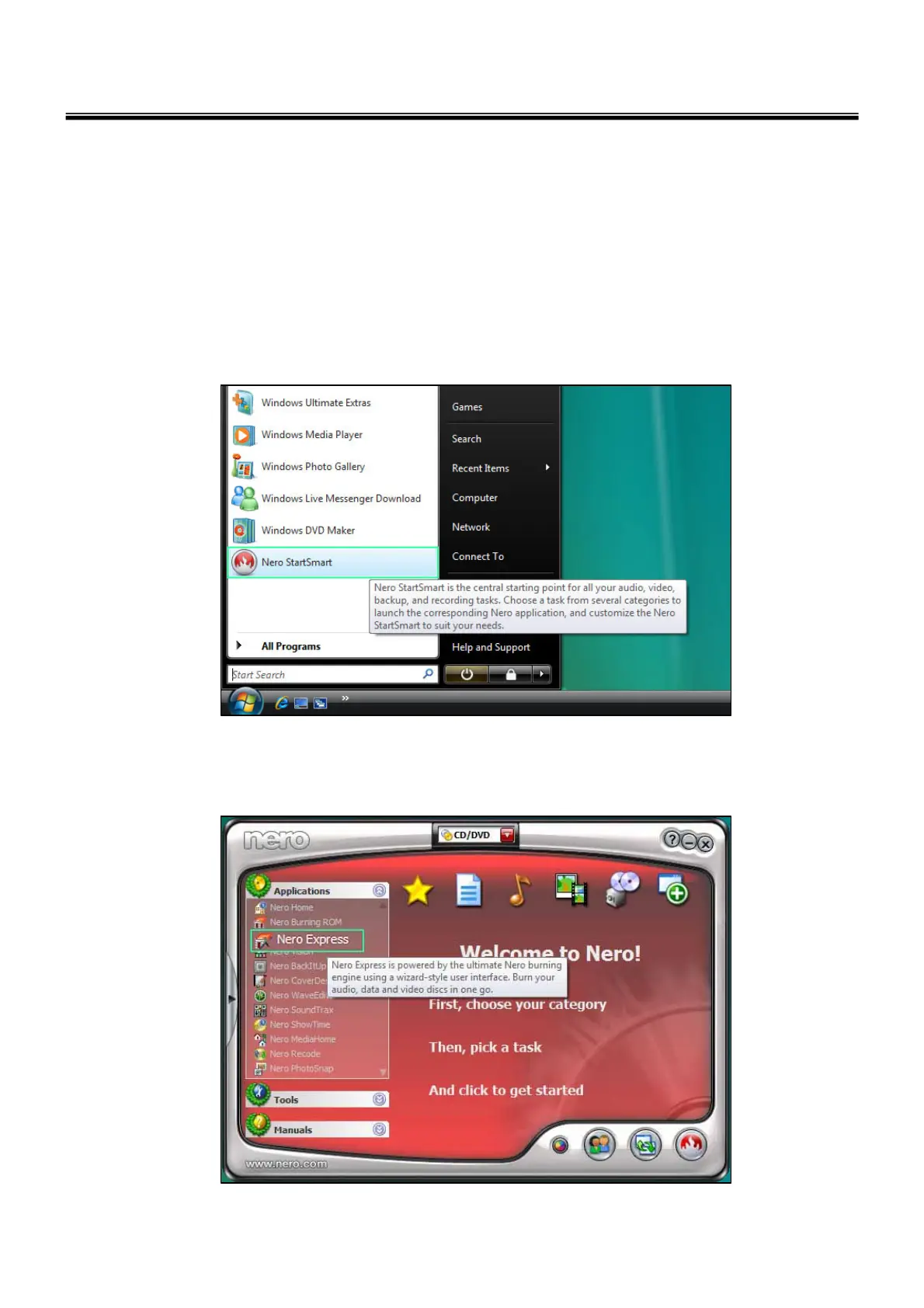
a. Insert empty disc to CD-RW Drive and start Nero “StartSmart”.
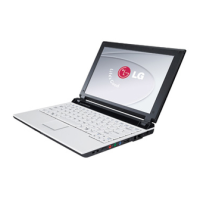
b. Select “Nero Express”.



 To Next Page