73
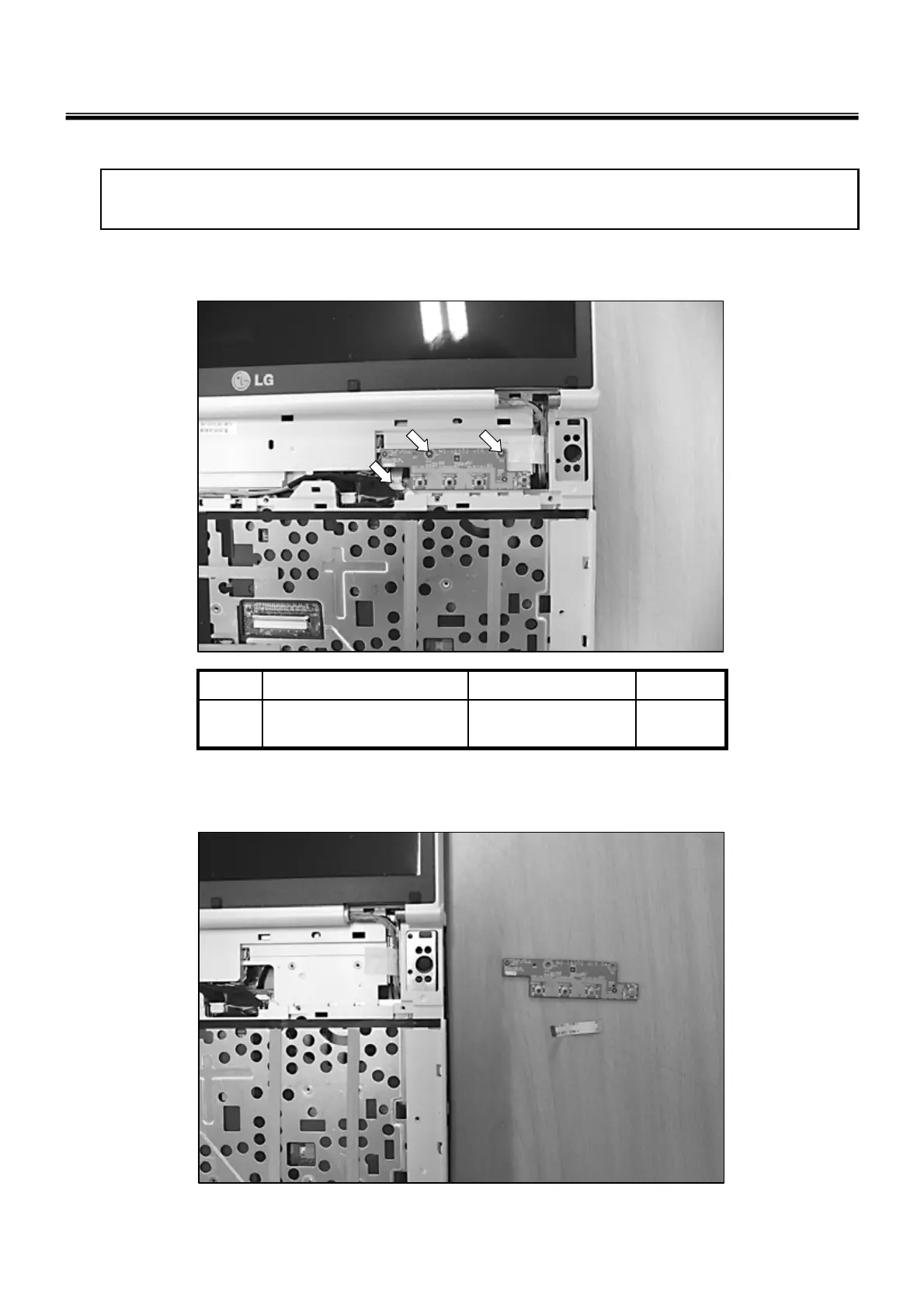
■ 1120 Button Sub Board
Ch5. Removing and replacing a part
1. Remove 2 Screws, Than Remove the Cable.
2
M2.5X0.45P,4.5mm,
5mm
FAB300651011
QtySpecificationFRU No.No.
2. Remove the WLAN Antenna, Web Cam Cable.
※ Remove the following parts in order before replacing this part
a. Battery Pack(1010) b. System Door(1030), c. Retainer(1100)



 To Next Page