Need help?
Do you have a question about the LG Energy Solution RESU10H Prime and is the answer not in the manual?
Displays warning symbols for electric shock, flammability, and weight.
Provides general precautions, battery handling, and emergency response guidelines.
Locates and describes product/warning and traceability labels on the battery.
Defines the skills and experience required for installers and service personnel.
Details electrical characteristics, operating conditions, and certifications of the battery system.
Highlights key features of the compact, residential 400V DC battery pack system.
States that no maintenance is required for normal operation if properly installed.
Specifies the short circuit current value and duration for the battery system.
Outlines arc flash hazard calculations, including voltage, resistance, and incident energy.
Lists the items included in the battery pack package.
Provides instructions for lifting and carrying the battery control unit and modules.
Details the steps for unboxing the battery pack components.
Specifies requirements and recommendations for selecting an installation site.
Recommends specific clearances for ventilation and installer convenience.
Lists required tools and essential safety gear for battery pack installation.
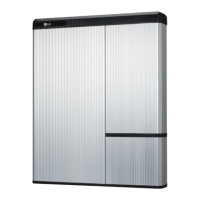
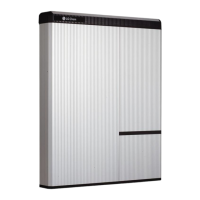
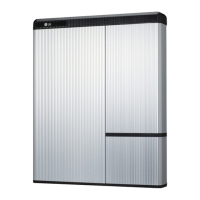
Shows the physical appearance and dimensions of the battery pack.
Defines minimum clearances for installation, cabling, and airflow.
Provides an overview and initial steps for installing the battery pack.
Details the procedure for mounting the battery pack using standing brackets.
Instructions for connecting power and sensor connectors to the battery control unit.
Steps to check battery pack operation after assembly, including LED indicators.
Procedures for re-attaching covers and securing the battery pack.
Provides detailed steps for installing the battery pack using wall mounting brackets.
Outlines the process for installing and preparing the Remote Monitoring Device.
Steps to sign in to the RESU Monitor website as an installer.
Instructions on how to obtain the IoT Hub connection string for device registration.
Guides for registering a new user account on the RESU Monitor website.
Instructions for downloading and using the RESU Installer App.
Steps to turn on the battery pack by opening the front cover and using the circuit breaker.
Details how to log in to the RESU Installer App after creating an account.
Process for searching, agreeing to privacy policy, and entering customer information.
Instructions for connecting the RMD to the device via Wi-Fi direct connection.
Options for connecting to the internet via Ethernet or Wi-Fi.
Steps for connecting the RMD to a Wi-Fi network for server communication.
Guides for configuring RMD settings like continent, time zone, and operation mode.
How to check server connection and battery status via RMD.
Diagrams and descriptions of inverter communication ports and DIP switches.
Detailed steps for connecting cables and setting DIP switches for communication.
Information on power and communication terminal blocks, including specifications.
Explains the meaning of LED indicators on the front of the battery pack.
Step-by-step instructions for powering on the battery pack.
Step-by-step instructions for shutting down the battery pack.
General guidance on troubleshooting, including common fault messages and actions.
A checklist to verify correct installation and operation after setup.
Provides specific guidelines for troubleshooting based on LED status (OFF, ON, Fault).
Overview of instructions for returning or replacing the battery pack.
Step-by-step guide for safely uninstalling the battery pack.
Detailed steps for disassembling and removing the battery pack from mounting brackets.
Provides contact details for technical assistance and service globally.
Explains how to connect multiple battery packs in parallel.
Details how to set the DIP switch for communication termination resistors.
Illustrates power cable connection when using a combiner box.
Guides on how to check battery status using the RMD Wi-Fi or Web interface.
Instructions for updating firmware for BMS, DC/DC, and RMD.
Lists fault names, error codes, and required support actions for troubleshooting.
Details the process of upgrading firmware for various system components.
Explains the user agreement process for installing via the web interface.
Guides for setting up the battery via RMD, including Wi-Fi and device list selection.
Instructions for logging into the RMD web interface.
Details configuration settings for the RMD, including server use and inverter type.
Instructions for connecting the RMD to a Wi-Fi network for server communication.
How to verify the installation status and server connection via the Monitoring tab.
 General
| Brand | LG |
|---|---|
| Model | Energy Solution RESU10H Prime |
| Category | Camera Accessories |
| Language | English |

 To Next Page