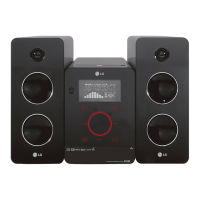
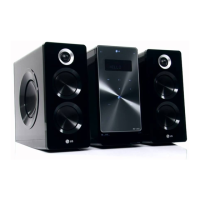
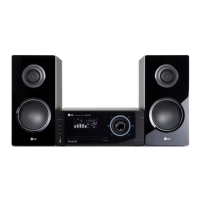
This document describes the LG FA163 (FA163-A0U, FAS163F) Hi-Fi system, a versatile audio player designed for various listening experiences.
General Functions and Features
The LG FA163 is a compact Hi-Fi system that offers multiple ways to enjoy music, including CD playback, USB music playback, radio listening, and connection to portable devices. It features a touch wheel for volume adjustment, providing a modern and intuitive control experience. The touch buttons are designed for ease of use, but it's important to use them with clean, dry hands and avoid applying excessive force to prevent damage to the sensors. The system also includes a display window that provides visual feedback on the current function and settings.
For power management, the device can enter a Power Save mode by pressing the power button for more than 3 seconds when it's already on. This helps conserve energy when the system is not actively in use.
Sound Enhancement Features
The FA163 incorporates several sound enhancement technologies to optimize your listening experience:
- eXtreme Dynamic Sound System (XDSS): This feature reinforces treble, bass, and surround sound effects. When activated, "XDSS ON" will appear on the display. Pressing the button again will revert to "NORMAL" sound.
- OPTIMIZER: This function is specifically designed to optimize compressible MP3 files, improving their bass sound for a richer audio experience.
- VSM (Virtual Sound Matrix): VSM allows you to select virtual sound modes. Pressing the VSM button on the player repeatedly cycles through "BYPASS," "VIRTUAL," and "ON STAGE." "VIRTUAL" provides real-time 3D positioned sound rendering, optimized for stereo speakers, creating amazing virtual surround effects. "ON STAGE" fills the concert hall with sound.
- Sound Quality Adjustment (EQ): The remote control features an EQ button that allows you to choose different sound impressions. Repeatedly pressing EQ cycles through "NATURAL," "REGUETON," "AUTO EQ" (for MP3/WMA files only), "POP," "CLASSIC," "ROCK," "JAZZ," and "NORMAL."
CD Playback
The system includes a CD slot loader for playing audio CDs and MP3/WMA CDs. To play a CD, simply insert it into the slot. The display will show the total number of tracks or files. Playback can be started and paused using the play/pause button on both the player and the remote control. To stop playback, press the stop button.
For navigation within a track, you can hold the fast forward or rewind buttons on either the player or the remote control. To skip to another track, press the skip buttons. The system also supports speed search for tracks when in stop status, allowing continuous track skipping.
The FA163 offers various playback modes for CDs:
- Repeat (RPT 1, RPT ALL): Allows you to repeat a single track or all tracks.
- Random (RANDOM): Plays tracks in a random order.
- Off (OFF): Disables repeat and random playback.
These modes can be selected by repeatedly pressing the MODE button on the remote control.
You can also program up to 20 tracks to be played in a specific order. To do this, insert a CD, press "PROGRAM/MEMO" on the remote, use the skip buttons to select a track, and press "PROGRAM/MEMO" again to save it. Repeat this process for all desired tracks, then press play. To clear your selection, press the stop button twice.
USB Music Playback and Recording
The LG FA163 features a USB connector, allowing you to connect compatible portable USB players and control them from the system. To play music from a USB device, connect it to the USB port, select the USB function, and the display will show "READ" followed by the number of files. You can then select folders and start playback. It's crucial to change to another function before disconnecting the USB player to prevent data damage.
The system supports USB direct recording from various sources:
- Recording FM, AM, or Portable Source to USB: Select the desired mode (PORTABLE, FM, or AM), then press the USB Rec. button on the player or REC button on the remote to start recording. Press the stop button to end the recording.
- Recording CD Source to USB: You can record individual tracks or all tracks from a CD to USB. Select the CD function, then either select a specific track or record all tracks. Press USB Rec. or REC to begin.
During recording, you can select the bit rate (96kbps, 128kbps, 192kbps, 256kbps) and recording speed (X1 SPEED allows listening during recording, X2 SPEED is for Audio CDs only). If sleep mode is active, recording will stop at the preset time, and the player will turn off. It's important not to remove the USB device while recording to avoid losing the recorded file. The system supports FAT (16/32) file systems but not NTFS. It does not support all USB devices, digital cameras, or mobile phones, and the total number of files should not exceed 1000. The USB port cannot be connected to a PC or used as a storage device.
Radio Listening
The FA163 includes an FM/AM tuner. Ensure both the FM and AM aerials are properly connected for optimal reception. To listen to the radio, select either FM or AM function. You can then select radio stations using the skip buttons.
The system allows you to save up to 50 radio stations as presets. To save a station, tune to it, then press "PROGRAM/MEMO" on the remote. A preset number will flash, which you can confirm. To select a saved station, use the "FOLDER PRESET" or skip buttons.
For automatic station searching, hold the skip buttons on either the player or remote for more than 0.5 seconds. The tuner will scan and stop when it finds a station. To delete all saved stations, press and hold "PROGRAM/MEMO" for two seconds until "ERASE ALL" appears, then confirm.
If FM reception is poor, pressing the play/pause button on either the player or remote will switch the tuner from stereo to mono, usually improving reception.
The FM tuner supports Radio Data System (RDS), which displays information like "PTY" (Programme Type - News, Sport, Jazz), "RT" (Radio Text - station name), "CT" (Time Control - time at station location), and "PS" (Programme Service name - channel name). Pressing the RDS button on the remote cycles through this information.
Portable Player Connection
The system features a "PORTABLE IN" jack on the front, allowing you to connect various types of portable players using a 3.5mm headphone plug. To use this feature, connect your portable player, turn it on, select the "PORTABLE" function on the Hi-Fi system, and then start playing music on your portable device.
Clock and Alarm Functions
The FA163 includes a clock and alarm function. To set the clock, press the "CLOCK" button on the player for at least 2 seconds. You can choose between AM/PM (12-hour) or 24-hour display. Use the skip buttons to adjust hours and minutes, and press "SET" to confirm each selection.
To use the player as an alarm clock, press and hold "TIMER" on the player for two seconds. The display will show "TUNER," "CD," or "USB" flashing. Press "SET" when the desired function for the alarm is shown. If you choose "TUNER," you can select a preset radio station. Next, set the "ON TIME" (when the alarm will go off) and "OFF TIME" (when the function will stop) using the skip buttons and "SET" to confirm. Finally, set the alarm volume. The clock icon will appear on the display, indicating the alarm is set. You can check or toggle the alarm on/off by pressing "TIMER" when the system is off.
Sleep Function
The sleep function allows you to fall asleep while listening to your player. Start a radio station or music, then press "SLEEP" on the remote control repeatedly. This cycles through delay times between 10 and 180 minutes, after which the player will automatically turn off. The display light can also be dimmed with this function.
Maintenance and Safety
The manual emphasizes several safety precautions:
- Electrical Safety: Do not open the unit to avoid electric shock. Refer servicing to qualified personnel. Do not expose the product to rain or moisture.
- Ventilation: Do not block ventilation openings. Ensure proper ventilation, especially if installing in a confined space like a bookcase.
- Water and Objects: Do not expose the apparatus to dripping or splashing water, and do not place liquid-filled objects (like vases) on it.
- Power Cord: Use a dedicated circuit for the appliance. Do not overload wall outlets or use damaged cords. Periodically inspect the power cord for damage and replace it if necessary. Protect the cord from physical abuse. Ensure the plug is easily accessible for disconnection from the mains.
- Laser Product: This product uses a Class 1 laser. Do not open the enclosure or stare into the beam to prevent hazardous radiation exposure.
- Speaker Duct: Be careful not to allow children or objects into the speaker duct, which is designed for bass sound.
For remote control maintenance, ensure the battery (AAA size) is inserted with correct polarity (+ and -). If the remote control is not working, check the battery, ensure you are within 16 feet (5m) of the unit, and remove any obstacles between the remote and the player.
The manual also includes a troubleshooting section for common issues like no power, no sound, CD playback problems, radio tuning issues, and remote control malfunction, providing simple solutions for each.



 To Next Page
 General